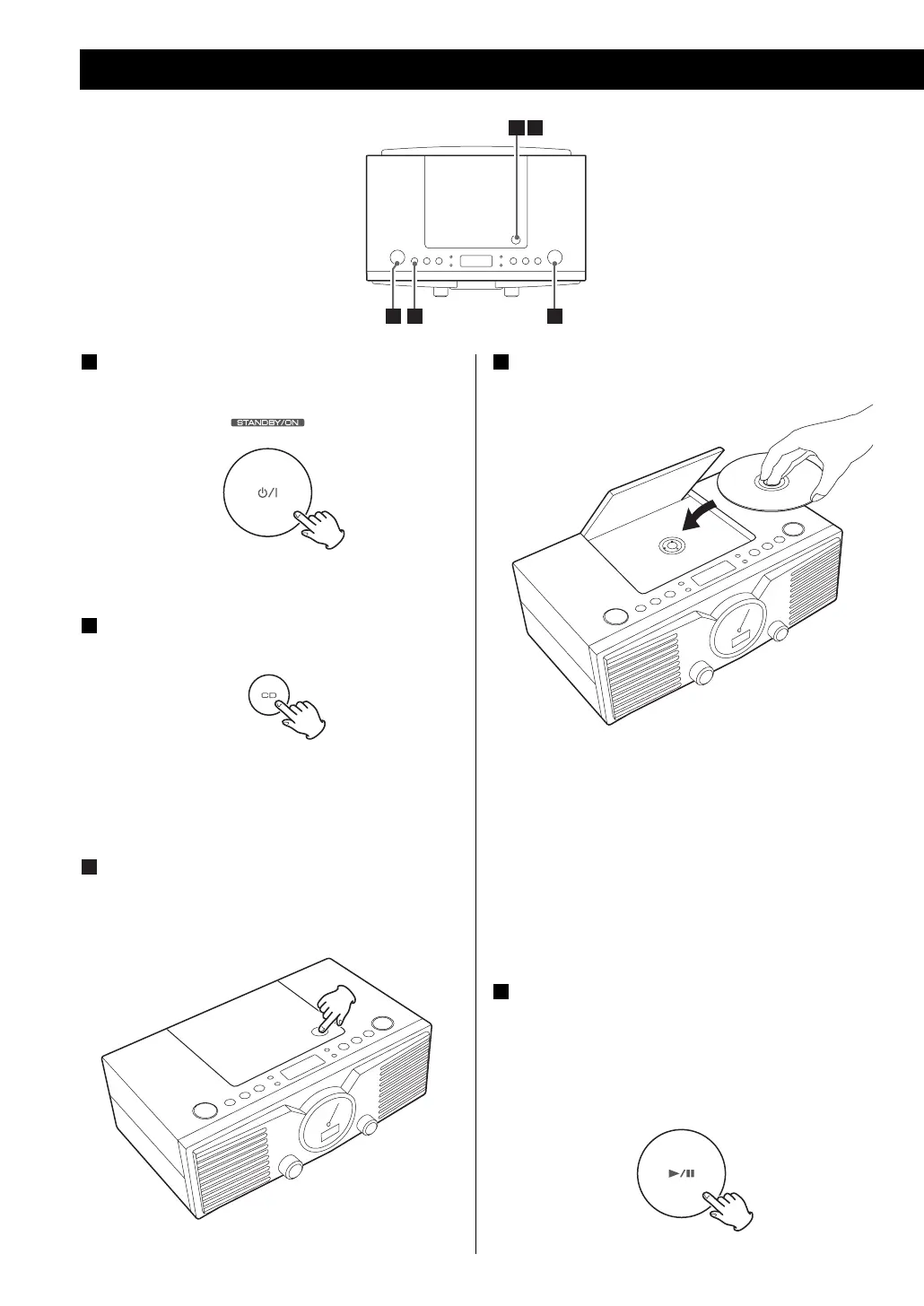
Press the STANDBY/ON switch to turn the unit
ON.
Press the CD button to select “CD”.
< When no disc is in the unit, “no” will be displayed.
Press L to open the disc cover.
3
2
1
Playing a CD
Place a disc with the printed label face up, and
close the cover by hand.
< CD’s must be pressed securely onto the Spindle,
until a “CLICK” is heard.
< Never place more than one disc in the CD player.
< When closing, press L on the cover.
< It takes a few seconds for the unit to read the
contents of the disc. No button will work during
reading. Wait until the total number of the tracks
and total play time of the disc is displayed.
Press the PLAY/PAUSE button (y/J) to start
playback.
Playback starts from the first track.
When playback of all the tracks has finished, the
unit stops automatically.
5
4
3 4
1 2 5
8



 To Next Page