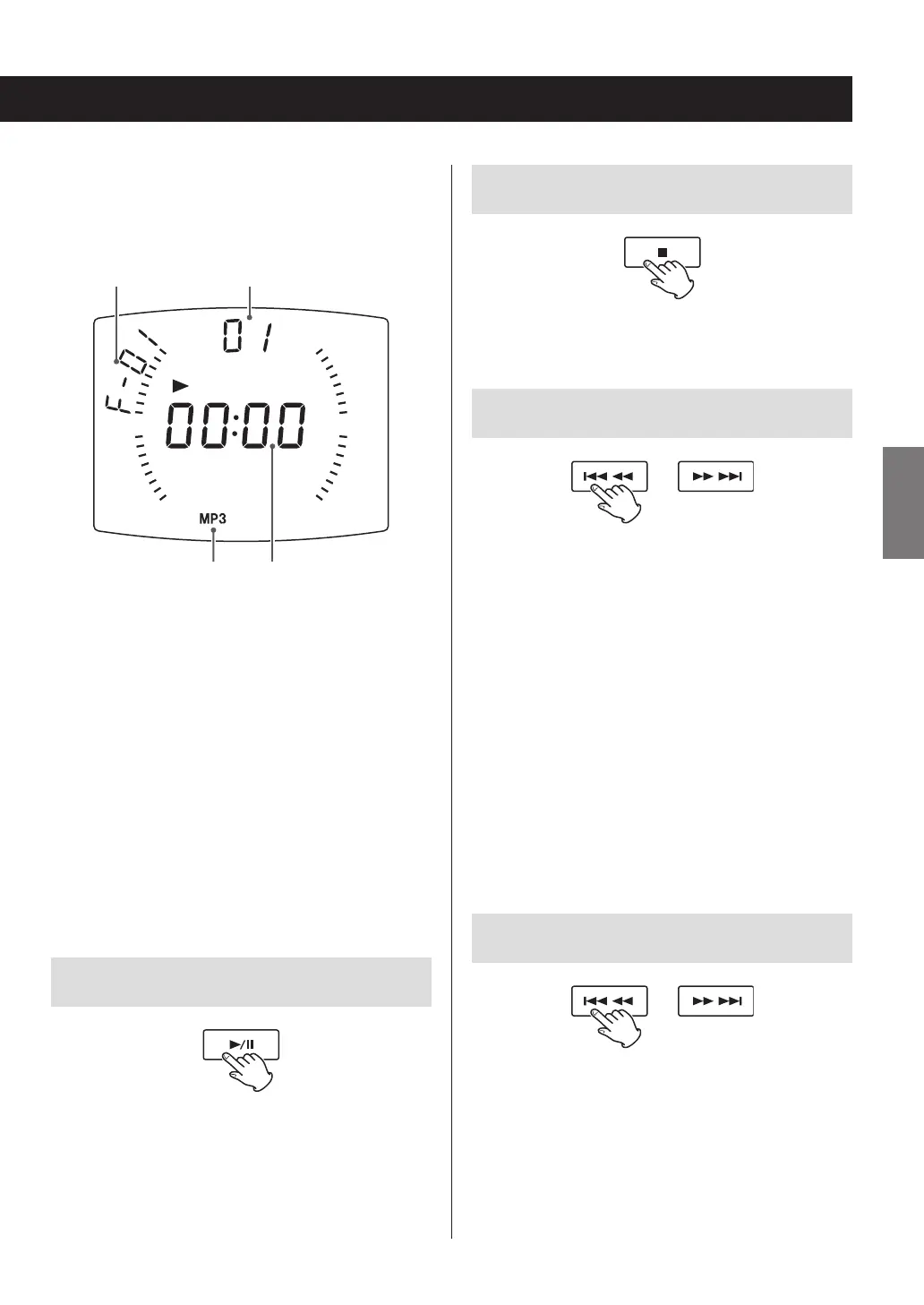
Display example
Folder number
(When an audio
CD is loaded, “Cd”
appears on the
display.) Track/file number
Data format Elapsed time of
currently playing track/file
o This unit treats MP3/WMA files that are not in fold-
ers as being in the 01 folder. Playback starts with
the first track in the 01 folder.
o For details about the playback order of MP3/WMA
files, see page 24.
o After all tracks/files have played, playback will auto-
matically stop.
o During playback, a pair of lines moves around the
outer edge of the display.
V
Never open the disc lid during playback. Doing
so could cause the disc to fly out, possibly result-
ing in injury or damage.
Pausing playback
Press the play/pause (y/9) button to pause playback.
When paused, press the play/pause (y/9) button to
resume playback from the paused point.
o When paused, the playback time will blink.
Stopping playback
Press the stop (8) button to stop playback.
Skipping tracks/files
During playback and when paused, press a skip/search
(.m/,/) button to skip to the previous or
next track/file. Press repeatedly until you reach the song
you want.
Playback will start from the beginning of the selected
track/file.
When stopped, press a skip (.m / ,/) button
repeatedly until the desired track/file is found and press the
play/pause (y/9) button to start playback.
During playback and when paused, press the .m
button once to return to the beginning of the track/
file being played. To play an even earlier song, press the
.m button repeatedly.
During programmed playback (page 20), the next or pre-
vious track/file in the program will be played.
Search for a part of a track/file
During playback, press and hold a skip/search (.m/
,/) button to search backward/forward. At the
point where you want to listen, press the play/pause
(y/9) button.
19
ENGLISH



 To Next Page