Listening to a CD
o Be careful not to let your fingers get caught when
closing the lid.
o A non-audio disc might be “played” in the same
manner as an audio disc, but sound will not be
output.
o When the current file is a WMA file, “WMA” will
appear at the bottom of the display.
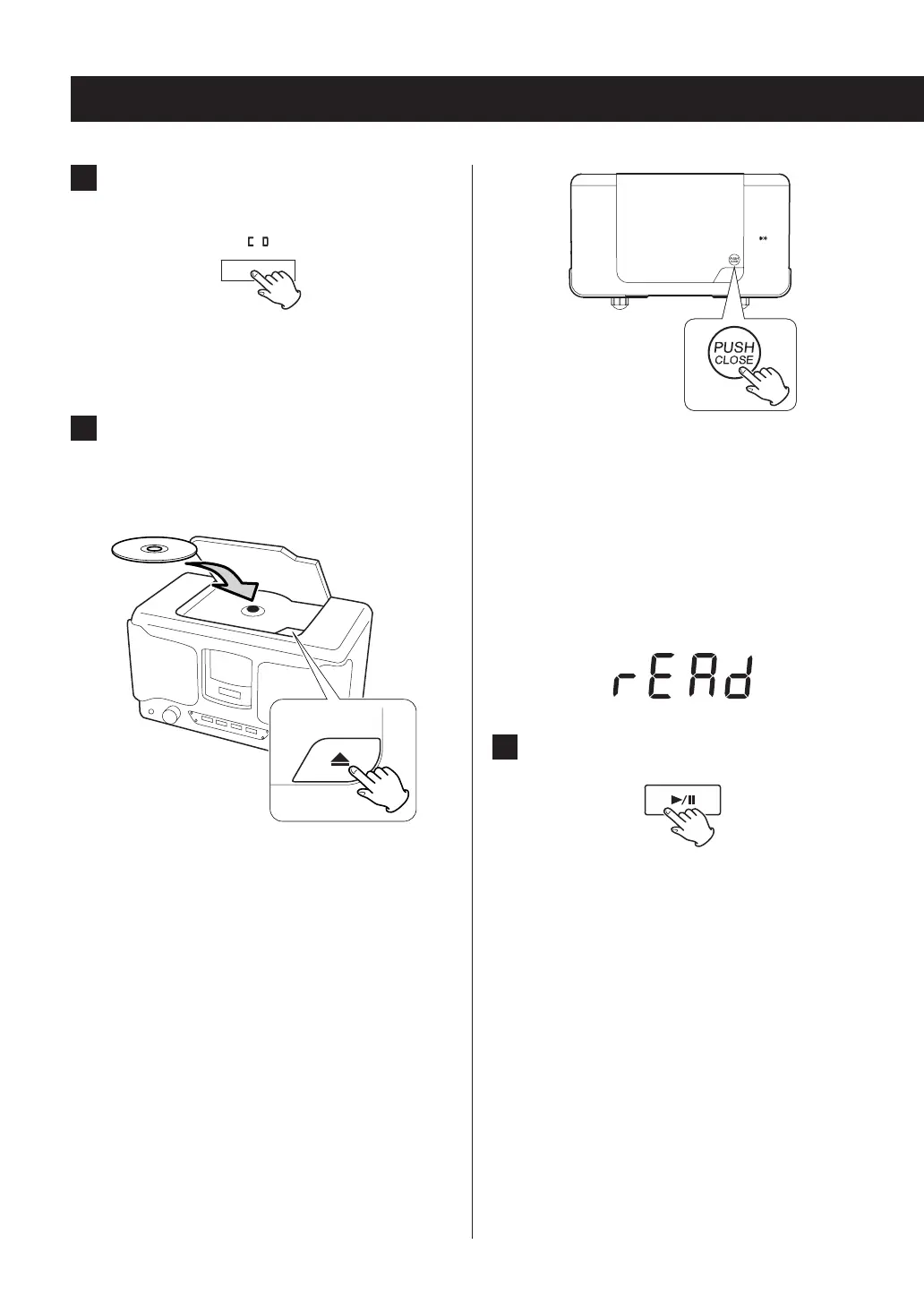
o When a disc is being read, “rEAd” appears on the
display.
3 Press the play/pause (y/9) button.
Playback will start from the first track/file and y will
appear on the display.
1 Press the CD function button.
The CD indicator lights when CD mode is active.
o When using the remote control, press the
FUNCTION button repeatedly until the CD indica-
tor lights.
2 Press the open/close (-) button to open
the lid. Place a disc with the labeled side
facing up and close the lid.
o Do not load multiple discs at the same time. Doing
so could cause malfunction.
o Loading a disc takes a few seconds.
o “NO DISC” will be displayed if a disc has not been
loaded.
o When closing the lid, press the “PUSH CLOSE” spot
near its right front corner. The lid might not close if
you press the left side.
18



 To Next Page