11
Getting Started with an iPod or iPhone
To play your iPod/iPhone through the SR-2DAB, you must
first insert the adapter for your model of iPod/iPhone.
1
Select the Dock Adapter that fits your iPod/
iPhone.
“nano” for 1st and 2nd generation iPod nanos.
“iPhone/Classic 160GB” for iPhones and 160 GB
iPod Classic models.
“20GB + U2” for 20 GB iPods with Click Wheels, U2
Special Edition iPods, 30 GB iPods with video and
80 GB iPod Classic models.
“60GB (color) + Photo 40GB/60GB” for 40 GB
iPods with Click Wheels, iPods with color displays,
60 GB iPods with video and 160 GB iPod Classic
models.
< Use the adapter supplied with the iPod/iPhone or a
commercially available one to use other iPod/iPhone
types.
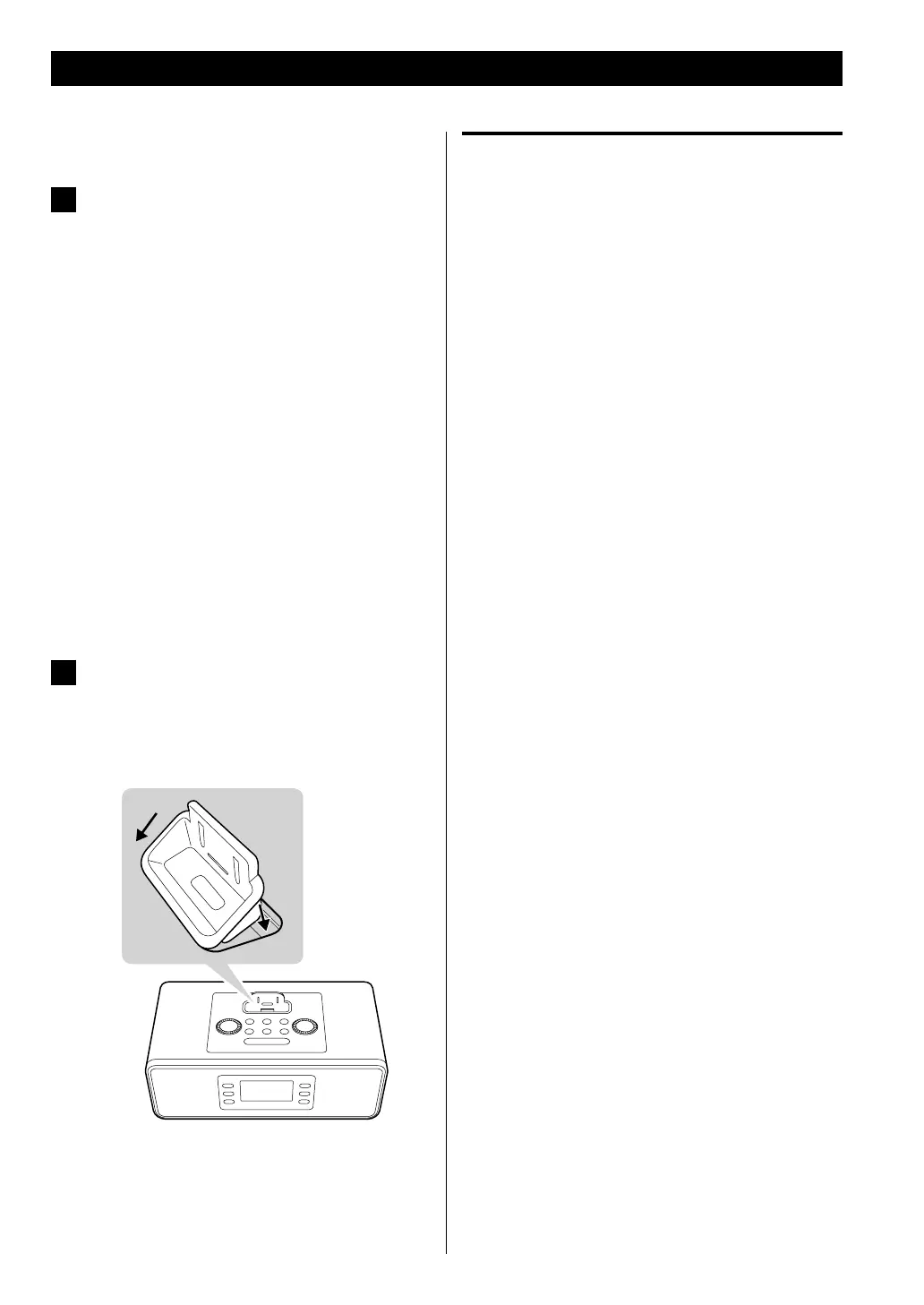
2
Insert the adapter into the SR-2DAB dock.
Fit the front edge of the adapter into the dock, and
then press the back edge of the adapter into the
Dock until a “click” is heard indicating that the adapter
is inserted correctly.
< To remove the adapter, hold its left and right sides
and gently pull it up.
Compatible iPod/iPhone Software
If your iPod/iPhone will not work with the SR-2DAB or with
the remote control unit, a software update might solve the
problem.
Visit the Apple website and download the latest iPod/
iPhone software.
http://www.apple.com/ipod/download/



 To Next Page