Timer (1)
Wake up timer
You can set the unit to turn on and off at specific times. You
can set two separate timers with ALARM 1 and ALARM 2.
< Adjust the clock before setting the timer (page 10).
Setting the wake up timer
The procedures below are to set ALARM 1.
Follow similar steps to set ALARM 2.
1
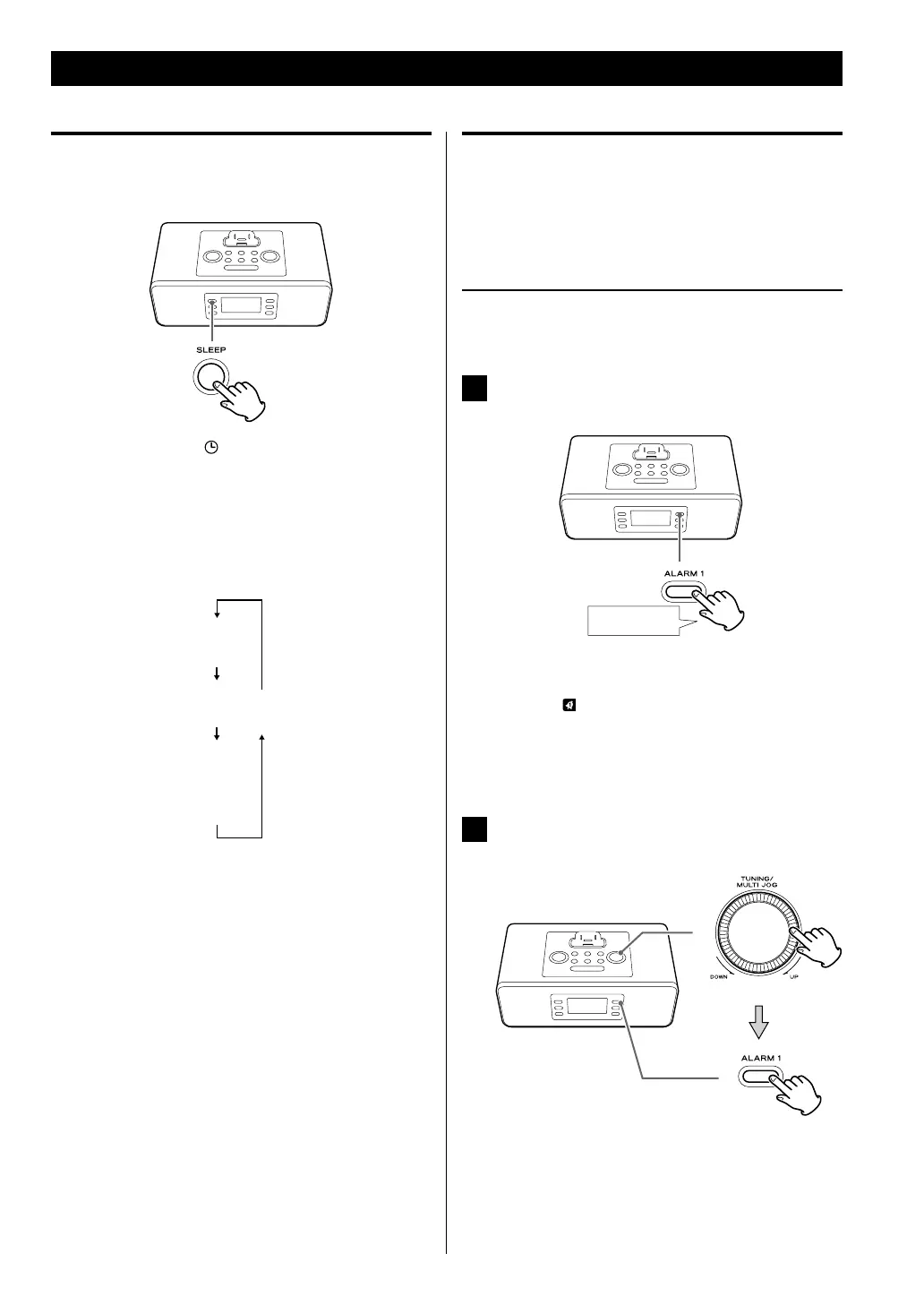
Press and hold the ALARM 1 button for more
than 2 seconds.
“ON TIME” appears on the display.
The clock hour value and the wake up timer
indicator (
) blink.
< If no button is pressed for about 10 seconds, timer
setting mode will be exited.
2
Turn the MULTI JOG to set the hour, and then
press the ALARM 1 button.
The clock minutes value blinks.
< You can also use the Skip buttons (.//) on the
main unit instead of the MULTI JOG.
Sleep timer
You can set the sleep timer so that the unit turns itself off
after a specified amount of time.
The sleep indicator (
) appears on the display.
Each press of the SLEEP button cycles through timer
options (from 90 down to 15 minutes). The unit will
automatically stop playback and enter Standby mode
when the time elapses.
< If you want to check the time remaining until the unit
switches to standby, press the SLEEP button once to
display the remaining time for a few seconds.
< The display is dimmed when the sleep timer is
activated.



 To Next Page