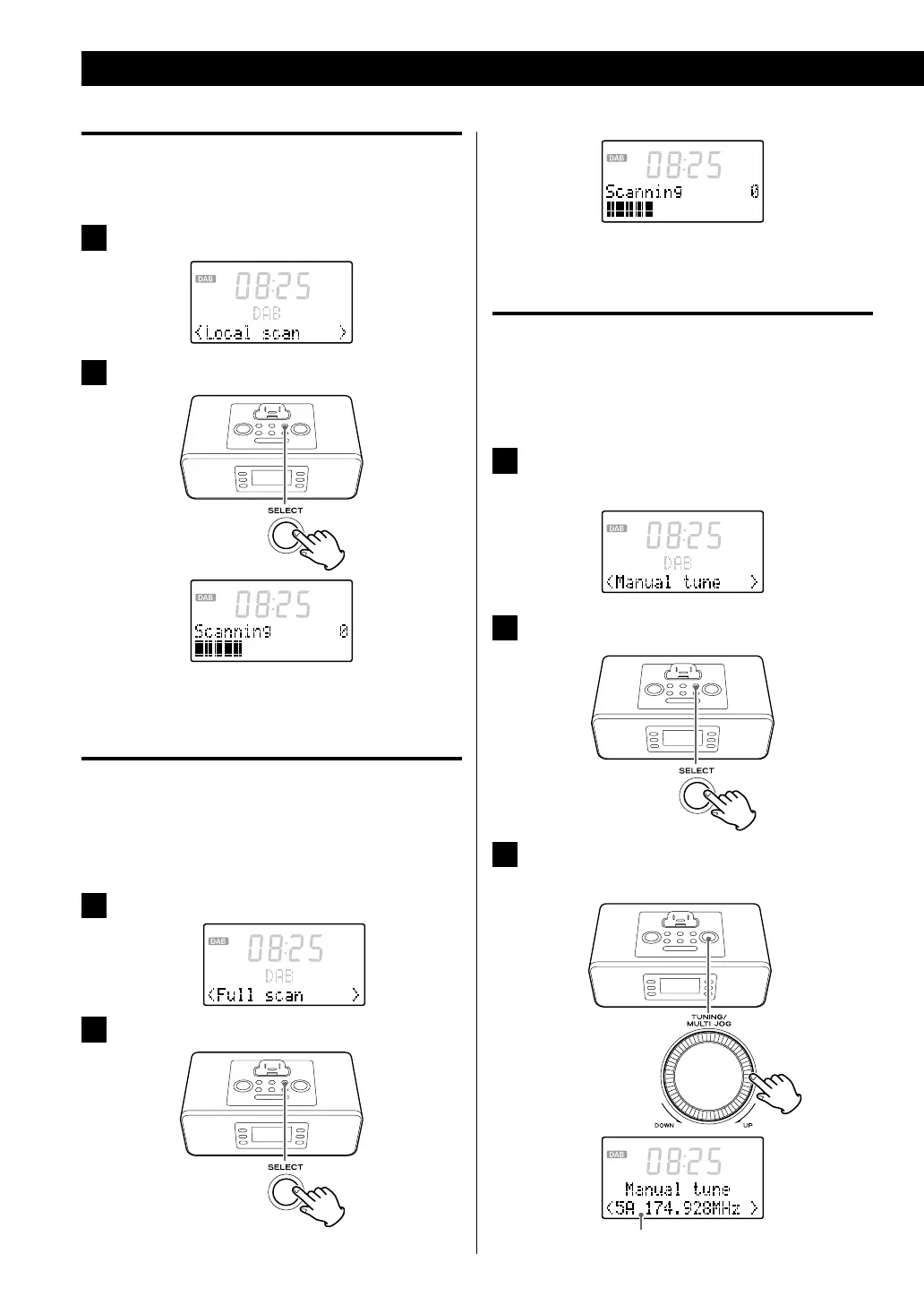
Local scan (Auto scan)
The unit will scan the DAB bands between 11B to 12D and
add the channels found to the channel list.
1
In DAB menu mode, select “Local scan” (page 19).
2
Press the SELECT button.
< You can also activate the “Local scan” by using the
AUTO SCAN button (page 17).
Full scan (Auto scan)
The unit will scan all the DAB bands between 5A to 13F
and add the channels found to the channel list. Try this If
you want to search stations internationally or if “Local Scan”
does not find the channels you want.
1
In DAB menu mode, select “Full scan” (page 19).
2
Press the SELECT button.
< You can also activate the “Full scan” by using the AUTO
SCAN button (page 17).
Manual tune
This option allows you to manually tune in a channel and
view a continuously updated indication of the strength
of the signal. This could be useful when adjusting or
positioning an antenna for better reception.
1
In DAB menu mode, select “Manual tune”
(page 19).
2
Press the SELECT button.
3
Turn the TUNING knob to select the station you
want to listen to.
Using the DAB Menu (2)



 To Next Page