EasyManua.ls Logo

Teac SR-L30DAB - FM Auto Presets and Selection; FM Auto Preset Storage; Selecting FM Preset Stations

Teac SR-L30DAB
24 pages
Print Icon
To Next Page IconTo Next Page
To Previous Page IconTo Previous Page
Loading...
19
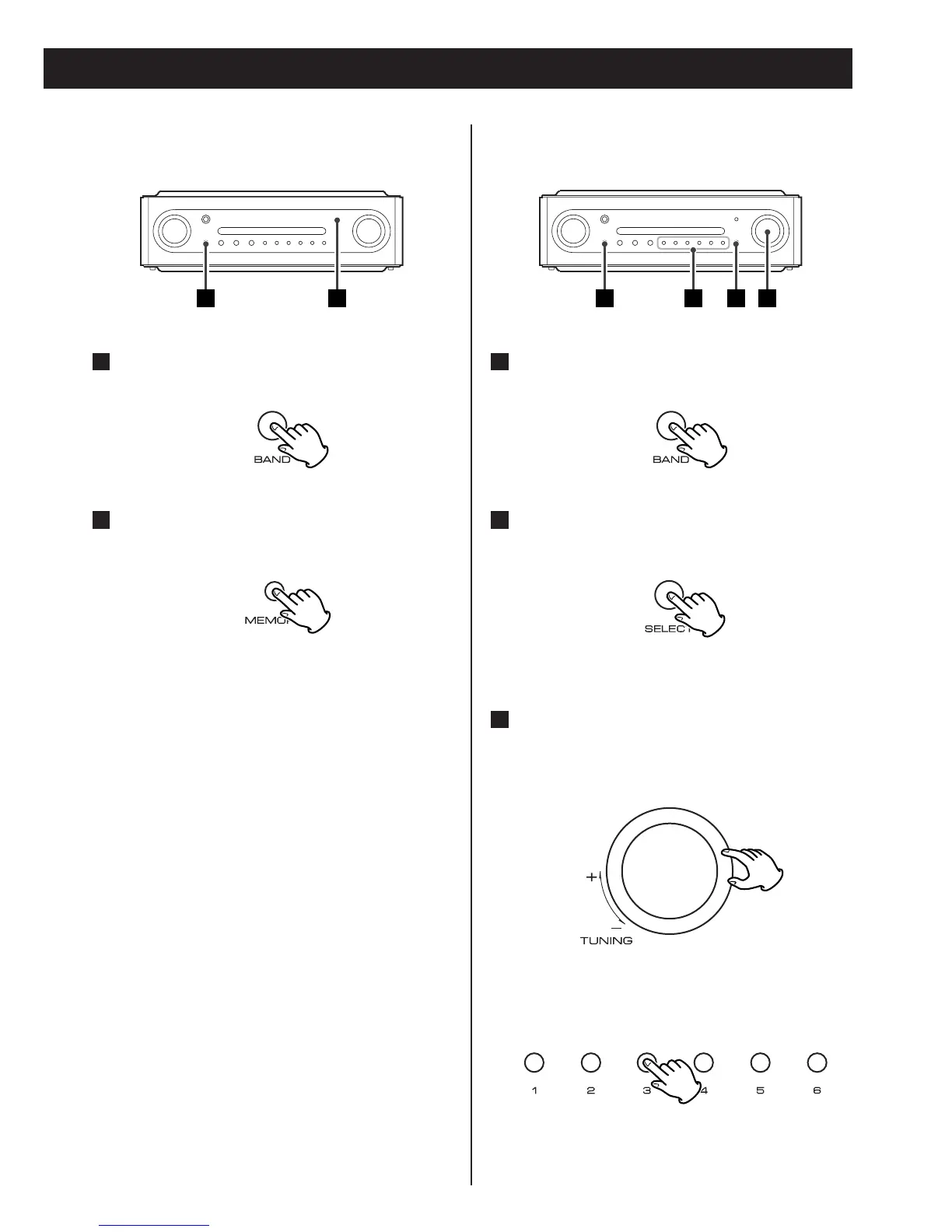
Up to 30 of the best received FM stations
in your area will be stored automatically.
How to select DAB preset
stations
See ‘Preset tune’ of page 12.
Preset Auto (FM only)
Select FM by pressing the BAND
button.
1
Press the MEMORY button for more
than 3 seconds.
2
1 2
How to select FM preset
stations
Select FM by pressing the BAND
button.
1
Select ‘Preset tune’ by pressing the
SELECT button.
2
Select a preset channel
Turn the TUNING knob until the desired
preset station is found.
3
< Preset stations stored from 1 to 6 can also
be selected using the numeric buttons.
1 2 33

Related product manuals