18
Preset Tuning
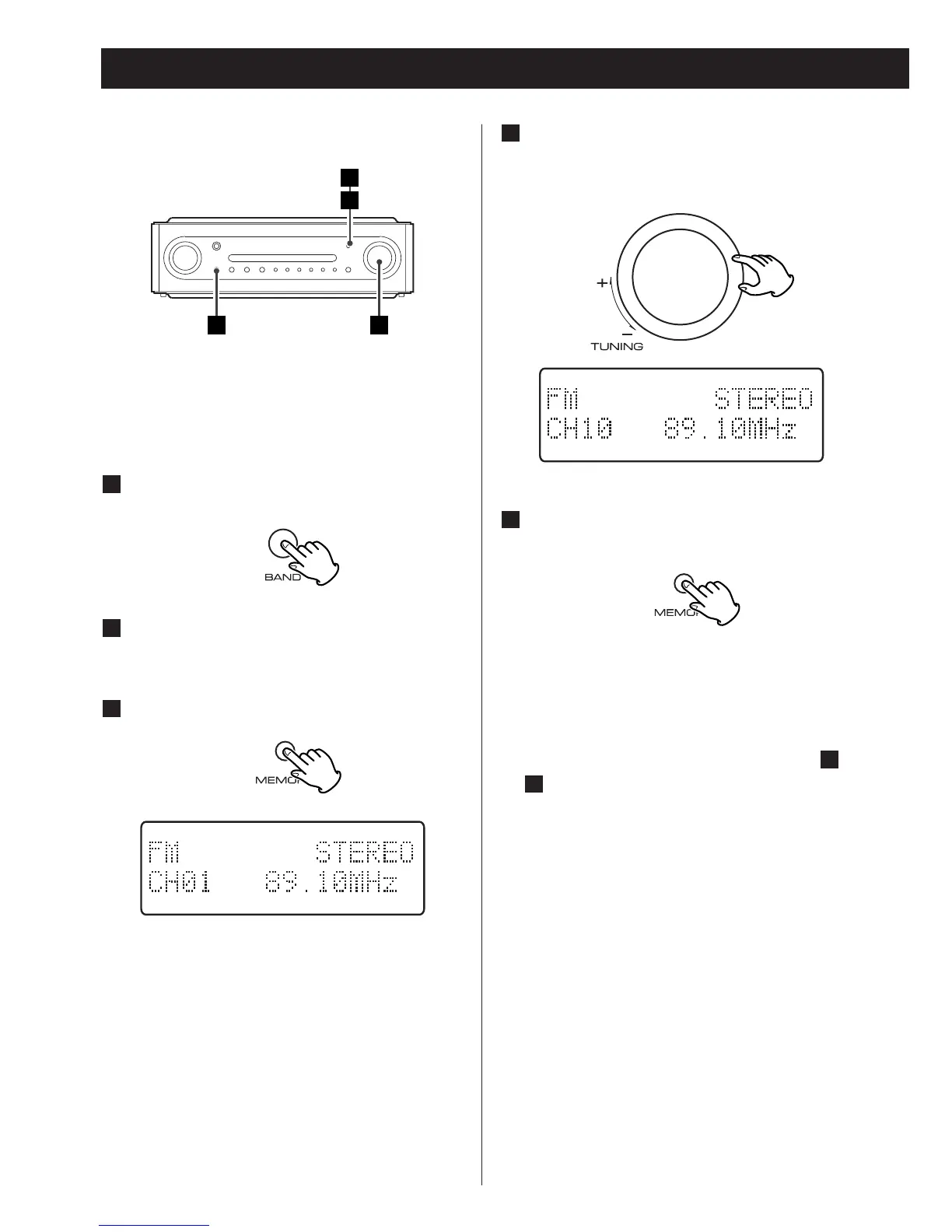
Select the preset you would like to
use for this station using the TUNING
knob or the numeric buttons (1-6).
4
Manual Memory Presetting
You can store up to 10 DAB stations and 30
FM stations.
Select DAB or FM by pressing the
BAND button.
1
Tune the station you would like to
store.
Press the MEMORY button briefly.
3
2
Within 4 seconds, press the MEMORY
button.
5
< If you don’t press the memory button
within 4 seconds after selecting the
channel, the selection will be canceled.
To store more stations, repeat steps to
.
5
1



 To Next Page