18
How to Preset Stations
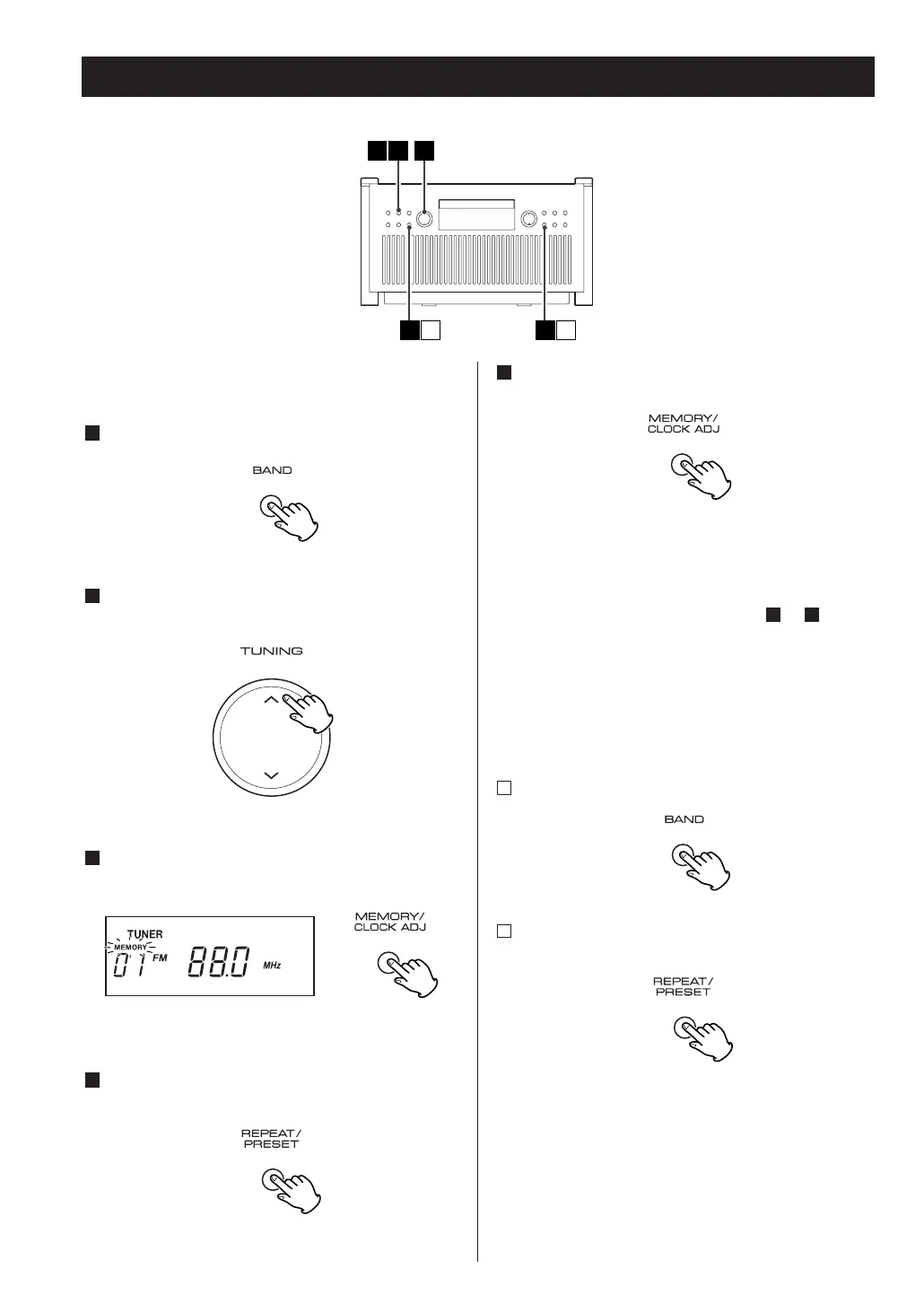
In each band, up to 10 stations can be stored in preset
memories.
Press the BAND button to select FM or AM.
Press the TUNING button and tune in a station to be
stored as a preset station.
Press the MEMORY/CLOCK ADJ button.
Within 10 seconds, select a preset channel to store
the station using the REPEAT/PRESET button.
4
3
2
1
Within 10 seconds, press the MEMORY/CLOCK ADJ
button.
<
If you press the numeric buttons (1–0) of the remote
control unit, you can store the station directly. In
this case you don’t have to press the
MEMORY/CLOCK ADJ button.
To store more stations, repeat steps to .
How to select preset stations
Press the BAND button to select FM or AM.
Press the REPEAT/PRESET button repeatedly and
select a preset channel.
If you press the numeric buttons (1–0) of the remote
control unit, you can select a preset channel
directly. To select preset number 10, press “0” of
the remote control unit.
2
1
51
5



 To Next Page