ENGLISH
Adjust the clock before setting the timer.
Setting the timer
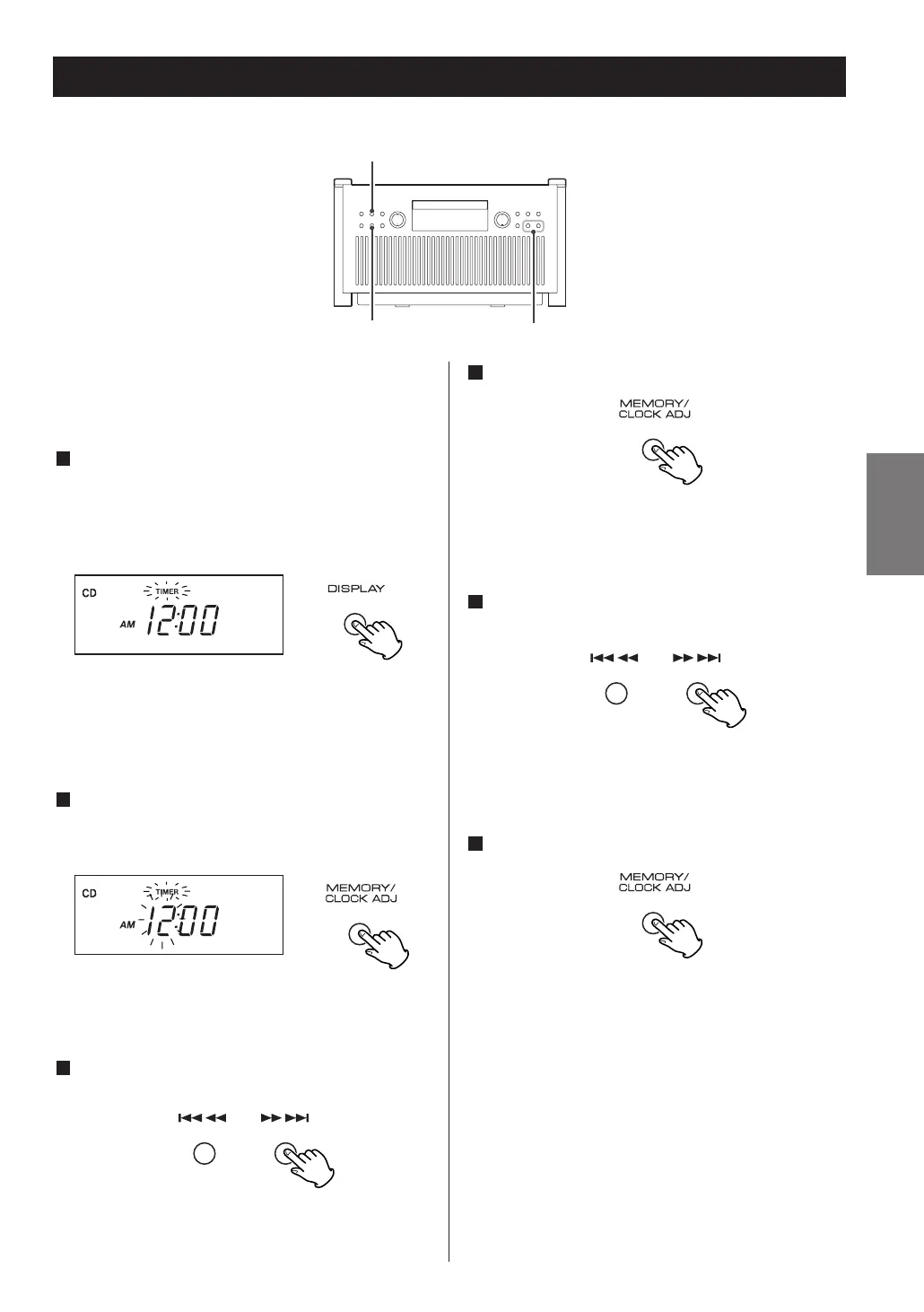
Press the DISPLAY button to change the timer
mode. (In the CD mode or the TUNER mode, press
the button twice.)
The “TIMER” indicator blinks on the display.
Press the TIMER button to change the timer mode,
when using the remote control unit.
Within 4 seconds, press and hold the
MEMORY/CLOCK ADJ button for 2 or more seconds
to change the timer setting mode.
The “TIMER” and hour blinks on the display.
Press the .mor ,/ button to set the
start time (hour).
In the TUNER mode, use the TUNING button.
3
2
1
Press the MEMORY/CLOCK ADJ button.
The minute blinks on the display.
Press the .
m
or,/ button to set the
start time (minute).
In the TUNER mode, use the TUNING button.
Press the MEMORY/CLOCK ADJ button.
Time setting is finished and blinking of the “TIMER”
indicator will stop.
6
5
4
21



 To Next Page