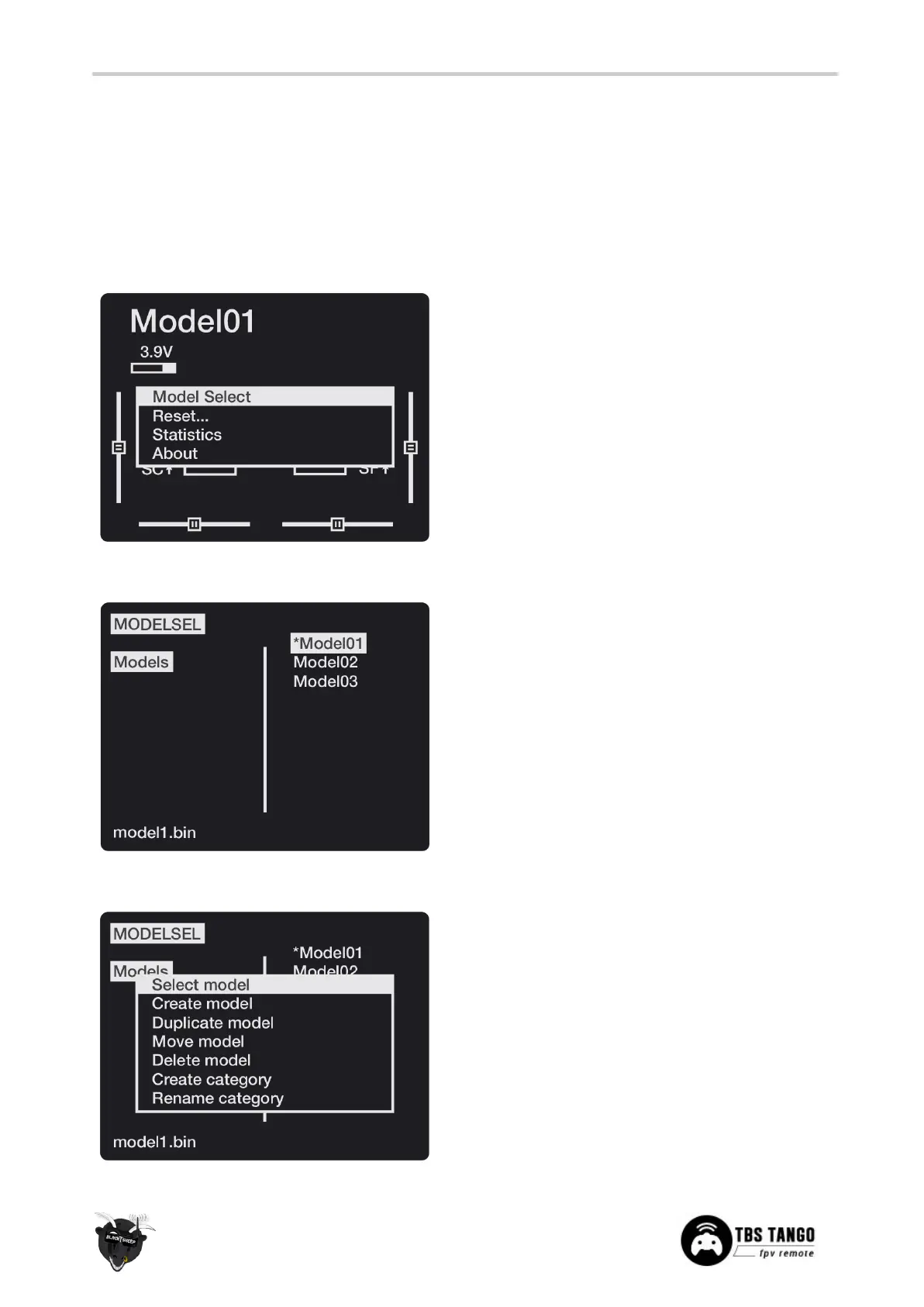
Model configuration menu
All the model specific settings are accessible by pushing the Menu-button. Here you configure the
currently active model (name visible on the home screen).
To change the active model, long-press Enter and choose the “Select Model” view.
General overview
Perform model actions and see metrics
● Model Select - Create/select/delete models
● Reset - Clear flight, timers and telemetry
● Statistics - Metrics on the model and radio
Manage your models and categories
● Left column - Lists categories, navigate
through them with PAGE
● Right column - Lists individual models for
your quads, airplanes, deltas, etc.
Manage your models and categories
● Select model - Activate the selected model
● Create model - Initiate the new model wizard
● Duplicate model - Copy the selected model
● Move category - moves the selected model to
a new category
● Delete model - Remove the selected model
● Create category - Make a new category
‘folder’



 To Next Page