10/29/2019 Tech Works CI-Series Systems Planning & Installation Manual Page 23 of 42
The Monitor output, PA-BUSS has many uses
It could be a logging output, for recording the conversation, or just selected individuals
It could be a “paging” output
It could be used for Patient Communications
There could be Background Music, which is only interrupted when communications or Paging takes place.
For the various applications see the ‘PA-BUSS Users Manual’
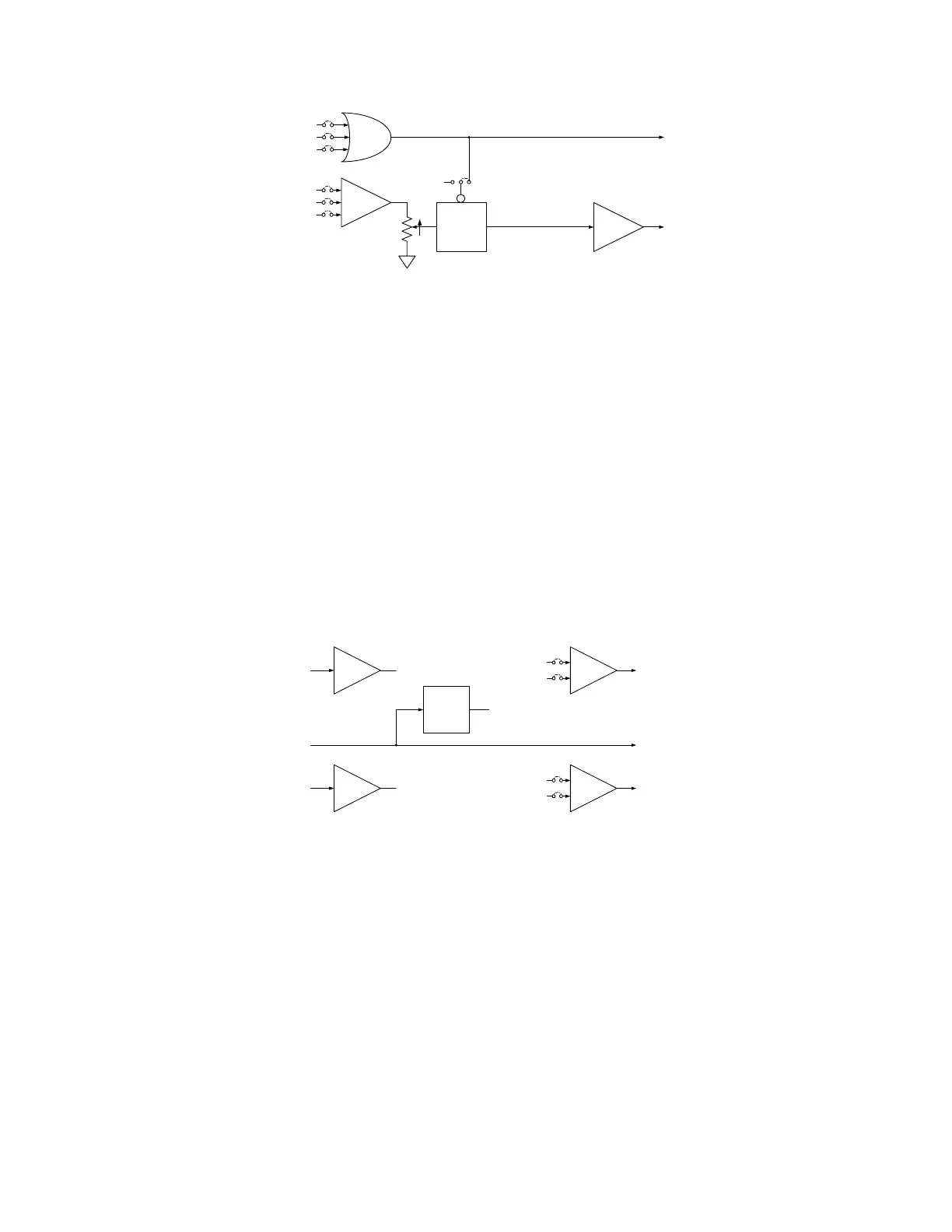
The PA-BUSS Monitor has several Audio Selection Choices, which are summed
Master Connector: ON OFF
Slave Connector: ON OFF
Local ALC Output: ON OFF
The Audio May be Keyed (See below) or may always be enabled KEYED ALWAYS
The PA-BUSS Monitor Active Signal (Keying Signal) is selectable, logical OR’ed
Talk Switch Active TALK_SW ON OFF
Operator Microphone is Active OP_MIC_ACTIVE ON OFF
Always (Overrides other selections) ALWAYS ON OFF
The Collaboration Buss, CI-BUSS allows chaining of several Units
In the Standard Configuration all the users of the CI-BUSS talk and listen to each other
However there may be situations where some users may only listen, or only talk
There are two Collaboration Buss connectors on the HSI-41. One is Labeled “Master” and the other is
labeled “Slave”
The Selections allow selective Collaboration
These settings do not affect the Monitor Outputs, PA-BUSS
Slave IC-BUSS Connector, BUSS Output, Summed:
Master Connector: ON OFF
Local ALC Output: ON OFF
Master IC-BUSS Connector, BUSS Output, Summed:
Slave Connector: ON OFF
Local ALC Output: ON OFF



 To Next Page