12
fig. 9
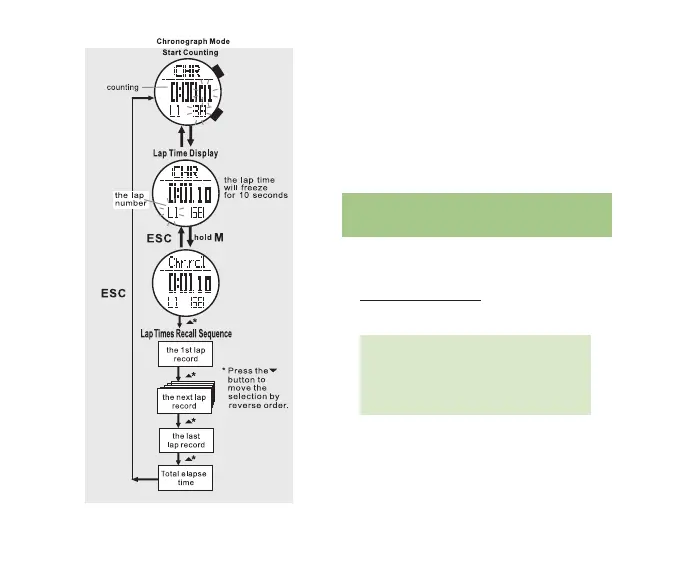
time will display for 10 seconds while
the total elapsed time will continue
counting in the background
* After 10 seconds the total elapsed time
will display
* Repeat the above steps to record
additional laps
• Press ST/STP to stop the chronograph
3.4 CHROnOGRAPH RECALL
VIEw RECORDED LAP TIMES
Access the Chronograph (See section 3.1 for
how to access the Chronograph display)
• Hold M for 3 seconds to access Chronograph
Recall
Note: Lap times must be previously
recorded. Chronograph Recall is
accessible while the chronograph is
still recording.
• Press ST/STP(uP) or LAP/RST(DOwn)
to scroll through the recorded lap times
and total time
• Press ESC to exit Chronograph Recall



 To Next Page