EasyManua.ls Logo

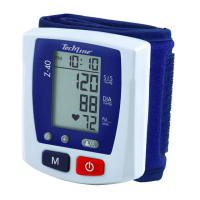
TechLine Z-40 - User Manual

TechLine Z-40
36 pages
Go to English
Print Icon
To Next Page IconTo Next Page
Loading...
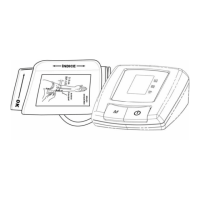
Monitor de Pressão Arterial
DIGITAL AUTOMÁTICO DE PULSO
Z-40
Ma
nual de Instruções
Características:
• Automático
• Duas zonas de memória
• 50 Memórias por zona
• Indicação de data e hora
• Fácil manuseio
CONSULTE SEU MÉDICO EM CASO DE SINTOMAS DE VARIAÇÃO DE PRESSÃO.
O USO DESTE APARELHO NÃO DISPENSA O CONSELHO MÉDICO.
NÃO UTILIZAR O APARELHO PARA MEDIÇÃO INVASIVA
Question and Answer IconNeed help?

Do you have a question about the TechLine Z-40 and is the answer not in the manual?

Summary

Introduction and Core Information

How Z-40 Works

Explains the oscillometric method used by the Z-40 for blood pressure measurement.

About Blood Pressure

Defines blood pressure and explains the importance of measuring it.

Why Measure Your Blood Pressure?

Discusses the prevalence of high blood pressure and its health risks.

Blood Pressure Standard

Presents a general guideline for blood pressure ranges and risk categories.

Blood Pressure Fluctuation

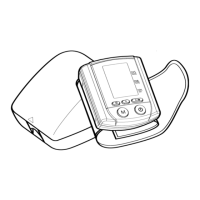
Carrying Case

Device Overview

Name and Function of Each Part

Identifies and describes the different components and buttons of the blood pressure monitor.

Display Explanations

Explains the various symbols and readings shown on the LCD display of the device.

Symbols and Battery

Symbols

Defines the meaning of various symbols used on the device and in the manual.

Battery Installation

Provides step-by-step instructions for installing and replacing the batteries in the device.

Measurement Preparation

Applying the Cuff

Details the correct procedure for applying the wrist cuff for accurate measurements.

Correct Measuring Posture

Guides the user on the proper posture and arm positioning for taking blood pressure readings.

Measurement and Data Management

Helpful Tips for Accurate Readings

Offers advice for obtaining more accurate blood pressure readings.

Measurement Procedure

Outlines the step-by-step process for performing a blood pressure measurement with the device.

Recalling Values from Memory

Explains how to access and review previously stored blood pressure measurements.

Clearing Values from Memory

Describes the procedure for erasing stored measurement data from the device's memory zones.

Time Adjustment

Details how to set or adjust the date and time displayed on the monitor.

Troubleshooting and Safety

Troubleshooting

Provides solutions for common problems or error messages encountered with the blood pressure monitor.

Cautionary Notes

Lists important safety precautions and handling instructions for the device.

Specifications and Warranty

Specifications

Lists the technical details and operating parameters of the blood pressure monitor.

Warranty

Details the terms, conditions, and duration of the product's guarantee.

Summary

Introduction and Core Information

How Z-40 Works

Explains the oscillometric method used by the Z-40 for blood pressure measurement.

About Blood Pressure

Defines blood pressure and explains the importance of measuring it.

Why Measure Your Blood Pressure?

Discusses the prevalence of high blood pressure and its health risks.

Blood Pressure Standard

Presents a general guideline for blood pressure ranges and risk categories.

Blood Pressure Fluctuation

Carrying Case

Device Overview

Name and Function of Each Part

Identifies and describes the different components and buttons of the blood pressure monitor.

Display Explanations

Explains the various symbols and readings shown on the LCD display of the device.

Symbols and Battery

Symbols

Defines the meaning of various symbols used on the device and in the manual.

Battery Installation

Provides step-by-step instructions for installing and replacing the batteries in the device.

Measurement Preparation

Applying the Cuff

Details the correct procedure for applying the wrist cuff for accurate measurements.

Correct Measuring Posture

Guides the user on the proper posture and arm positioning for taking blood pressure readings.

Measurement and Data Management

Helpful Tips for Accurate Readings

Offers advice for obtaining more accurate blood pressure readings.

Measurement Procedure

Outlines the step-by-step process for performing a blood pressure measurement with the device.

Recalling Values from Memory

Explains how to access and review previously stored blood pressure measurements.

Clearing Values from Memory

Describes the procedure for erasing stored measurement data from the device's memory zones.

Time Adjustment

Details how to set or adjust the date and time displayed on the monitor.

Troubleshooting and Safety

Troubleshooting

Provides solutions for common problems or error messages encountered with the blood pressure monitor.

Cautionary Notes

Lists important safety precautions and handling instructions for the device.

Specifications and Warranty

Specifications

Lists the technical details and operating parameters of the blood pressure monitor.

Warranty

Details the terms, conditions, and duration of the product's guarantee.

TechLine Z-40 Specifications

General IconGeneral
BrandTechLine
ModelZ-40
CategoryBlood Pressure Monitor
LanguageEnglish

Related product manuals