EasyManua.ls Logo

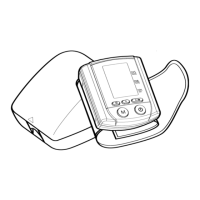
TechLine Z-43 - User Manual

TechLine Z-43
63 pages
Go to English
Print Icon
To Next Page IconTo Next Page
Loading...
1
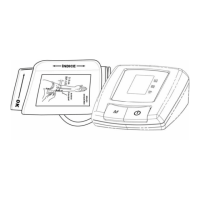
Monitor de Pressão Arterial
Digital Automático de Pulso
Z-43
Manual de Instruções
Características:
Automático
Duas zonas de memória
50 Memórias por zona
Média das 3 últimas leituras
Indicação de data e hora
Fácil manuseio
CONSULTE SEU MÉDICO EM CASO DE SINTOMAS
DE VARIAÇÃO DE PRESSÃO.
O USO DESTE APARELHO NÃO DISPENSA
O CONSELHO MÉDICO.
O UTILIZAR O APARELHO PARA MEDIÇÃO INVASIVA.
Question and Answer IconNeed help?

Do you have a question about the TechLine Z-43 and is the answer not in the manual?

Summary

INTRODUCTION

What is Blood Pressure?

Explains the physiological definition of blood pressure, including systolic and diastolic components.

Why Measure Your Blood Pressure?

Details the importance of monitoring blood pressure for health and identifying risks.

BLOOD PRESSURE STANDARD

BLOOD PRESSURE FLUCTUATION

Discusses how blood pressure naturally changes throughout the day and over time.

HOW Z-43 WORKS

CARRYING CASE

NAME;FUNCTION OF EACH PART

Display Explanations

Provides a detailed breakdown of all indicators and symbols shown on the device's LCD screen.

ICONS

INSTALLING BATTERIES

APPLYING THE CUFF

CORRECT MEASURING POSTURE

HELPFUL TIPS

MEASUREMENT PROCEDURES

Step 1: Select Memory Zone

Guides the user on how to choose between memory zone 1 or zone 2 before taking a measurement.

RECALLING VALUES FROM MEMORY

CLEARING VALUES FROM MEMORY

TIME ADJUSTMENT

TROUBLESHOOTING

CAUTIONARY NOTES

SPECIFICATIONS

WARRANTY

Summary

INTRODUCTION

What is Blood Pressure?

Explains the physiological definition of blood pressure, including systolic and diastolic components.

Why Measure Your Blood Pressure?

Details the importance of monitoring blood pressure for health and identifying risks.

BLOOD PRESSURE STANDARD

BLOOD PRESSURE FLUCTUATION

Discusses how blood pressure naturally changes throughout the day and over time.

HOW Z-43 WORKS

CARRYING CASE

NAME;FUNCTION OF EACH PART

Display Explanations

Provides a detailed breakdown of all indicators and symbols shown on the device's LCD screen.

ICONS

INSTALLING BATTERIES

APPLYING THE CUFF

CORRECT MEASURING POSTURE

HELPFUL TIPS

MEASUREMENT PROCEDURES

Step 1: Select Memory Zone

Guides the user on how to choose between memory zone 1 or zone 2 before taking a measurement.

RECALLING VALUES FROM MEMORY

CLEARING VALUES FROM MEMORY

TIME ADJUSTMENT

TROUBLESHOOTING

CAUTIONARY NOTES

SPECIFICATIONS

WARRANTY

TechLine Z-43 Specifications

General IconGeneral
BrandTechLine
ModelZ-43
CategoryBlood Pressure Monitor
LanguageEnglish

Related product manuals