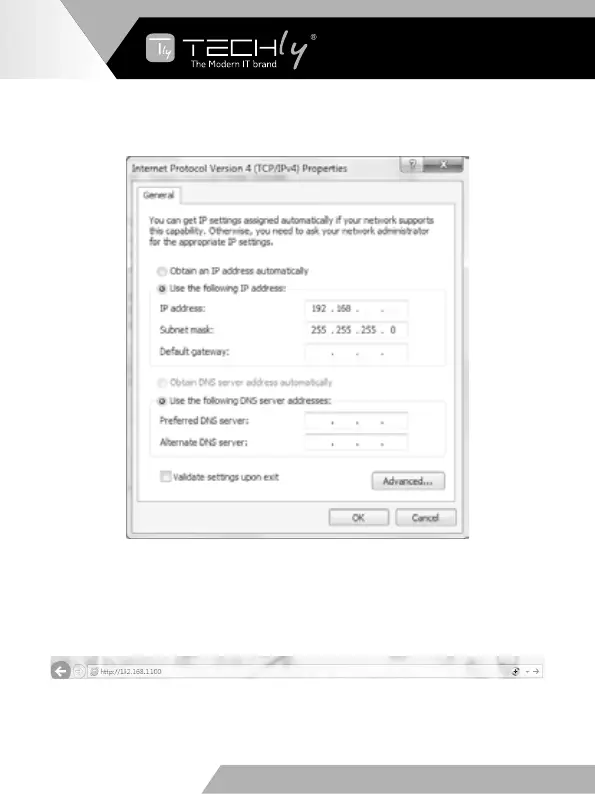
Choose“Use the following IP address”,for instance, input 192.168.1.200asIP
address, 255.255.255.0 as Subnet mask, and then click on OK, click on OK again.
1 200
Note: TheIPaddressofthecomputerandmatrixshouldbeinthesamenetwork
segment.Asthematrix’sIPaddressis192.168.1.100,thecomputer’sIPshouldbe
192.168.1.X (X contains 1~255 except 100).
Step3.InputtheIPaddressfromfrontpanelintoabrowseronthePCtoenterWeb
GUIpage,Thepageslikebelow.
EN - 10
WWW.TECHLY.COM WWW.TECHLY.COM
8X8 HDMI MATRIX
4K@60HZ YUV 4:4:4 18GBPS



 To Next Page