GB
8
5.4 - OPERATING MODE
5.5 - STARTING
The unit is factory configured for remote control by contact (see other possibilities in paragraph 4.3.3).
• Initial condition:
- machine hydraulically and electrically connected ready to operate,
- the remote stand-by contact is open (= stand-by).
•
Turn the installation on:
- the display comes on and shows the water temperature (read by the control probe
SD1). The mode indicator lamps (4)
and (
5) flash to signal remote stand-by
,
- the unit's circulating pump starts.
•
To start the unit:
- close the remote stand-by contact (not supplied) if connected (see paragraph 4.3.3),
- the cooling indicator (4) comes on,
- the compressor "ON" indicator light (
6) comes on if necessary (see diagram paragraph 5.4). If the light flashes, it means
that the compressor is starting required but that a safety delay is in progress. This light stays on when the compressor
has started.
•
To stop the unit:
- open the remote stand-by contact,
- the compressor operation indicator lamp (
6) goes out and the operating mode indicator lamps (4) and (5) flash,
- the unit's circulating pump remains in operation.
•
Complete stop:
- the unit can be completely stopped with the circulating pump shut-down by pressing
and holding the
ON/OFF button (1) for 2 seconds. The display unit goes blank, only the
decimal indicator lamp (9) remains illuminated. This shut-down takes priority.
Note:
Shut-down of the circulating pump is delayed 1 minute after the compressor stops.
5.6 - PARAMETERS - DISPLAYING AND ADJUSTING
5.6.1 - GENERALITIES
• Parameter access is structured within a multi-level menu, see the diagram below. Simultaneously pressing the
"ON/OFF" (1) and "Mode" (2) buttons for a brief moment (less than 2 seconds) gives access to the next level.
Simultaneously pressing for a long moment (longer than 2 seconds) turns you to the previous level.
•
Button (
1) or button (2) is used to scroll through the entries ("Label") within the same level or to increase or decrease a
parameter value.
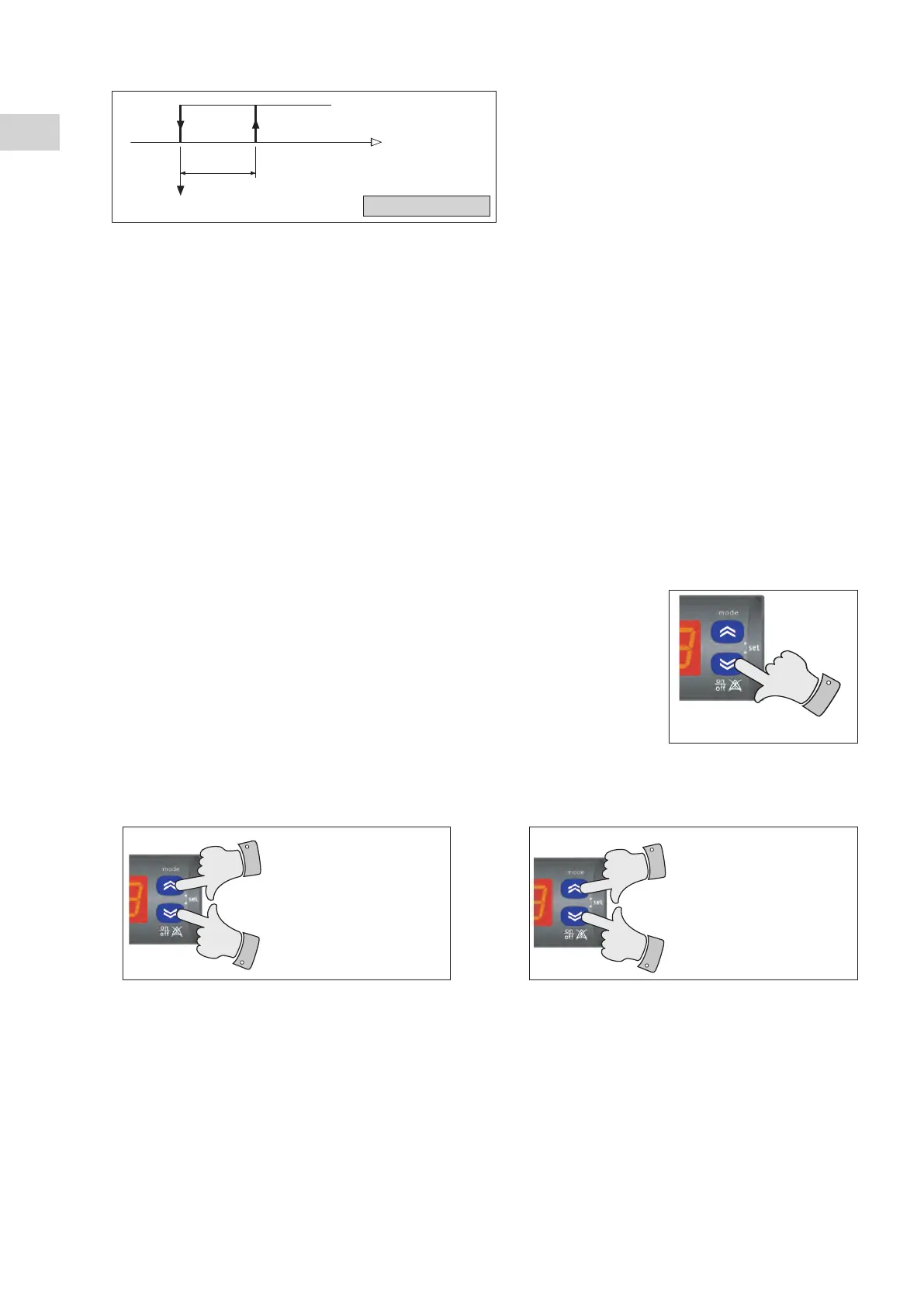
Compressor control
Water temperature
Hysteresis cooling mode (factory set at 3k)
Cooling setpoint
Cooling
2 seconds
t < 2 sec. --> Upper level
t > 2 sec. --> Return to the previous
level



 To Next Page