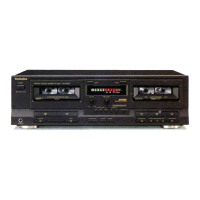
RS-T10
1
+
6dB
+
4dB
+
2dB
O
dB
-2 dB
-4 dB
-BdB
+
6dB
+4dB
+
2dB
OdB
-2 dB
-
-3 dB
-6 dB
+
6dB
+4dB
+
2dB
OdB
-2 dB
-4 dB
-6 dB
+
5dB
+
4dB
+
2dB
OdB
-2 dB
-4 dB
-BdB
50 Hz 1 0 0 Hz 200 Hz 50 0 HZ
1
kHz
2kHz 4kHz
10kHz
50 Hz 1 0 0 Hz 200 Hz 50 0 Hz
1kHz
2kHz 4kHz 8kHz
12.5 kHz
Fig.
7
Fig.
8
I
Overall
gain
adjustment
1.
Test equipment connection is shown
in
Fig. 6.
2.
Set a normal blank tape (QZZCRA) and apply the reference input level signal
(1
kHz,
-24dB)
in record pause
mode.
I j I i
3.
Adjust the output 0.4V
by
attenuator and then record.
4.
Playback the signal recorded in step
3,
and check that the output is within the Standard.
5.
If it is
not within the
Standard,
adjust VR7 (L-CH) {VR8 (R-CH)} and repeat the step
(2),
(3) and (4) until
the
output is within the Standard.
Standard
value:
0.4V±Q'JJJV
/ «IS
Dolby
NR
circuit
1.
Test equipment connection Is shown
In Fig 9.
2.
Set a
normal tape and apply 5kHz signal
in
record pause
mode.
3.
Adjust
by
attenuator
so
that the output between terminal
®
(L-CH) (terminal ® (R-CH)}
of
IC401
and
ground
is
12.3mV.
AFoscinaior
ATT
4.
Turn
NR
switch
ON, and
check that
the
level changes
as
speclfled
from the level
in
NR out mode.
EVM Oscilloscope
Standard
value:
8±1 .5 dB
O ?i
rtotiws
lotom
nerlw
"
J"
•
Fig.
9
tuanHo
DnibeeH
IzyxwvutsrqponmlkjihgfedcbaZYXWVUTSRQPONMLKJIHGFEDCBA t\ 3
FA
i
MICROCOMPUTER
TERM INAL
FUNCTION
AND
WAVEFORM
(IC80 1:
MN1 40 2STN)
Terminal
No.
9.
Symbol
Vss
C09
COS
C07
C06
COS
AI3
AI2
AI1
Name
P.B.
mute
Auto
tape selector
Bias
Direct
muting
Reading
of
input
switch
state tape
ID
auto tape
selector
(S909)
Reading
of
input
switch
state tape
m
motor
(S904)
Reading
of
input
switch
state tape
[HFF/REW
(S906)
Function/operation
'
Connection
to
GND.
>
"H"
in
mute on, "L"
in
mute
off.
•
"H"
in
70nS
mode, "L"
in
120pS
mode.
>
"H"
in
bias
off,
"L"
in
bias
on.
'
"H"
in
mute
off,
"L"
In
mute
on.
•
Non connection.
•
"L"
when auto tape selector
is on
mode.
a
ATS/ on
—
+
5V.
CV
I
"L"
when motor switch
is on
mode.
-
-
motor/ on
ov
LTI
lotoM
I
"L"
when FF/REW switch
is on
mode.
FF/ REW/ on
..^,,.l6nei8
+
5V+
OV
T2fl
soa
<t>2H3
rena
—
6 —



 To Next Page