RQT7018
9
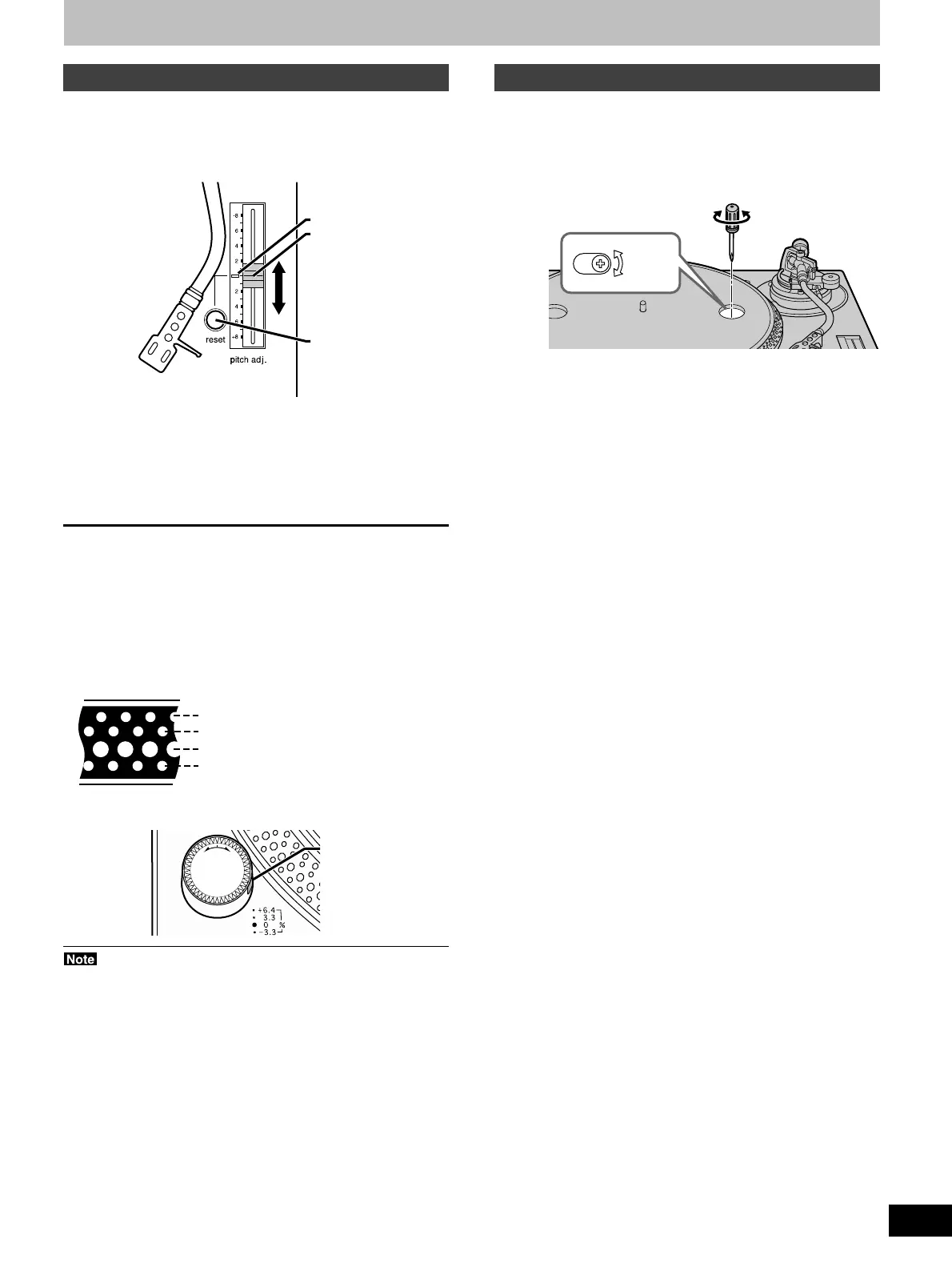
Pitch control
Fine adjustment to the number of revolutions per minute.
1 Press [reset] to turn off the green LED
light.
2 Slide [pitch adj.] while the turntable is
revolving.
Move the control to the required position.
•The numbers represent approximate percentages.
•Pitch can be adjusted between –8 % and +8 %.
To reset pitch to the preset value
Press [reset].
The green LED indicator lights and the pitch immediately returns to
the set value (33 1/3 or 45 r/min), regardless of any adjustments
made with [pitch adj.].
Press [reset] again and pitch returns to the adjusted value.
To measure pitch
The four rows of strobe mirrors around the edge of the turntable can
assist you in measuring pitch.
They are lit by the strobo light as they pass and each row appears to
stand still at a different pitch.
Strobo light
Read the pitch control slider replacement instructions that comes
with this product carefully when replacing the pitch control slider.
off
on
p
o
w
e
r
Pitch control
+
6.4 % change in pitch when stationary
+
3.3 % change in pitch when stationary
Normal turntable speed when stationary
_
3.3 % change in pitch when stationary
Adjusting the turntable brake speed
Brake speed can be adjusted by pressing [start-stop] until the turn-
table stops.
Use a small screwdriver in the hole on the turntable to adjust the
brake speed.
S: Slow stop
F: Fast stop
Green
LED indicator
reset
Adjustments while using the unit



 To Next Page