EasyManua.ls Logo

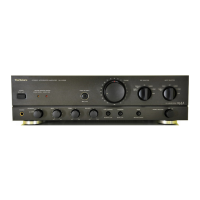
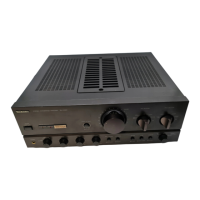
Technics SU-VX720 - Wiring Connection Diagram; Main and Support PCB Wiring; Power and Control Circuit Wiring; Measurements and Adjustments

Technics SU-VX720
19 pages
Print Icon
To Next Page IconTo Next Page
To Previous Page IconTo Previous Page
Loading...
SU-VX720
SU-VX720
|
m@
MEASUREMENTS
AND
ADJUSTMENTS
e
ADJUSTMENT
@
WIRING
CONNECTION
DIAGRAM
TAPE2/DAT
TAPE!)
[Aux]
[TUNER
REMOTE
SPEAKERS
CREC(OUT))
(REC(OUT))
CONTROL
Lech
Rech
CPLAY11IN))
CPLAYIIN))
[col
OUT
ili!
LN
Hill
{IH}
=
=
=
=
Lad
=
Cs
m
Eq
vain
P.C.B.
CPIOS
CN702A
CN702B
REMOTE
SENSOR
HH
OPERATION
P.C.B.
cr9soa
CP6O0!
CP202
CNIO!
W501
10)
(EEEEEET:)
fi.
6)
——
CN6Ot
CN202
fa.
13|
:
SWITCH
Z701
{CAPACITOR
BLOCK}
MMmAC
IN/VOLT
ADJ.
P.
C.B
($2)
[
SOLDER
SIDE
ST
SELECTOR
PC:
8.
WHT/
BLU
WMT/6BLK
WHT/
REO
WHT/BRN
WHT
/
BRN
WHT
/ORG
x
3
POWER
a
t*]
~ :
SWITCH
P.C.B.
x
=
=
=
i
=
=
SOLDER
SIDE
Ti
(
Power
|
transformer
}
|
SOLDER
SIDE.
(w3)
(wa)
(w2)
WHT
/ORG
WHT
/@L«
WHT/8LY
-
25
Control
positions
and
equipment
used
eVolume
knob
..........
0c.
cc
eee
cee
ee
eens
oc
(Minimum)
®DC
electronic
voltmeter
(EVM)
@
Speaker
SElOCIOR:
-ng.03
ects
FCheada
es
bee
e
VOLTAGE
CONTROL
(V)
AMP.
IDLING
(ICQ)
ADJUSTMENT
1.
Test
equipment
connection
is
shown
in
figure.
(Connect
the
DC
EVM
on
both
channels.)
2.
Completely
turn
the (V)
amp.
adjusting
volumes
(VR451,
VR452)
counter-clockwise.
3.
Turn
on
the
set
when
it
is
cold,
and
about
8
sec.
later,
adjust
VR451
and
VR452
so
that
the
voitage
is
100+10
mV.
TP451(V-amp
)
eADJUSTMENT
POINTS
ENN
ANN
08
TP451
|
VR451
YE
}
O}
V-Amop)
(L-ch)
P
/’
py
VR452
he
es
f.
9
—"
a
—-
26-
foe
eee
ee
Pye
or
re
7
iITP451(V-amp.)
a
aan
cerra
&

Related product manuals