EasyManua.ls Logo

Technics SX-KN1400 - Page 12

Technics SX-KN1400
68 pages
Print Icon
To Next Page IconTo Next Page
To Previous Page IconTo Previous Page
Loading...
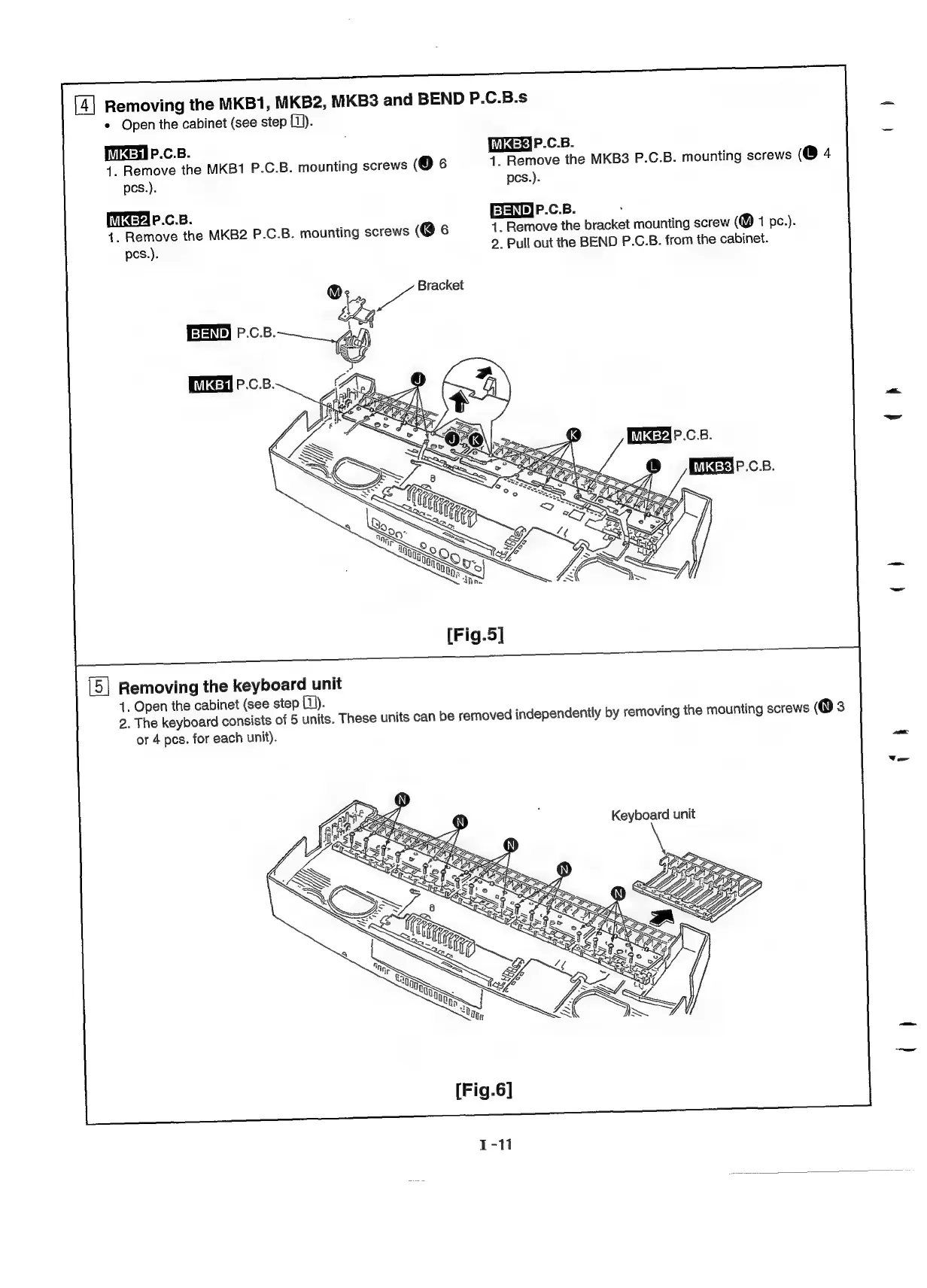
Removing
the
MKB1,
MKB2,
MKB3
and
BEND
P.C.B.s
*
Open
the
cabinet
(see
step
fi).
[TTEdI
P.C.B.
[GH
P.c.B.
1.
Remove
the
MKB1
P.C.B.
mounting
screws
(@6
1.
Remove
the
MKB3
P.C.B.
mounting
screws
(@4
pes.).
pcs.).
[Ter
P.c.B.
EENE)P.c.B.
4.
Remove
the
MKB2
P.C.B.
mounting
screws
(@6
4.
Remove
the
bracket
mounting
screw
(@
1
pc.).
pes.).
2.
Pull
out
the
BEND
P.C.B.
from
the
cabinet.
wl
Bracket
P.C.B.
[ier
P.c.B.
Mien
P.c.B.
[Fig.5]
Removing
the
keyboard
unit
1.
Open
the
cabinet
(see
step
fi).
2.
The
keyboard
consists
of
5
units.
These
units
can
be
removed
independently
by
removing
the
mounting
screws
(Q3
or
4
pcs.
for
each
unit).
Keyboard
unit
h
(

Related product manuals