11
MENU INTERFACE
FIRST TIME INSTALLATION
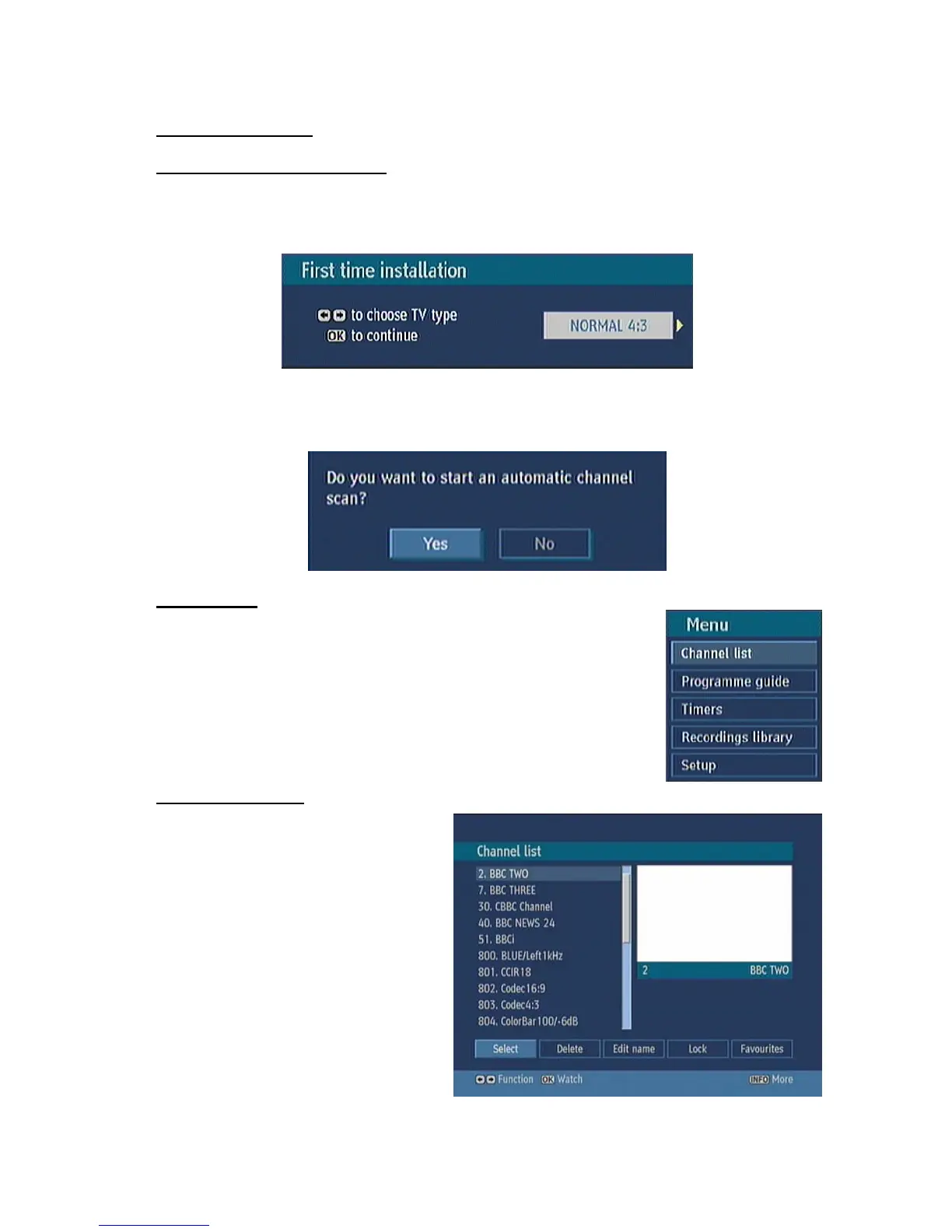
When the box is switched on from stand-by mode and if there is no channel stored in the database,
First Time Installation Menu window is displayed on the screen. In this window, set the TV type with
“3/4” keys and press OK to continue.
Automatic channel scan window appears and the unit commences to search for channels.
MAIN MENU
Main menu is accessed by pressing the MENU key on the remote control.
Navigate with “5/6” keys among the menus and press OK to activate
menus. In some sub-menus, press the BACK button to return to the previous
menu, otherwise, use it to exit from the menu. In all menus there is an Info
banner at the bottom of the screen. These are functions that can be used in
the current menu.
1. CHANNEL LIST
Channel list is the place where the
channels are managed. The following
operations can be performed in this menu:
1. Navigating channel list
2. Deleting channels
3. Renaming channels
4. Adding locks to channels
5. Setting favourite list



 To Next Page