23
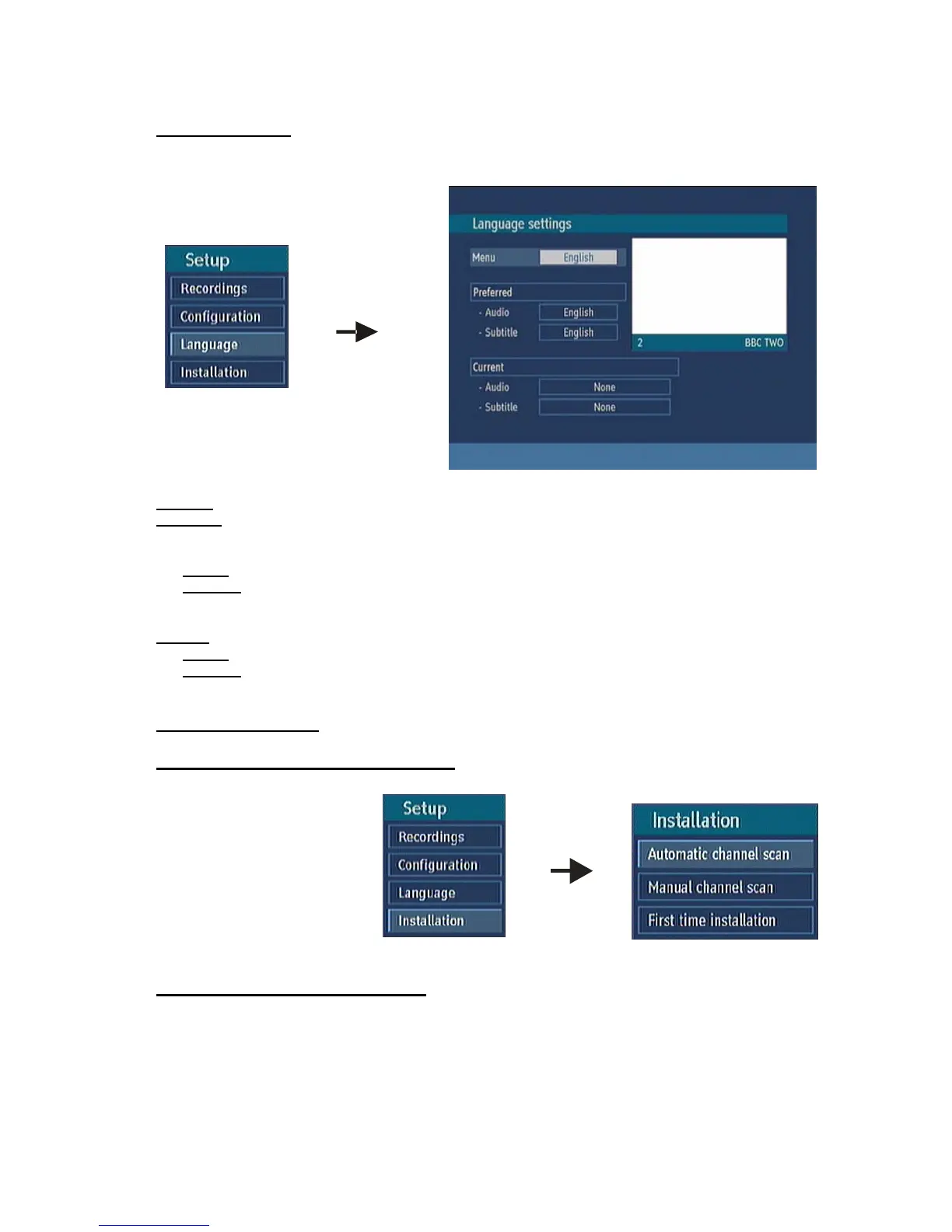
5.3. LANGUAGE
In this menu the user can adjust the preferred language. Language is changed by pressing OK key.
System: shows the language of the system
Preferred
These settings will be used if available. Otherwise the current settings will be used.
Ø Audio: by pressing “3/4” keys change the audio language.
Ø Subtitle: alter the subtitle language with“3/4” keys. The chosen language will be seen in
subtitles.
Current
Ø Audio: if audio language is supported change the audio language by pressing “3/4” keys
Ø Subtitle: if subtitle is backed up alter the subtitle language with“3/4” keys. The chosen language
will be seen in subtitles.
5.4. INSTALLATION
5.4.1. AUTOMATIC CHANNEL SCAN
Automatic channel scan is
activated by selecting OK when
the line is highlighted. A pop-up
menu appears on the screen,
select “YES” the automatic scan
begins. All the multiplexes are
searched and a channel table is
created automatically. All
channels found are stored in a
sorted form with respect to their channel numbers. Selecting "NO" will cancel the operation.
5.4.2. MANUAL CHANNEL SCAN
In manual search the number of the multiplex is entered manually and only that multiplex is searched
for the channels. In manual and auto search, any existing channel in the database is not re-stored to
avoid redundant duplicates of that channel. To start the scan enter the channel number manually and
press OK.



 To Next Page