21
5.2. CONFIGURATION
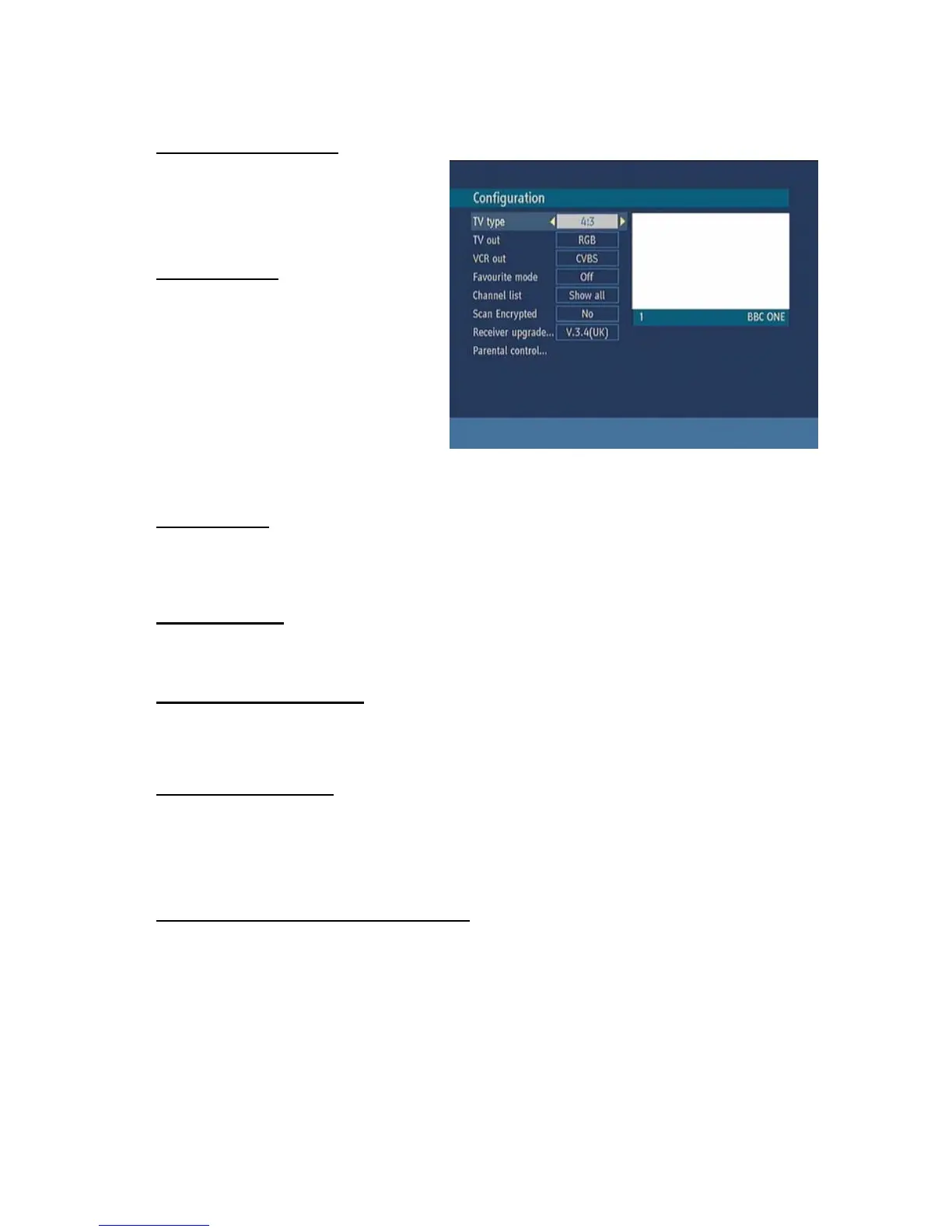
You can configure the settings of your set
top box. Select Configuration from Setup
menu and press OK to enter this menu.
Press the BACK button on the remote to
exit
5.2.1. TV TYPE
Digital terrestrial television channels can
broadcast programmes in a widescreen
format which must be output differently to
normal and widescreen TV sets. This
function tells the receiver the screen format
of the TV connected so that broadcasts are
displayed correctly.Highlight the TV Type
line in the Configuration menu and use
the“3/4” keys to select 4:3 if you have a
standard TV set connected or 16:9 if it is a
widescreen TV. This function duplicates the selection made at the time of first installation and can be
used if you change TV sets.
5.2.2. TV OUT
The receiver can output RGB , CVBS and S-Video signal from the TV SCART on the rear panel.
Although the RGB format results in a better quality picture, not all equipment can cope with an RGB
signal.
5.2.3. VCR OUT
This allows you to select CVBS or S-Video output from the VCR SCART socket.The receiver can
output SVideo and CVBS signal from the VCR SCART on the rear panel.
5.2.4. FAVOURITE MODE
This function enables or disables the 5 favourite channel list mode by pressing “3/4” buttons and
press OK . IF a favourites list exists it will switch to the list number selected. If there is no favourite
listing, a warning message is displayed.
5.2.5. CHANNEL LIST
Use “5/6” buttons to go to Channel List option. Use “3/4”buttons to toggle Channel List Mode. If
you select “TV Only”, with the PR+/PR- buttons, you navigate through only TV channels. If you select
”Radio Only”, with the PR+/PR- buttons, you navigate through only radio channels. If you choose
“Show All” all, channels can be navigated with the PR+/PR- buttons. To save the recent changes and
exit; press the MENU button.
5.2.6. SCAN ENCRYPTED CHANNELS
Use “▲ / ▼” buttons to go to the Scan Encrypted Channels option. Use “◄ / ►” buttons to toggle
YES or NO the searching for encrypted channels.



 To Next Page