
EasyManua.ls Logo

Technika LCD19HDID-407W - User Manual

Technika LCD19HDID-407W
35 pages
Print Icon
To Next Page IconTo Next Page
Loading...
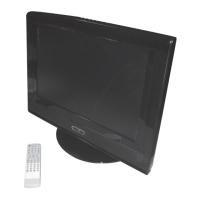
LCD19HDID-407W
LCD TV Receiver
User Guide
UK
LCD19HDID-407W.indd 1LCD19HDID-407W.indd 1 14/11/2007 16:00:5214/11/2007 16:00:52

Other manuals for Technika LCD19HDID-407W

Questions and Answers

  • K
    Kayla DavidJul 31, 2025
    What to do if my Technika LCD TV has no picture and sound?
    • D
      David ScottJul 31, 2025
      If your Technika LCD TV has no picture and no sound, first ensure that it is properly plugged into a working power source. Also, check to see if electricity is available.
  • J
    jennifer30Aug 4, 2025
    Why is my Technika LCD TV screen blank?
    • J
      jasmine66Aug 5, 2025
      If your Technika LCD TV screen is blank, ensure that the correct signals are being input. Press the SOURCE button to change the signal input to TV. If problems persist, try restarting the TV by interrupting the power supply.
  • B
    Brandy WatsonAug 9, 2025
    How to fix no sound on Technika LCD TV?
    • J
      Jennifer WrightAug 9, 2025
      If there is no sound on your Technika LCD TV, first press the MUTE button to verify if Mute mode is enabled. If not, switch to another channel to check if the problem persists. You can also press the VOL+ button to increase the volume.
  • C
    chadbellAug 13, 2025
    Why is there no picture on some channels on my Technika LCD TV?
    • R
      Raymond SmithAug 13, 2025
      If there is no picture on some channels of your Technika LCD TV, verify that the correct channel is selected. Adjust the antenna, and make adjustments using FINE TUNE and MANUAL SEARCH.
  • A
    arnoldtimothyAug 17, 2025
    What to do if Technika LCD TV is out of control?
    • K
      Kelly JacksonAug 17, 2025
      If your Technika LCD TV is out of control, disconnect it from the power supply and reconnect it after 10 seconds.
  • R
    Rachel HamiltonAug 22, 2025
    Why is my Technika LCD TV showing black and white on some channels?
    • N
      Nathaniel MercadoAug 22, 2025
      If there is no color for some channel programs (appearing black and white) on your Technika LCD TV, verify if the same problem exists on other channels. Check the picture and sound systems. Refer to the manual for color adjustment instructions.
  • N
    Natalie SampsonAug 26, 2025
    How to improve poor sound quality on Technika LCD TV?
    • I
      Ivan DavisAug 27, 2025
      If the sound quality is poor on your Technika LCD TV, verify if the sound system is correctly set up. Refer to the user's manual for adjustment instructions.

Summary

Introduction and Safety

Essential Safety Precautions

Read safety precautions before operating the product.

Detailed Safety Information

Risk of Electric Shock Hazards

Warning against opening the unit to prevent electric shock.

Handling and Usage Precautions

Instructions for safe operation and maintenance.

Fire and Water Hazard Warnings

Do not expose the TV to rain or moisture.

Connection Options

Remote Control Functions

Remote Control Usage and Safety

Critical Battery Safety Warnings

Warnings regarding battery leakage, mixing, and disposal.

Connecting the TV

Connection Safety Warning

Ensure TV and equipment are unplugged before making connections.

Antenna and External Device Connections

Guides for connecting antenna, HDMI, SCART, VGA, and S-Video.

Initial Setup and Operation

First Time Power On and Volume

Guide for initial power-on, region selection, and volume adjustment.

Basic TV Operations

Advanced Settings and Menus

Menu Navigation Guide

Instructions on how to access and navigate the TV's on-screen menus.

Picture and Audio Menu Details

Tuning and Channel Management

Channel Search and Function Menu

Manual, Auto Search, and Country

Performing channel searches and setting the country.

Function Menu Options

Changing input sources and other functional settings.

DTV and Channel Management

DTV First Time Installation

Guide for the initial setup and scanning of digital channels.

Electronic Program Guide (EPG) Usage

Channel List Management

Channel Security and Information

Locking Channels with Passwords

Setting passwords to restrict access to specific channels.

Reminders and Timers

System Settings Menu

Configuration Settings Details

Parental Control Setup

Configuring parental settings, maturity lock, and menu lock.

Parental Controls and Languages

Installation and Search Options

Automatic, Manual, and First Time Installation

Procedures for initial channel scanning and setup.

Troubleshooting Common Issues

Picture and Sound Problems

Troubleshooting steps for no picture, no sound, or poor sound quality.

Technika LCD19HDID-407W Specifications

General IconGeneral
Display TypeLCD
HD ReadyYes
HDMI Ports1
USB Ports1
Aspect Ratio16:9
Brightness300 cd/m²
Screen Size19 inches
Resolution1366 x 768
Viewing Angle170° (H) / 160° (V)
Input PortsHDMI, USB, VGA, SCART, Composite