6
PRODUCT DESCRIPTION
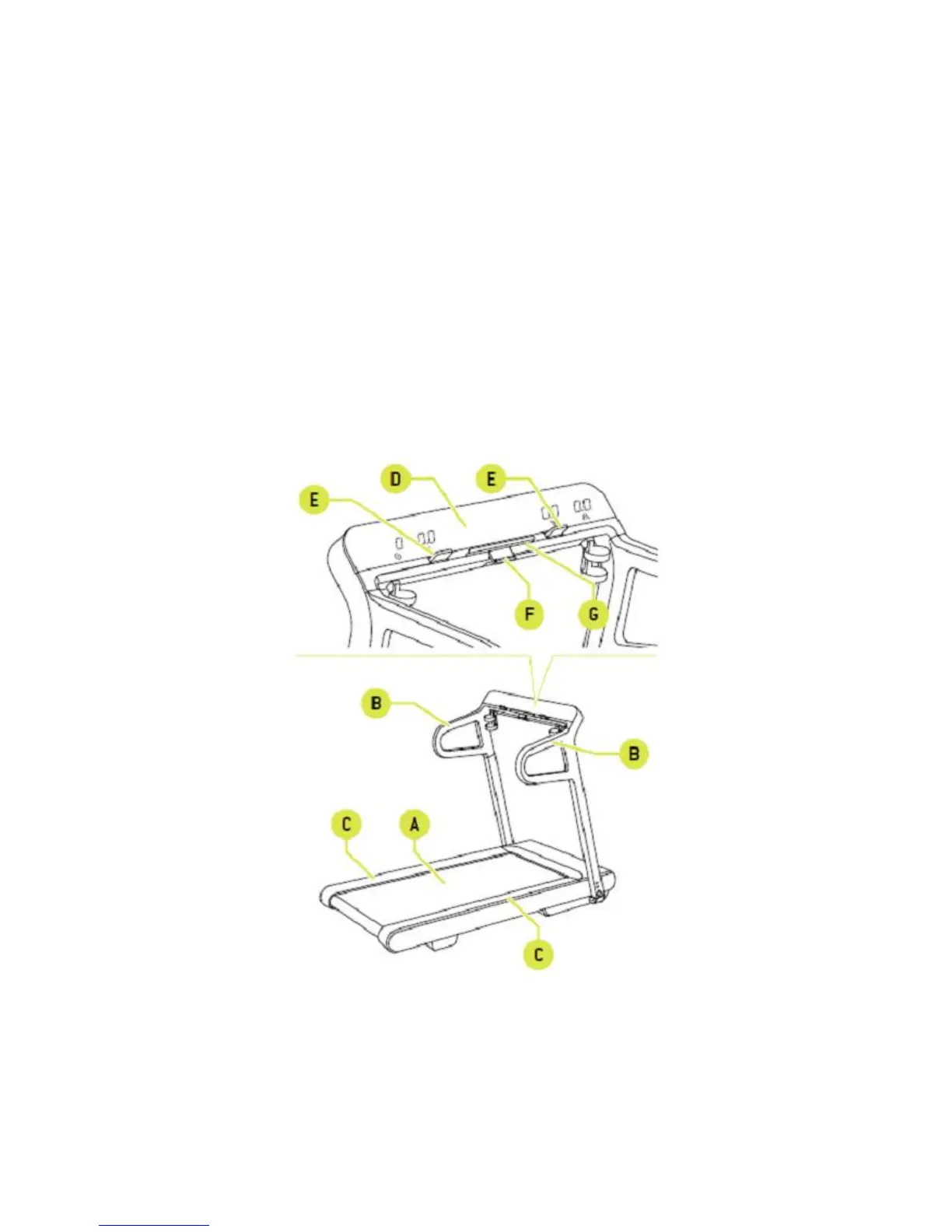
A. Treadmill belt – correctly cushioned running surface.
B. Side handgrips – provide a safe support for you when you climb onto this device or if you
lose balance. You can grasp them to do long strides.
C. Footrests – you can move your feet from the belt and step onto the footrest for a short pause
when being tired or endangered.
D. Screen – displays parameters of current exercising such as: elapsed time, speed, elevation
and distance.
E. Fast track controls – allows you to change the speed and elevation of the belt during
workout.
F. Start/Stop key – you can start exercising, when it is green. You can stop it, when it is red.
Push and hold it for at least 2 seconds to pause the exercising. It lights up green while paused.
Press the button again to restart the exercising. Hold the button down for at least 2 seconds to end
the paused exercising.
G. Support for small electronic devices – you can place your tablet on it.














 To Next Page