EasyManua.ls Logo

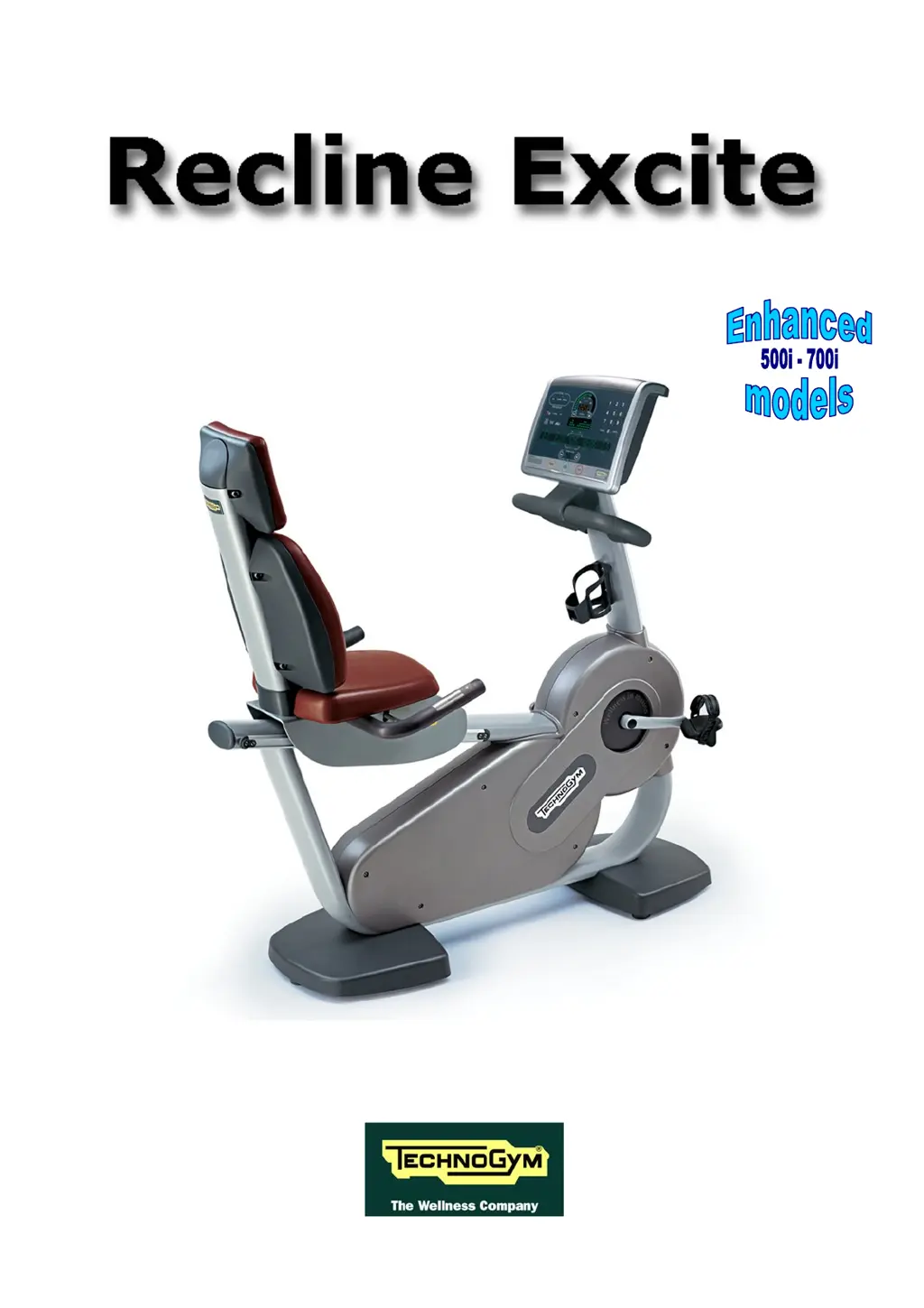
Technogym Recline 500 - User Manual

Technogym Recline 500
182 pages
Print Icon
To Next Page IconTo Next Page
Loading...
SERVICE & MAINTENANCE MANUAL
REV. 2.4

Table of Contents

Questions and Answers

Summary

2. TECHNICAL CHARACTERISTICS

2.1. Product Codes

Explanation of the alphanumeric product code system for machine variants.

2.2. Available Versions

Lists the different machine versions and their key characteristics.

2.3. Product Characteristics

Details specific features and capabilities of the machine models.

2.4. Mechanical Characteristics

Provides dimensions and weight specifications for the machine.

2.5. Electrical Characteristics

Outlines voltage, frequency, and consumption data.

2.8. Wiring Diagram

Illustrates the electrical connections and component layout.

3. PRINCIPLES OF OPERATION

3.1. Block Diagram

High-level overview of machine components and their interactions.

3.1.1. Display Boards

Description of the circuit boards that constitute the display unit.

3.1.7. Brake Board

Details the brake board's power supply and communication functions.

3.2. Brake Control

Explains how the brake resistance is controlled and adjusted.

3.2.2. Control

Illustrates the block diagram for the brake control system.

3.2.3. The Signals Involved

Describes the RS-485 signal, excitation current, and pulse signals.

5. INSTALLATION INSTRUCTIONS

5.1. Specifications and Requirements

Prerequisites and conditions for correct machine installation.

5.3. Installation

Step-by-step instructions for the physical installation of the machine.

5.4. First Power-On

Procedures for initial machine setup and operation check.

6. TROUBLESHOOTING

6.1. Service Troubleshooting Menu

Accessing and navigating the machine's diagnostic menu.

6.1.1. Automatic Test

Performing automated diagnostic tests on machine components.

6.1.2. Manual Test

Conducting manual diagnostic tests on various machine functions.

6.2. The Display Fails to Illuminate

Troubleshooting guide for display illumination issues.

6.2.1. 500 i and 700 i Models

Specific troubleshooting for display issues on 500i/700i models.

6.2.2. 500 i SP and 700 i SP Models

Specific troubleshooting for display issues on 500i SP/700i SP models.

6.2.3. 700 iE Wellness TV Models

Specific troubleshooting for display issues on 700iE Wellness TV models.

6.3. No Audio Sound

Diagnosing and resolving problems with audio output.

6.4. No TV Picture

Troubleshooting steps for problems with TV picture display.

6.5. The Radio Does Not Play

Diagnosing and resolving issues with radio functionality.

6.6. The Equipment is Blocked Message on the Display

Troubleshooting the "Equipment Blocked" error message.

6.7. Error Detected by Brake Board

Understanding and resolving errors reported by the brake board.

6.8. There Is No Resistance

Troubleshooting steps when the machine provides no resistance.

6.9. The Resistance is Incorrect

Diagnosing and fixing incorrect resistance levels.

6.10. The Speed Signal is Incorrect

Troubleshooting speed signal errors.

6.11. The Machine Does Not Read the TGS

Resolving issues where the TGS reader is not recognized.

6.12. There Is No Heart Rate Signal

Troubleshooting the absence of a heart rate signal.

6.12.1. Ricevitore Telemetrico HFU

Specific troubleshooting for HFU heart rate receiver issues.

6.12.2. Hand Sensor

Troubleshooting problems with the hand sensor for heart rate.

6.13. The Telemetric HR Signal is Incorrect

Diagnosing and resolving telemetric HR signal interference.

7. DISASSEMBLY OF COMPONENTS

7.1. Disassembling the Display

Step-by-step guide to removing the display unit from the machine.

7.1.1. 700 i and 700 i SP LED Versions

Specific instructions for disassembling displays on 700i/700i SP LED models.

7.2. Disassembling the Circuit Boards on the Display

Detailed steps for removing circuit boards from the display assembly.

7.2.2. 700 iE Touch Screen Wellness TV Version

Disassembly of circuit boards for 700iE Touch Screen TV displays.

7.3. Disassembling the Keyboard; Touch Screen

Procedures for removing the keyboard and touch screen components.

9. MACHINE CONFIGURATION

9.1. User Menu Configuration for 700 Models

Accessing and modifying user settings on 700 series models.

9.2. User Menu Configuration for 500 Model

Accessing and modifying user settings on 500 series models.

9.3. Service Menu Configuration

Accessing and navigating the technician-level service menu.

9.3.2. Low Kit Parameter

Accessing parameters for modifying lower assembly settings.

9.3.2.4. Configuration parameters table

A table detailing various configuration parameters and their default values.

9.3.4. Errors Log

Accessing and viewing the machine's error history log.

9.3.4.1. Read from low kit

Reading error logs stored in the low kit memory.

9.3.4.2. Reset Errors

Clearing error history logs from the low and high kit memory.

9.3.4.4. View Errors

Detailed view of error codes, dates, and occurrences.

9.3.6. Low Kit Menu

Accessing brake board firmware version and fault codes.

9.4. TV Menu Configuration for 700 iE Model

Configuring TV settings on 700iE models.

9.5. Radio Menu Configuration for 700 iE Model

Configuring radio settings on 700iE models.

10. SCHEDULED MAINTENANCE

10.3. Twice-Yearly Maintenance Operations

Periodic checks of mechanical components for safe operation.

11. APPENDIX

11.2. Hardware - Software Compatibility

Information on compatibility between hardware and software versions.

Technogym Recline 500 Specifications

General IconGeneral
BrandTechnogym
ModelRecline 500
CategoryFitness Equipment
LanguageEnglish

Related product manuals