12
Switching the Oven ON and OFF
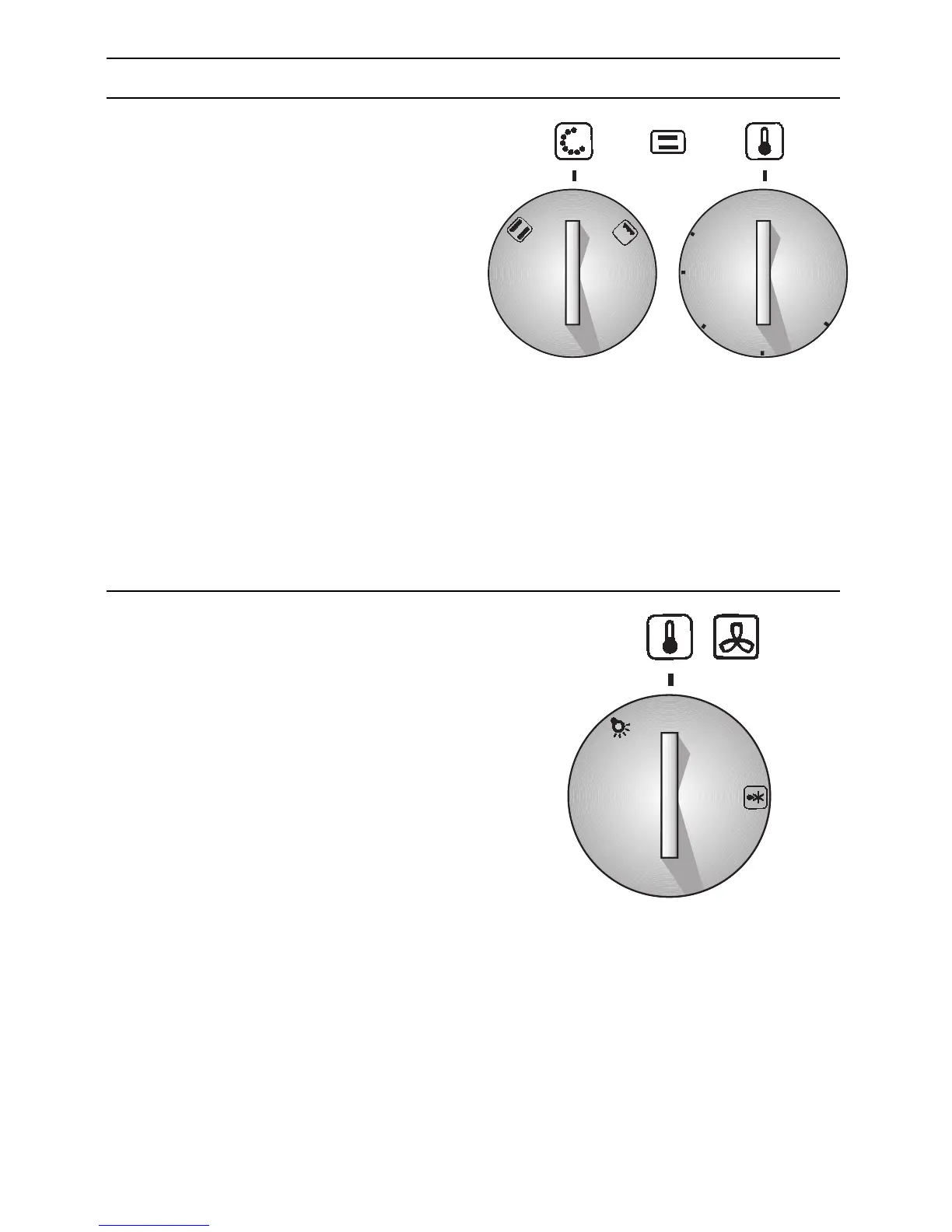
Mini oven:
Before switching on your oven, you should
decide which heating system you wish to
use.
Switching the oven ON:
1. Use the function selector to determine
the desired system.
2. Set the temperature control knob to the
desired temperature.
❑ The selected temperature will be
controlled automatically.
❑ The red oven temperature control lamp
illuminates when the oven is first
switched on, and extinguishes when the
required temperature has been reached.
Switching the oven OFF:
To switch the oven OFF, turn both the
temperature selector and function selector
to the »0« position.
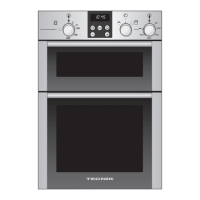
Main oven:
1. Set the temperature control knob to the
desired temperature.
❑ The selected temperature will be
controlled automatically.
❑ The red oven temperature control lamp
illuminates when the oven is first
switched on, and extinguishes when the
required temperature has been reached.


 To Next Page