EV 10-50
13
Wireless hybrid arm sy em
Wireless hybrid arm sy em
BOX B
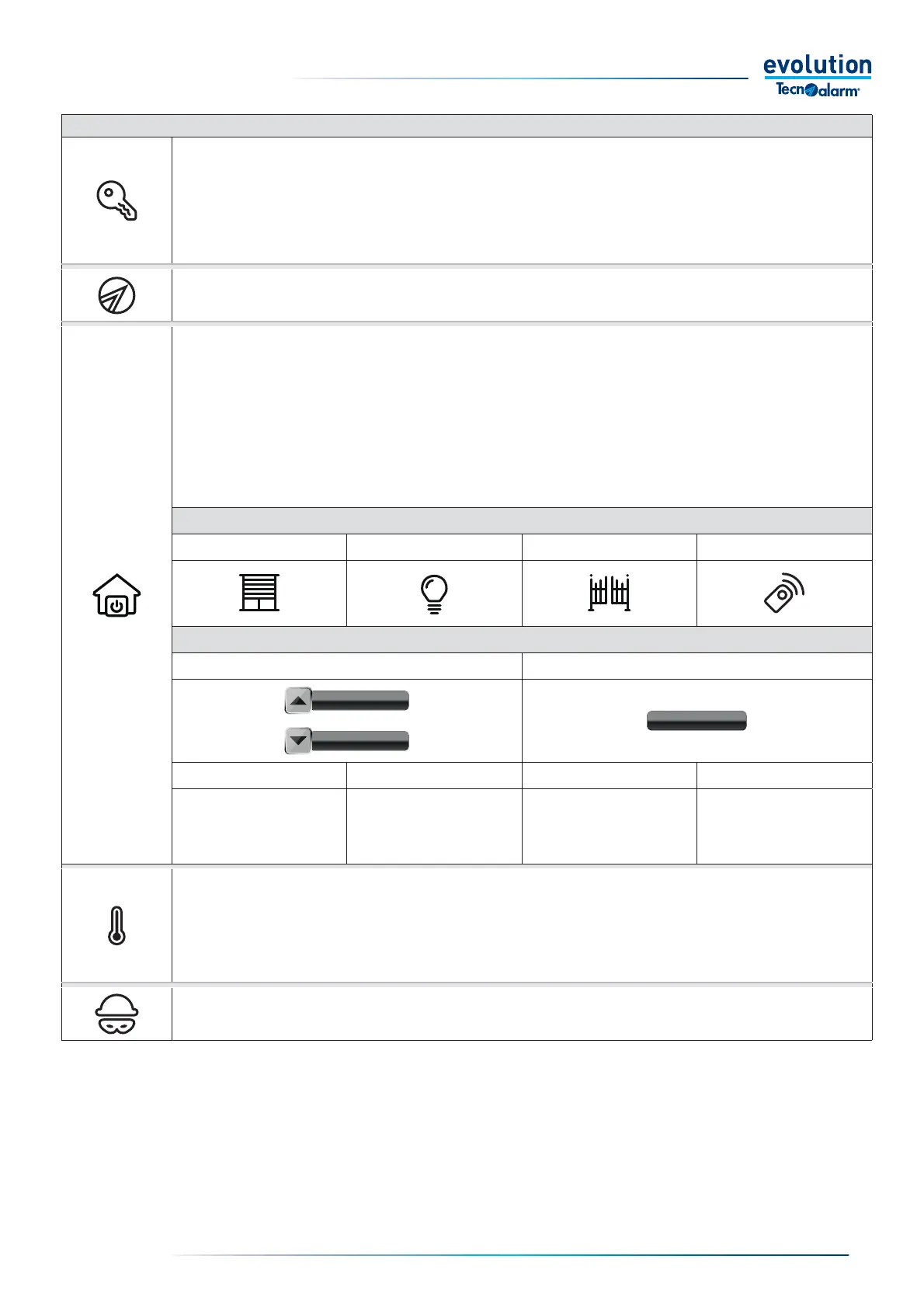
Arming / disarming programs.
Tap to display the program management keys. Insert or disable with option A or B.
A - Arming / disarming. To insert or disable tap the program key. The console prompts you to type the code or approach the key.
B - Quick arming / disarming. The feature must be enabled by the installer. To insert or disable tap the program key. In this case the console
does not prompt you to type the code or approach the key.
Displays the status of the zones associated with the programs.
• Tap to display the program keys.
• Tap the program key to view the status of the associated zones.
Home automation functions
Tap to access the System home automation display menu. Sign in with option A or B.
A - Remote control menu. To access the home automation display menu, tap the icon. The console prompts you to type the code.
B - Quick remote control menu. The function must be enabled by the installer. To access the home automation display menu, tap the icon.
The console does not prompt you to enter the code.
• The menu displays category icons of home automation functions. Roller shutter / venetian blind, lighting, gate, remote control.
• Tap an icon to access the activation / deactivation keys of a home automation function
Activation / deactivation. To activate or deactivate the home automation function tap the button.
HOME AUTOMATION FUNCTION ICONS
Roller shutter / Venetian blind Lighting Gate Remote control
HOME AUTOMATION FUNCTION STATUS ICONS
Roller shutter / Venetian blind function Functions: lighting, gate, remote control
Color Grey Color Yellow Color Grey Color Yellow
Shutter/ Venetian shutter
movement controls disactivated
Shutter/ Venetian movement
controls activated
Off function On function
Programming thermostats.
Tap to view the System thermostats. Enter with option A or B.
A - Thermostat menu. To access the menu, touch the thermostat key. The console asks you to type the code.
B - Quick thermostat menu. The feature must be enabled by the installer. To access the menu, touch the thermostat key. The console does
not ask you to type the code.
Panic alarm.
To activate the panic alarm, press and hold the icon for 2 seconds. The panic alarm function must be programmed by the installer.


 To Next Page
 Loading...





