EV 10-50
14
15/06/22
09:35
3-4.2
3-4.3
3-4.6
3-4.7
3-4.8
3-4.9
3-4.11
3-4.12
3-4.13
4
Wireless hybrid arm sy em
Wireless hybrid arm sy em
BOX C
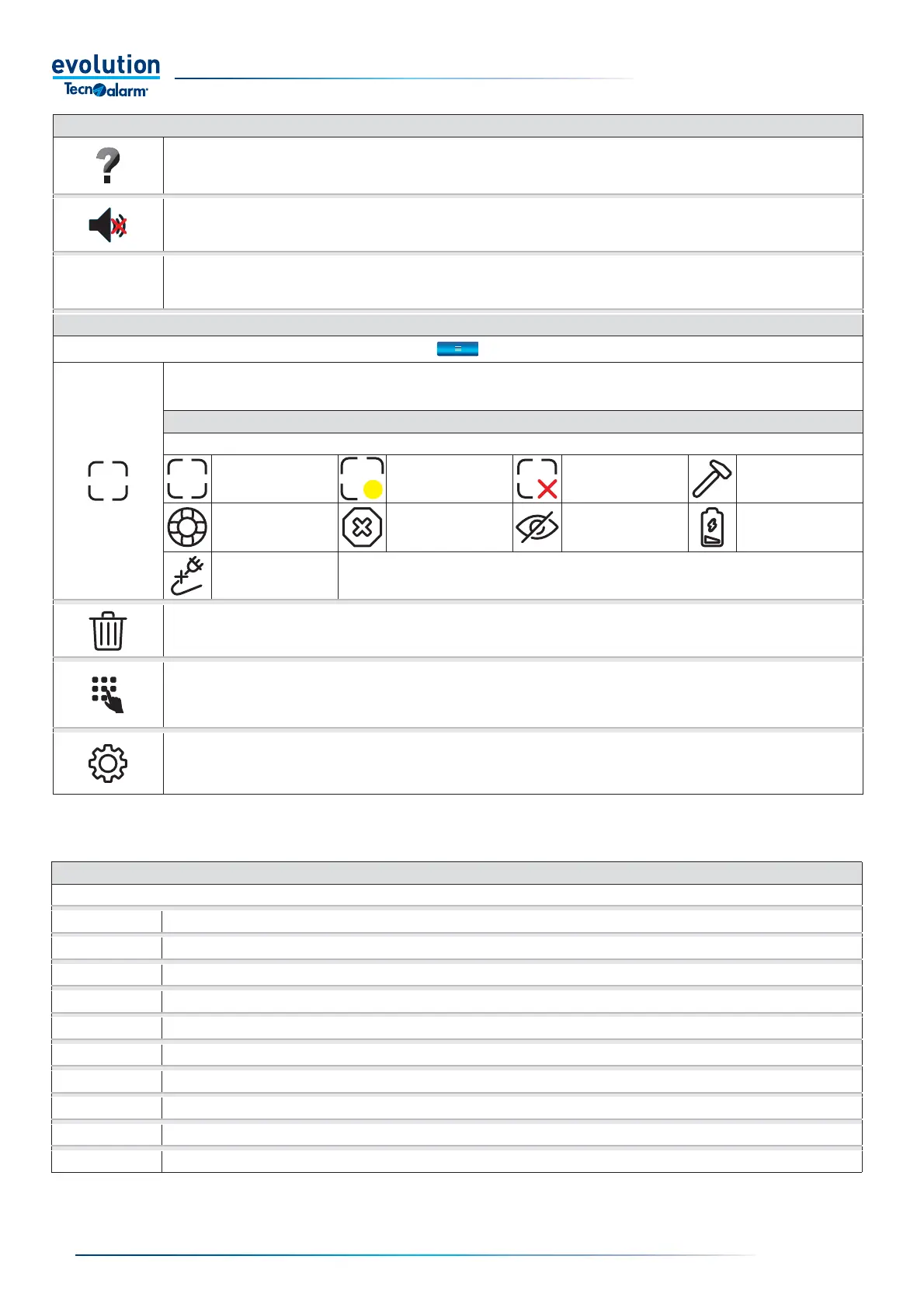
Contextual help.
Tap to enable/disable contextual help mode.
Tap the icon to view its function.
To exit the mode, tap the contextual help icon.
Abort announcement.
Tap the icon to stop the voice announcement.
Date and time.
Field that displays the date and time
DROP-DOWN MENU
Zone status.
Tap to view the list and statuses of system zones
ZONE STATUS ICONS
Zone statuses can be fi ltered by selecting and deselecting the detail icons.
Closed zone Open zone Isolated zone Tampered zone
Survival zone Fault zone Masking zone Low battery zone
Power supply status at
230V AC absent zone
Erasing the memory.
To clear the alarm memory, touch the icon and confi rm by typing code.
EV LCD console emulation.
Tap to enter EV LCD console emulation mode.
The emulation allows you to perform the operations (see emulation table) that can be performed with the EV LCD console.
Settings.
To access the settings menu, tap the icon and log in by typing code or approaching the key.
The menu allows you to change the following parameters: volume of voice announcements, level and mode of backlighting, screen saver and
graphic theme.
EMULATION TABLE
The table lists the paragraphs that describe the operations that can be performed in emulation mode of the EV LCD console
General arming and disarming (direct)
Quick arming and disarming (alternative mode onlya)
Remote Control Management
Consultation of the event log
Consultation of Open zones
Hold-up alarm act
Consultation of the Alarm memory
Clearing the Alarm memory
Master code operation
THERMOSTATS



 To Next Page