EV 10-50
17
Wireless hybrid arm sy em
Wireless hybrid arm sy em
Management with RFID key
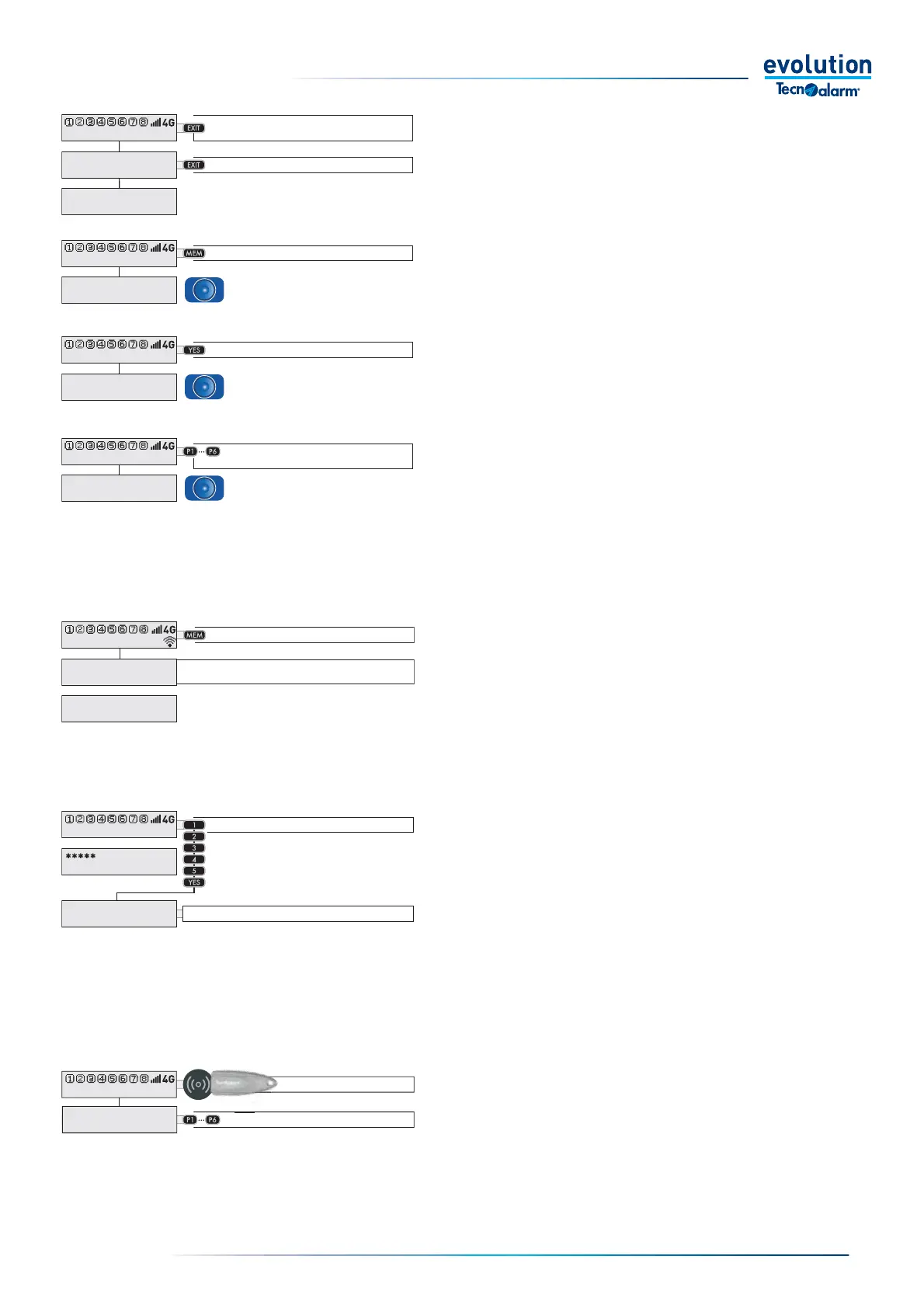
To arm and/or disarm the operating programs using an
electronic key, it is necessary to have the key read by
positioning it on the console, press the direct program
command keys P1... P6.
All management procedures are fully described on the
following pages.
Have the key read
Select the programs
11:02 System ok
- ACCESSO -
Key John
General consultations
Pressing any key lets you access the display of various
status information, you don't need to enter a code to
access this information.
Some of the information shown on the display is
provided by the console as a voice message.
Displays the time and date
Displays stored alarms
Displays all open zones
Each key displays the
open zones of the relevant program
11:02 System ok
Thu 16-MAY-20
11:02 Work
11:02 System ok
ALARM MEMORY
None
11:02 System ok
View open zones
Control panel
11:02 System ok
View open zones
Program 1
Displays the temperature and humidity
(in the presence of EV TERMBWL)
T1=22.0°_ RH1=57%
T2=21.0°_ RH2=60%
Management with Code
For operations that require the entry of an access code,
it is possible to directly enter the code and carry out the
desired management operations.
All management procedures are fully described on the
following pages.
Enter the Code
Choose the procedure
11:02 System ok
End with YES
- ACCESS -
Master
11:02 System ok
ALARM MEMORY
None
Notes
from the installer
Display the message Splash info
If Splash info is not programmed
the stored alarms are displayed
Display of the Splash info
To display the splash info message programmed
by the installer, press the MEM key.
Display Splash info + memory
First typing of the MEM key displays the message,
the second typing of the
MEM key displays the stored
alarms



 To Next Page