EV 10-50
29
Wireless hybrid arm sy em
Wireless hybrid arm sy em
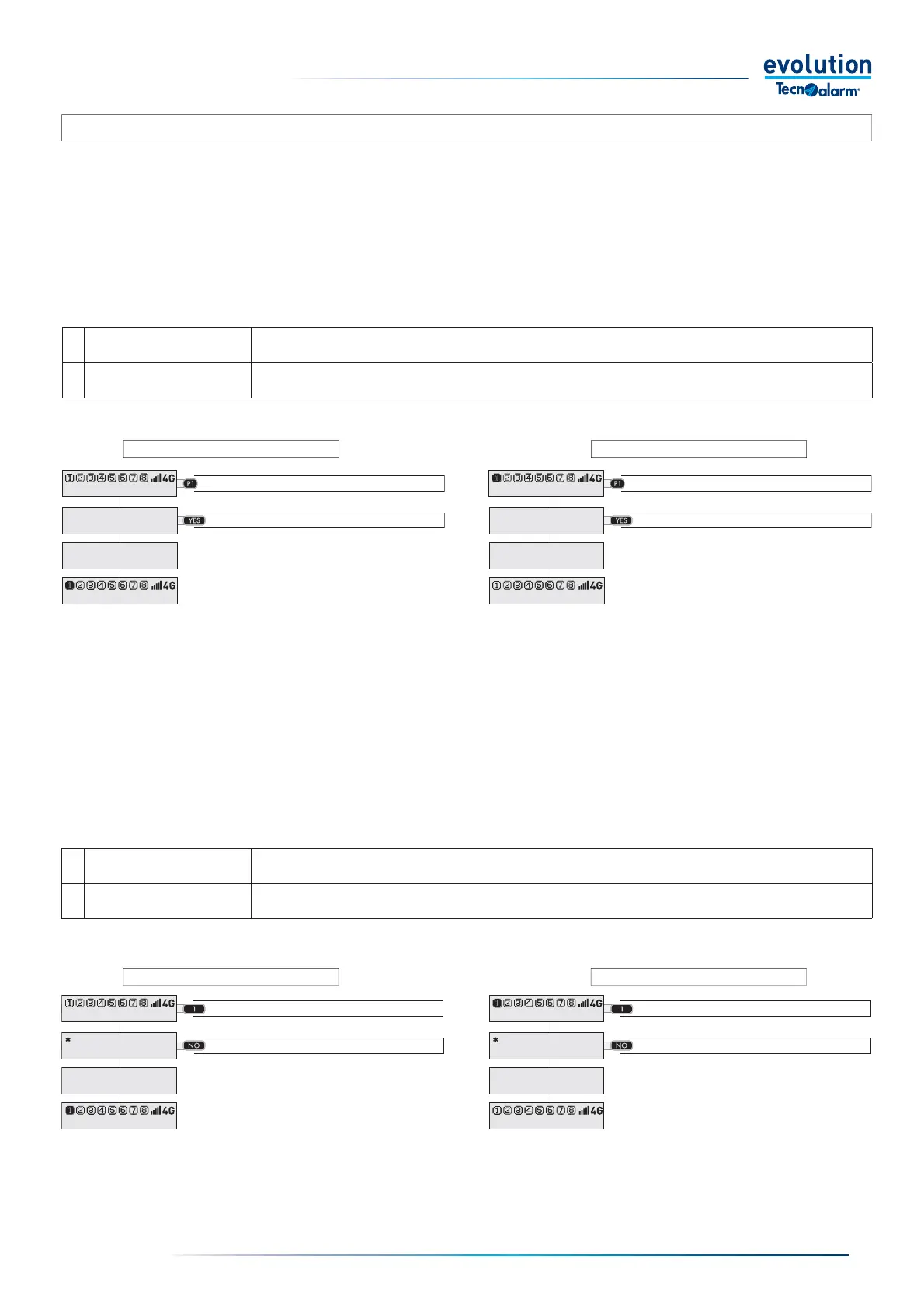
3-4.3 - Quick arming and disarming
The functions, Quick arming and/or Quick disarming, must be enabled by the installer, the programming of the two functions is
independent, therefore the installer can enable either only one of the two functions or both.
The quick arming and disarming modes, arms or disarms the program without the need to enter the access code.Quick arming and
disarming are carried out in two phases: program command key and command.
Warning: the Quick Arming and Disarming functions allow the user to act only on one program at a time, therefore to carry out the
command on multiple programs it is necessary to repeat the sequence several times: program command key and command.
Quick disarming
1 - Press the program command key
2 - Press the command
1 - Press the program command key
2 - Press the command
Quick arming
Alternative Mode
For quick arming and disarming, the console also manages an alternative mode which instead of the program command keys uses
the numeric keys.
Quick disarming
1 - Press the program number
2 - Press the command
1 - Press the program number
2 - Press the command
Quick arming
1 Press the program number Press the number of the program you want to arm or disarm 1...8
2 Press the command Press the NO key.
1
Press the program
command key
Press the program command key you want to arm or disarm P1.... P6
2 Press the command Press the YES key
11:02 System ok
View open zones
Program 1
Arming
Program 1
11:02 System ok
11:02 System ok
View open zones
Program 1
Disarming
Program 1
11:02 System ok
11:02 System ok
End with YES
Arming
Program 1
11:02 System ok
11:02 System ok
End with YES
Disarming
Program 1
11:02 System ok



 To Next Page