EV 10-50
48
Wireless hybrid arm sy em
Wireless hybrid arm sy em
3 - Remote controls
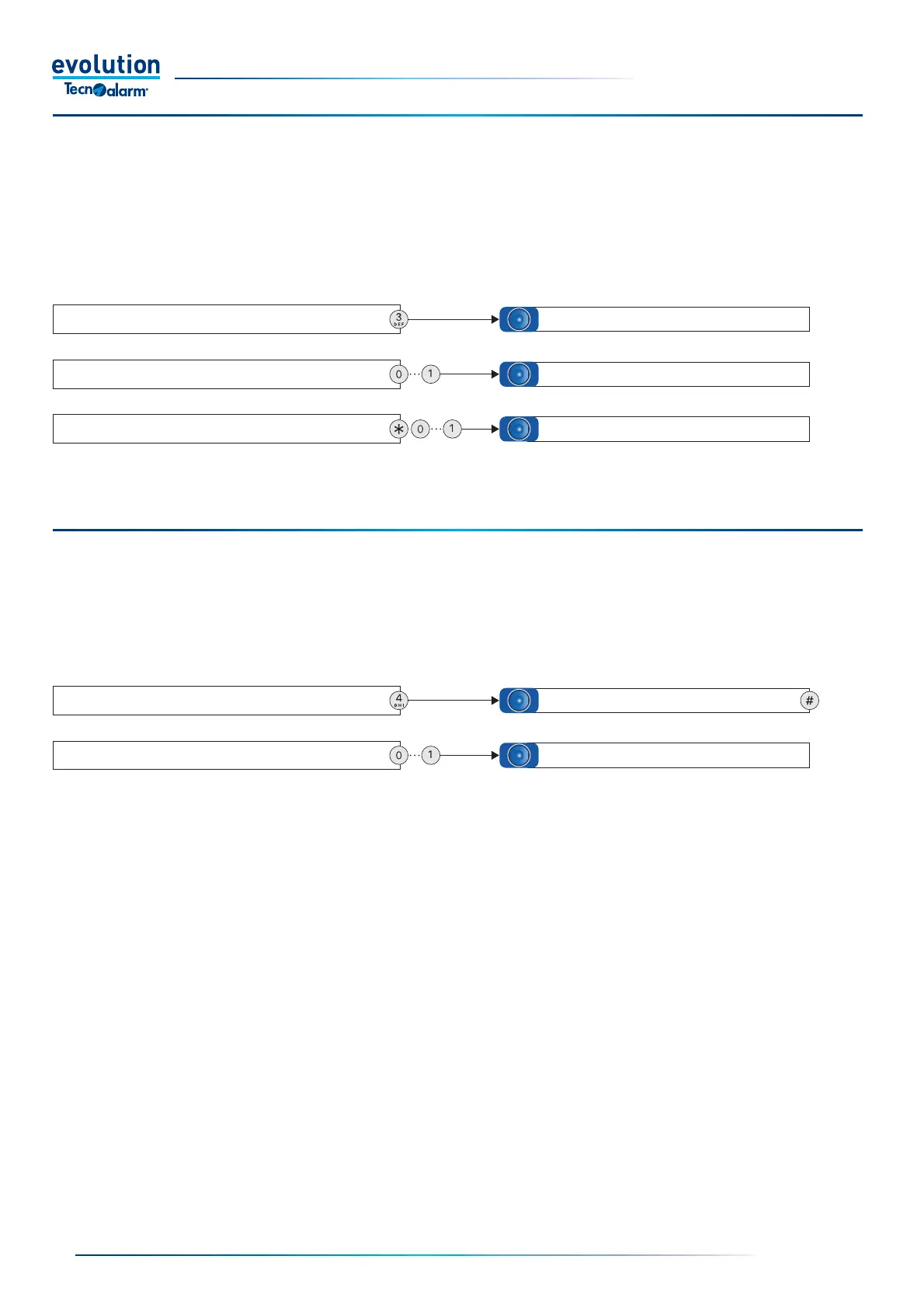
Query and command function.After entering the access code, select function 3 from the guided telephone menu.
Query - To fi nd out the operating status of the remote controls, enter the remote control number and wait for the System response
"Remote control enabled or disabled".
Command - To activate or deactivate a remote control, press star followed by the remote control number and wait for the System
response "Enabling or disabling the remote control number".
Verifi cation and management of remote controls
To query the remote control, enter the remote control number
To activate or deactivate the remote control, press star
and enter the remote control number
Remote controls menu.
To return to the menu, press hash
Remote control active or in stand-by
Activating or deactivating remote control no....
4 - RDV
®
listening
After entering the access code, select function 4 from the guided telephone menu, then select the number of the RDV
®
zone you
want to listen to.
Warning: the function can only be used if the zone is protected by an RDV
®
detector. If a non-RDV
®
zone is selected, the system
replies "RDV
®
listening denied".If an RDV
®
zone is selected, the system allows you to listen to the movement detected for a period
of 30 seconds.
RDV
®
Listening
To listen to the RDV
®
zone, enter the zone number
RDV
®
menu.
To return to the menu, press hash (#)
Active listening for 30 sec. or RDV
®
listening denied



 To Next Page