T
T
T
2
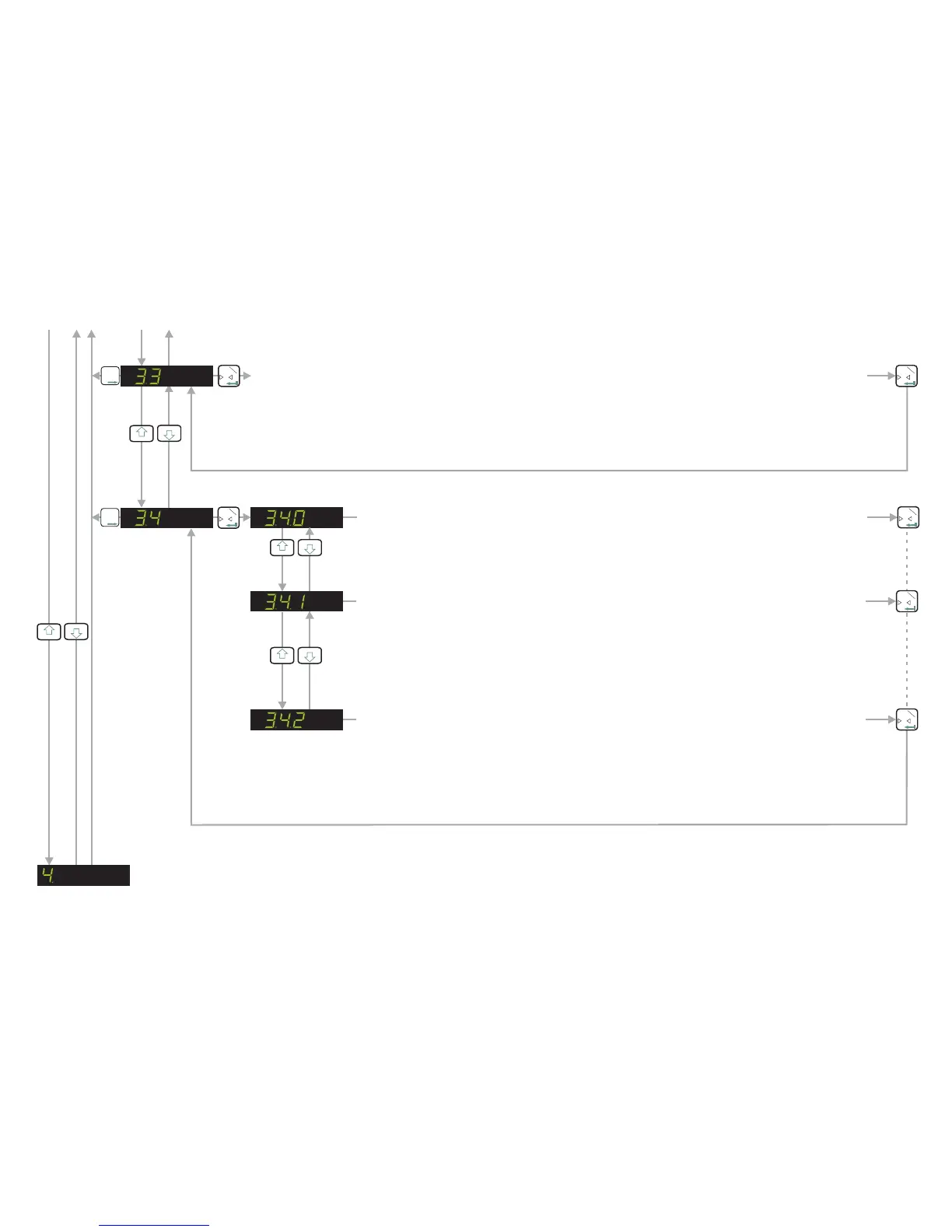
FILTER SETTINGS & NO MOTION - See Next Page
LOGIC INPUTS & OUTPUT STATUS (SHOW CONTINUOUSLY)
When this parameter is selected the status of the inputs and outputs are continuously
displayed on the main weight display. No weight values are displayed in this mode. This
can be useful when commissioning the system as you can see the exact status of the
inputs and outputs continuously.
0
T
1
LOGIC INPUTS & OUTPUTS STATUS (NO INDICATION)
When this parameter is selected there will be no indications on the main display of the
status of the logic inputs and outputs. The weight value is shown continuously
irrespective of the logic inputs and outputs status [Factory Default]
0
T
1
0
T
1
3
4
LOGIC INPUTS & OUTPUT STATUS (ONLY SHOW WHEN I/O STATE CHANGES)
When this parameter is selected, there will be a momentary indication on the main
display of the logic input/output status ONLY when the status changes. The weight value
display is temporarily disabled whilst the logic input/output status is shown momentarily.
The display then reverts back to displaying the weight value. This can be useful when
commissioning the system as you can see the exact status of the inputs and outputs as
and when they change.
0
T
1
3
4
SET UP THE DISPLAY (Continued)
3
4
T
T
T
2
0
T
1
0
T
1
SELECT THE DECIMAL POINT POSITION ON THE DISPLAY (0, 0.0, 0.00, 0.000 or 0.0000)
Use the UP or DOWN key to set the required decimal point position on the display. The factory default is no
decimal place [0]. The maximum number of places after the decimal point is four [0.0000]. Please note that
this parameter should be set before the span calibration value [menu 2.1] is entered. Setting or moving the
decimal point position after calibration will not alter the display resolution
3
4
Page 13


 To Next Page