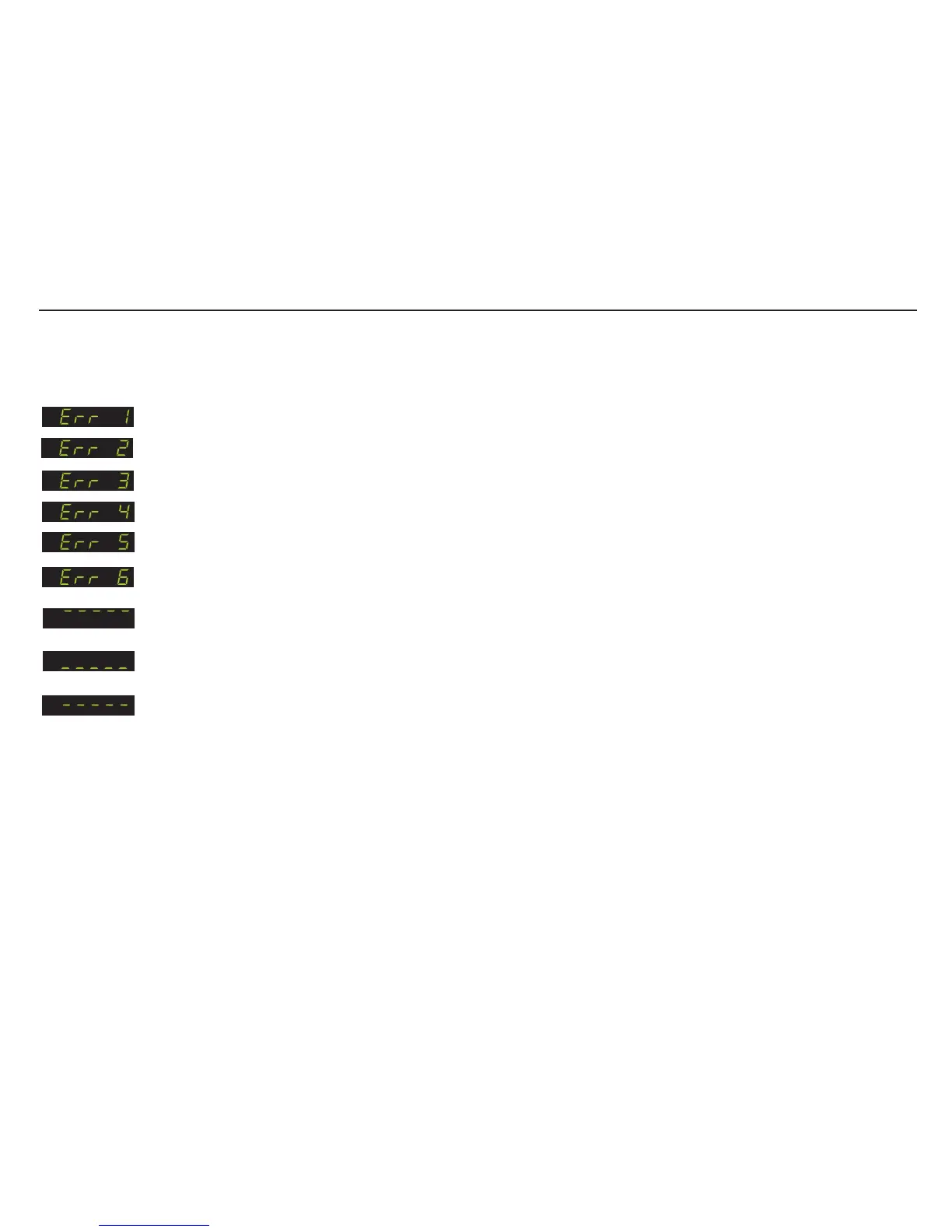
Display overload (Display value exceeds the upper limit set in Menu 3.1o)
Display underload (Display value is more negative than the lower limit set in Menu 3.1U)
Set final zero out of range. (You are trying to set a zero which is greater than ±20% of the Upper Display Limit menu 3.1o)
Excessive sensitivity requested. (The input signal is being divided into too many divisions i.e the size of each division is less than 0.5uV)
The input signal is in excess of ± 3.2 mV/V
Faulty load cell connection (Open circuit / Short Circuit / Wire disconnected / Sense wires not connected or shorted to Exc terminals)
You are trying to enter a value which is not valid (Outside the acceptable parameter range)
The zero key is not enabled (See menu 1.1)
ERROR CODES
If you need to return the EZE30 to the factory settings simply press and hold the recessed enable switch whilst powering up
the unit. All parameters will then revert to the factory settings
If when trying to set a new zero or tare, you see a series of dashes through the middle of the display, this indicates that the weight value is
changing too much over a short period of time. In other words the ‘No motion’ parameters as set in Menu 4.4 have been exceeded. To correct
this you can increase the ‘no-motion’ range (Menu 4.4.1) or decrease the ‘Stabilisation time’ (Menu 4.4.2). You can also increase the filter
strength (Menu 4.1) to make the weight readings more stable. Please note that instability may be indicative of another problem which should
be resolved as opposed to masked by adjusting the no-motion or filter parameters.
Page 21


 To Next Page