DATACOMS - See Next Page
LOGIC OUTPUTS
0
T
1
0
T
1
T
T
T
2
0
T
1
0
T
1
0
T
1
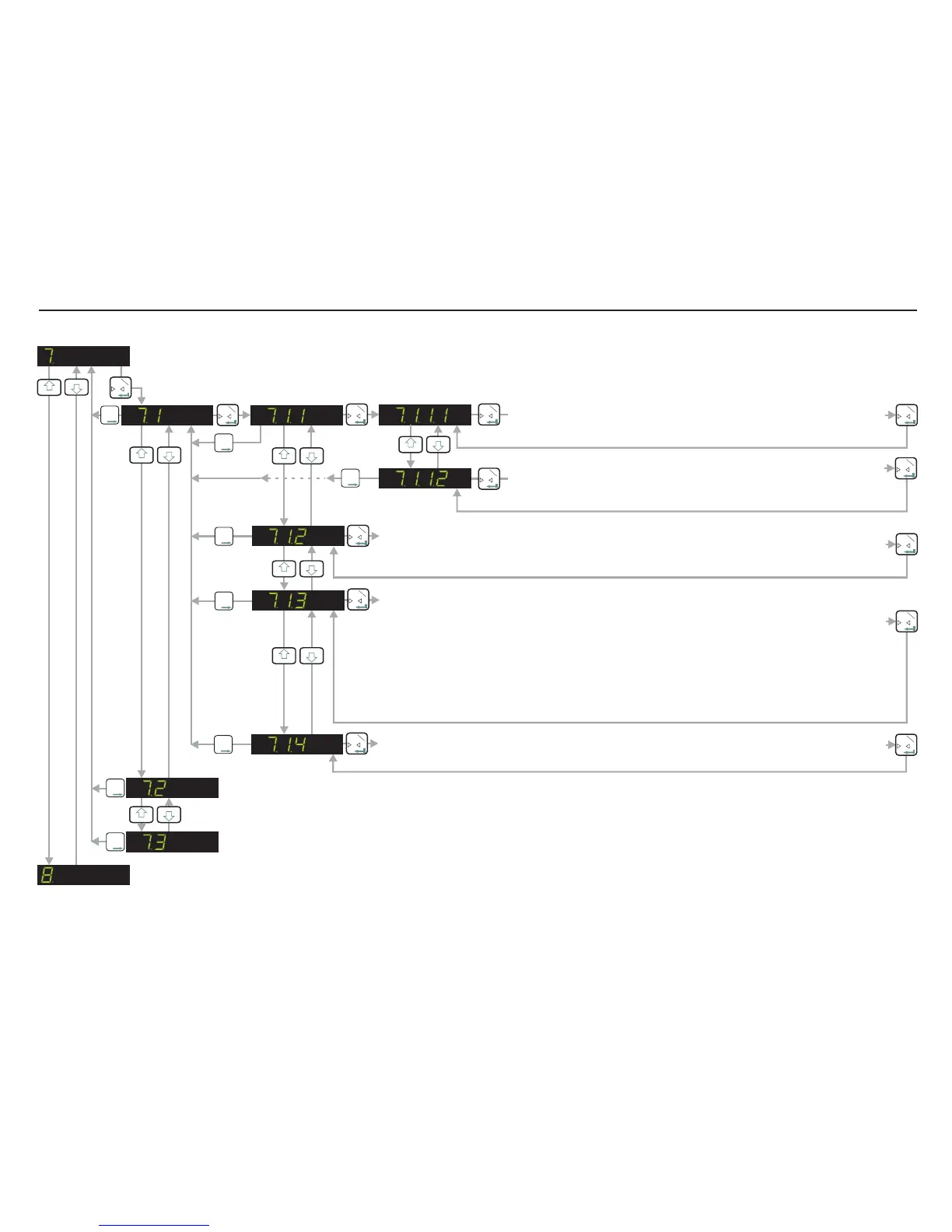
SET WEIGHT VALUE AT WHICH LOGIC OUTPUT 1 SWITCHES
Use the UP/DOWN and MOVE RIGHT keys to set the weight value
(SETPOINT) at which logic output1 changes state (switches on/off)
SET WHETHER LOGIC OUTPUT 1 SWITCHES ON OR OFF
Use the UP/DOWN keys to set whether logic output 1 switches on or
off at the set point.
0
T
1
0
T
1
T
T
T
2
T
T
T
2
T
T
T
2
SET THE HYSTERESIS VALUE ON THE SETPOINT FOR LOGIC OUTPUT 1
Use the UP/DOWN and MOVE RIGHT keys to set the hysteresis value on logic output 1
setpoint.
0
T
1
0
T
1
T
T
T
2
0
T
1
0
T
1
SET LOGIC OUTPUT 1 BASE (groS, nEt, PEA, AUEr, HOLd, PP, UALL, Error, oFF)
groS nEt
PEA
Use the UP or DOWN key to define the parameter, based on which Logic Output 1 will
operate : - operates when the Gross value reaches or exceeds the setpoint : -
operates when the net value reaches or exceeds the setpoint. - operates when the
peak value reaches or exceeds the setpoint. - operates when the average value
reaches or exceeds the setpoint. - operates when the Hold value reaches or
exceeds the setpoint. - operates when the peak to peak value reaches or exceeds
the setpoint. - operates when the Valley value reaches or exceeds the setpoint.
- operates when Err 4 or Err 5 occurs. - Logic Output 1 is disabled.
AUEr
HOLd
PP
UALL
Error oFF
0
T
1
T
T
T
2
0
T
1
TEST MODE FOR LOGIC OUTPUT 1 (0 - Off, 1 - ON)
Use the UP or DOWN key to switch on (1) or off (0) Logic Output 1.
3
4
3
4
3
4
3
4
3
4
AS PER SECTIONS 7.1 BUT FOR LOGIC OUTPUT 2
T
T
T
2
AS PER SECTIONS 7.1 BUT FOR LOGIC OUTPUT 3
T
T
T
2
3
4
3
4
Page 19


 To Next Page