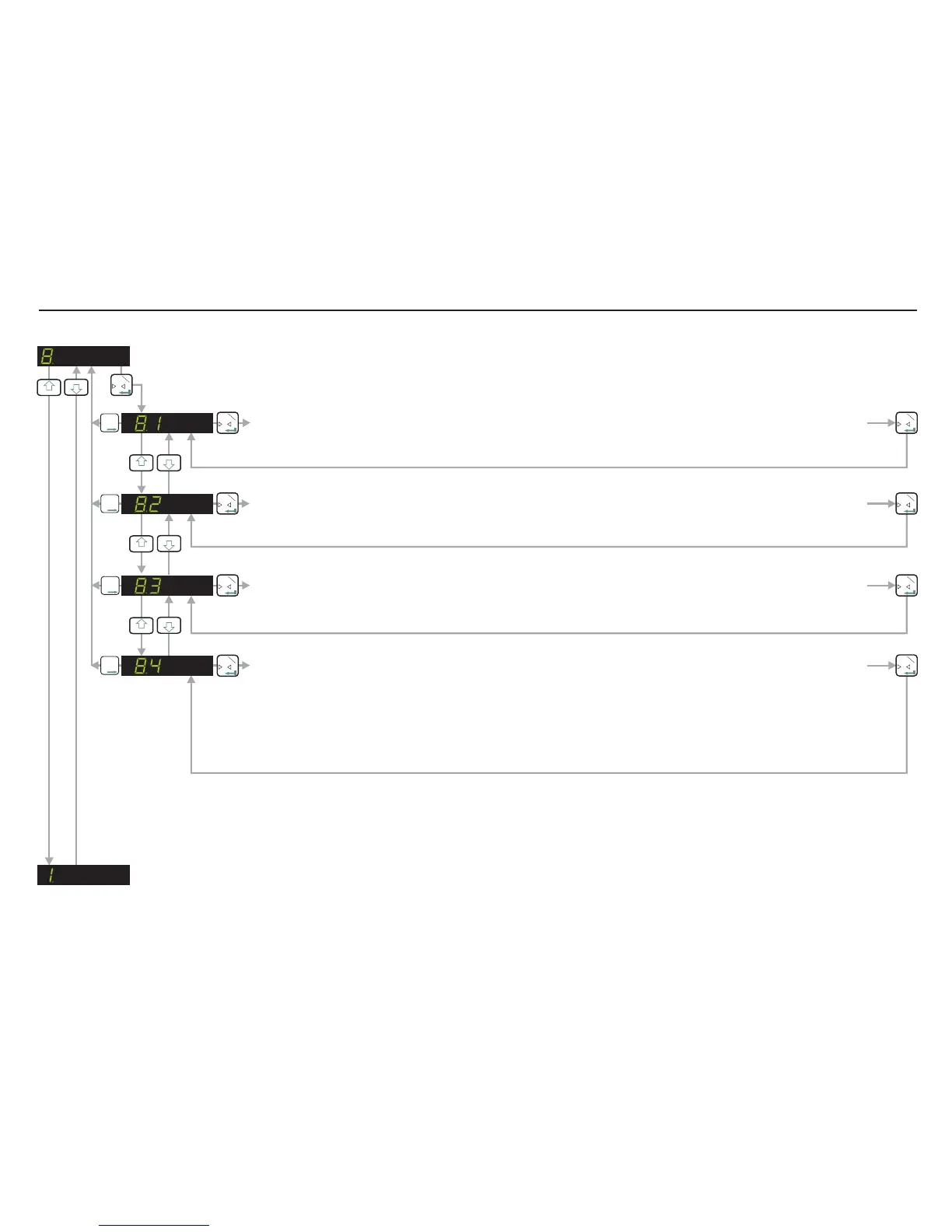
SET UP AND CALIBRATE ZERO FUNCTION
DATA COMMUNICATION SETTINGS
0
T
1
3
4
0
T
1
0
T
1
T
T
T
2
3
4
SET THE BAUD RATE (9600, 19200, 38400, 57600, 115200). [FACTORY DEFAULT 9600]
Use the UP or DOWN key to set the required baud rate.
SELECT EITHER RS422 OR RS485 INTERFACE (422, 485). [FACTORY DEFAULT RS422]
Use the UP or DOWN key to select either the RS422 or the RS485 interface.
0
T
1
T
T
T
2
0
T
1
3
4
SET THE DEVICE ADDRESS (0-255). [FACTORY DEFAULT 0]
Use the UP/DOWN & MOVE RIGHT key to set the device address (multi-drop) Set to 0 for single point to
point applications.
0
T
1
T
T
T
2
0
T
1
SELECT AUTO TRANSMIT MODE (groS, nEt, ALL, SAP, AUEr, PEA, HOLd, UALL, PP, oFF).
Use the UP or DOWN key to select the auto transmit mode.: - the gross value is continuously
transmitted.: - the net value is continuously transmitted.: - the gross, net and status values are
continuously transmitted. - the ADC value is continuously transmitted.: - the average value is
continuously transmitted.: - the peak value is constantly transmitted.: - the hold value is
continuously transmitted.: - the valley value is constantly transmitted.: - the peak to peak value is
constantly transmitted.: - the auto transmit is switched off.
groS
nEt ALL
SAP AUEr
PEA HOLd
UALL PP
oFF
0
T
1
T
T
T
2
0
T
1
3
4
Page 20


 To Next Page