Programmer`s manual
EZE30
Annex A Page 8 BE 948 a www.tecsis.de
SR Software Reset form a complete reset of the
EZE30.
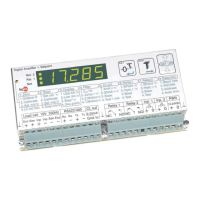
LI List settings - dump the complete EZE30 setup formatted as lines of ASCII characters to the serial channel. The output
refers to the front panel schematic columns 1 to 8.
3.2 WEIGHER CONTROL COMMANDS – SZ, RZ, ST, RT
The following commands provide the means to control the setting and resetting of the zero and tare points. The availability
of net weighing depends on these functions.
The zero point which is set at calibration time, rema
account when designing the application. A basic system co
whenever the weighing signal is not stable, as defined by the
-
calibration zero point, with respect to the maximum allowable display value.
SZ Set the system zero - weighed
operation, until further updated by the zero tracking function, or an
previously stated, any attempt to zero a drift of more than +/- 20% of the maximum allowable display value will result in the
SZ command being rejected (ERR). The SZ command is also rejected if the weighing signal is fluctuating, as defined by the
-
active before a SZ command can be accepted. Issuing the SZ command, which has no parameters, will return the OK or
ERR response. If OK
be activated.
RZ - this command will return the zero point to that which was stored during
the calibration procedure. Issuing the RZ command, which has no parameters, will return the OK or ERR response. If OK is
will be de-activated.


 To Next Page