Need help?
Do you have a question about the Tecsun R-9700DX and is the answer not in the manual?
Details the various LED indicators for power, tuning, and FM stereo, as well as frequency and tuning displays.
Describes buttons, switches, and knobs for light, power, auto on/off, volume, tuning, tone, and band selection.
Covers the external connection points: DC jack for power, earphone jack, and antenna jack.
Explains the built-in antenna and the folding and vertical stands for positioning the receiver.
Identifies the location of the battery compartment on the rear of the receiver.
Instructions for connecting an external AC/DC adaptor to the DC jack for power.
How to switch the receiver on/off and adjust the listening level using the volume control.
Steps for selecting the FM band, tuning to desired frequencies, and indicators for signal strength and stereo.
Guide to selecting MW or SW bands and tuning to frequencies, noting signal strength indicators.
Guidance on using the internal antenna for MW and extending/rotating the external antenna for FM/SW.
Explanation of how to set the DX/Local switch for normal use or to reduce strong noise.
Instructions on connecting an external antenna to the antenna jack to improve FM/SW reception.
Two methods for lighting the display: continuous on via selector or timed auto-off via button.
Methods for positioning the receiver securely using its folding stand or vertical stand.
Details frequency ranges, sensitivity, power requirements, speaker/earphone specs, size, and weight.
Important warnings regarding burning, impact, cleaning, heat sources, sunlight, and battery handling.
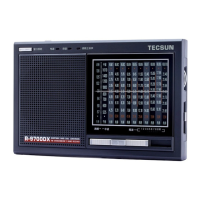
The R-9700DX is an FM Stereo/MW/SW Dual Conversion World Receiver, designed for receiving radio broadcasts across multiple frequency bands. It features a compact and portable design, making it suitable for both indoor and outdoor use.
The receiver operates on FM stereo, Medium Wave (MW), and Shortwave (SW) bands, offering a wide range of listening options. It incorporates dual conversion technology, which typically enhances reception sensitivity and selectivity, especially for shortwave listening.
For FM reception, the device supports stereo output when using earphones, indicated by a dedicated FM stereo LED. Tuning is performed using a tuning knob, and a tune LED indicator illuminates when a strong signal is found, aiding in precise station selection.
The MW (AM) band utilizes an internal antenna, and optimal reception can be achieved by rotating the receiver. For FM and SW bands, a telescopic antenna needs to be fully extended and rotated for the best signal.
The R-9700DX includes a DX/Local switch to adjust reception sensitivity. The "DX" (Distant) setting is for normal use, while the "Local" setting is recommended when strong noise is present, helping to reduce interference from nearby powerful signals.
An external antenna can be connected via a dedicated jack to further improve FM/SW reception, which is particularly useful in areas with weak signals or for serious shortwave listening.
The display features a backlight with two operating methods: continuous illumination by switching a selector to "on," or a temporary 15-second illumination activated by a light button when the selector is in the "off" position.
For user convenience, the receiver includes two types of stands: a folding stand on the rear for resting the receiver at an angle, and a vertical stand on the bottom for upright positioning.
The R-9700DX is designed to be a versatile and user-friendly world receiver, offering a comprehensive listening experience across various radio bands with practical features for both casual and dedicated listeners.

 To Next Page
 General