C
O P E R AT I O N
Insert the plug into the wall outlet.
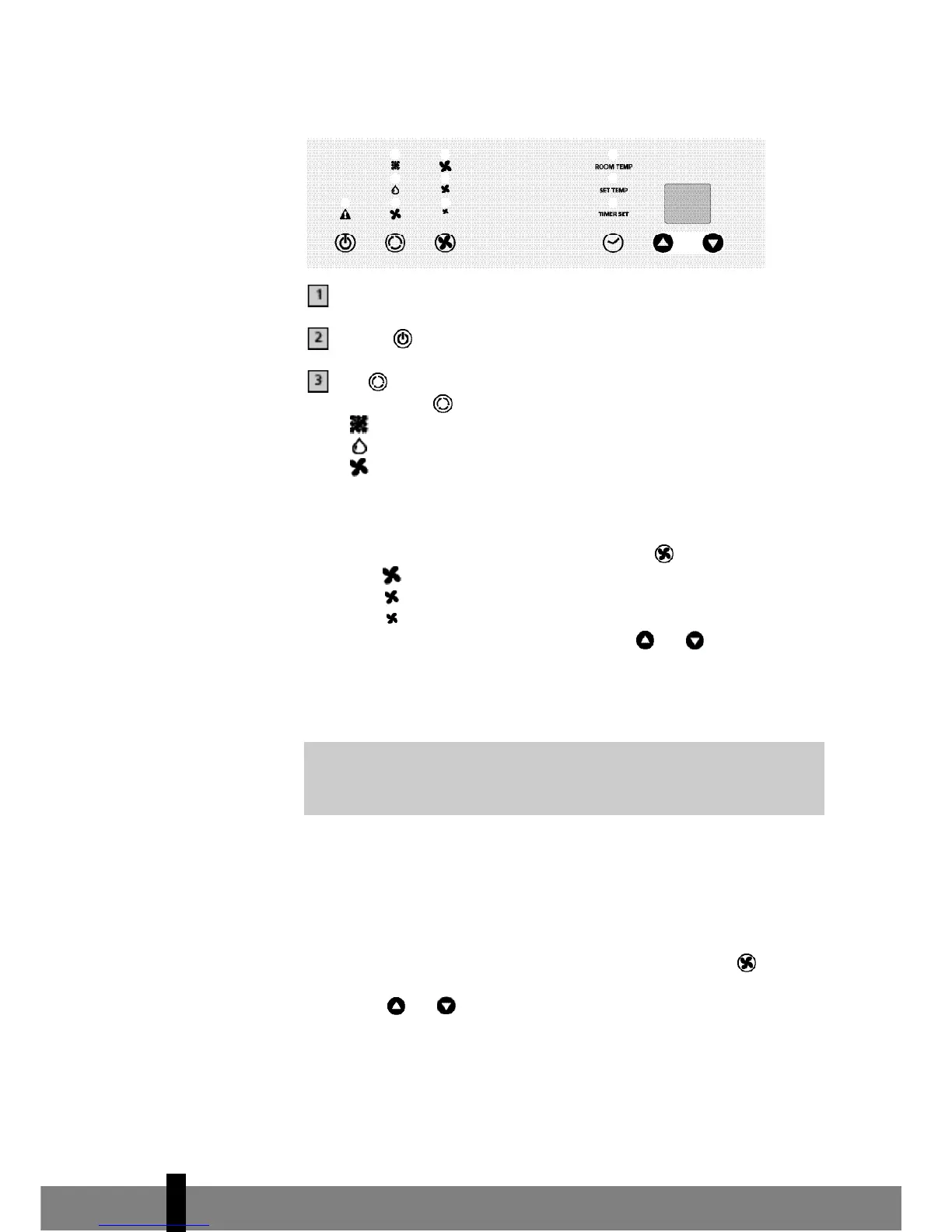
Press the -button to switch on the air conditioner.
With -button you can change the operating mode of the unit.
By pressing the -button the following modes appear:
• Cooling, the green light lits.
• Dehumidifying, the orange light lits.
• Air circulation, the yellow light lits.
COOLING
When the unit is in the cooling mode, the following functions apply:
• The fan speed can be adjusted by pressing the -button
- Maximum setting.
- Medium setting.
- Lowest setting.
• The temperature can be set by pressing the and buttons, anywhere
between 16°C en 32°C. The display will show the set temperature for 15
seconds and the “set temp” will light up. Fifteen seconds after setting the
required temperature, the display will show the room temperature.
DEHUMIDIFYING
When the unit is primarily used as a dehumidifier, then please follow these
i n s t r uctions: Do not connect the air exhaust hose and let the warm air go
back into the room. Connect a drainage hose onto the permanent drain
connector on the back of the unit (refer to Chapter G).
When the unit is in the dehumidifying mode, the fan speed cannot be
adjusted. The fanspeed will be automatically set on ‘Medium setting’. The
buttons and can also not be adjusted.
AIR CIRCULATION
In this mode the unit only circulates air; the unit will not cool or dehumidify.
When the unit is in this mode, the following functions apply:
It depends on the environment whether the required temperature will
be reached. It is not a malfunction of the air conditioner if the room
temperature remains above the “set temp”.
4
56



 To Next Page