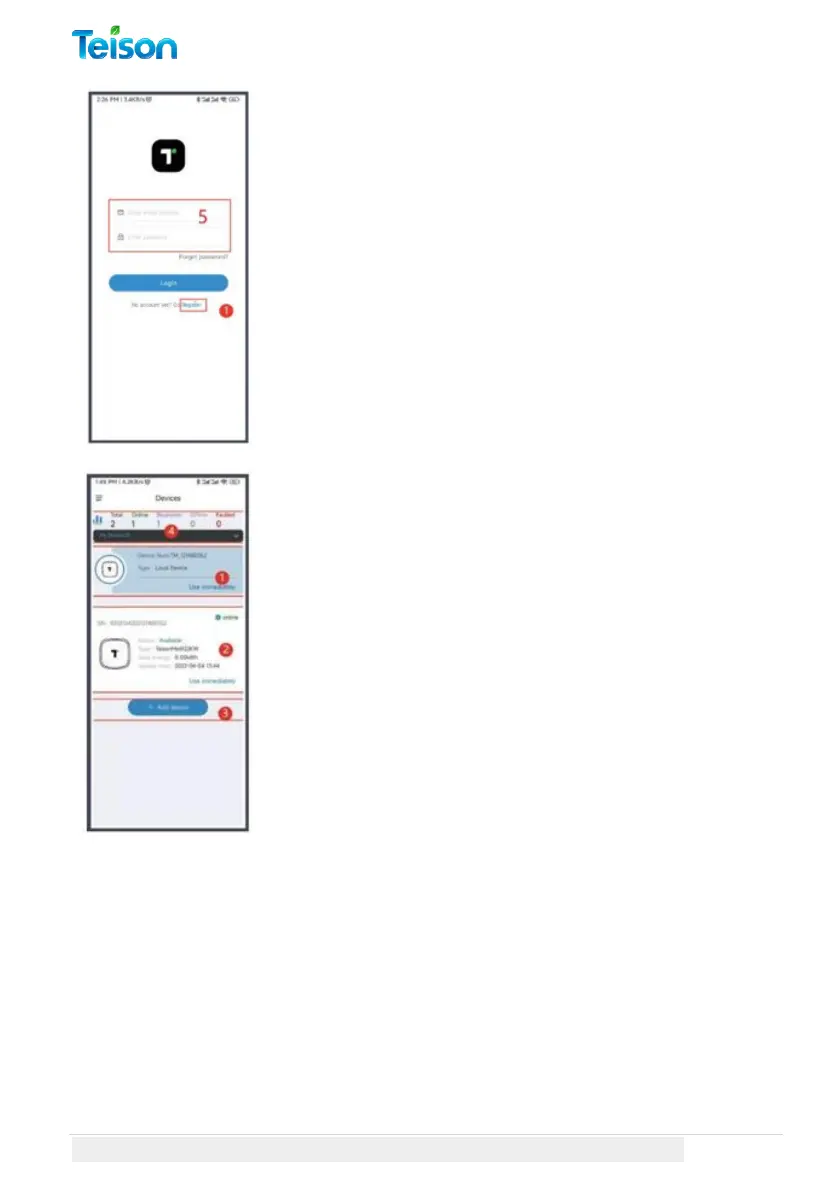
To use MyTeison, please create an account by
providing your essential details.
After creating the account, you will receive an email
confirmation. Please activate your account by
clicking on the link provided in the email.
Once you have activated the account, log in with the
same credentials. Please ensure that all the
information is accurate and complete.
1. The "Local Devices" list allows you to access
your devices directly” controlled by Bluetooth
connection”. Simply press "Use immediately" to
enter the EV charger page.
2. The "Online Devices" list displays all online
chargers linked to your account, along with relevant
information such as device name, serial number,
status, and type. To access an online charger's user
interface, press "Use immediately".
3. To configure a new TEISON EV Charger via the
web, click "+Add device".
4. The "Devices selected" area helps you locate the
correct charging station for your needs.



 To Next Page