Copyright © Teison Energy Technology Co.,Ltd. All Rights Reserved. 16 | P a g e
Connect Your EV Charger to Wi-Fi:
When you power on your newly installed TEISON EV Charger, you will be able to
control it through the app via Bluetooth connection. Please ensure that your
Bluetooth is turned on and that you are standing close to the charger. This is
known as a local device.
But to get the most out of your New EV Charger it's required to get connected
online using a Wi-Fi connection.
To configure your TEISON EV Charger 's network, follow these steps:
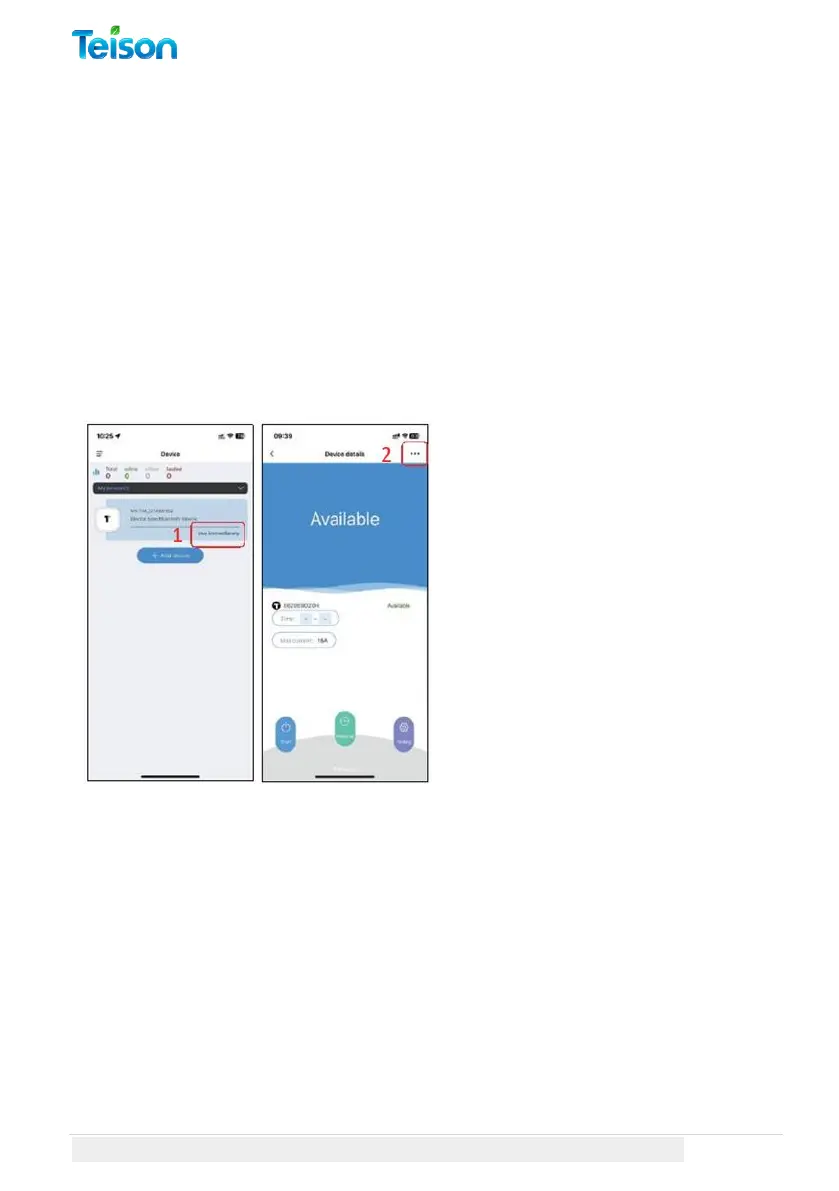
1. On the App's Devices Page,
select "Use Immediately" for your
local device.
2. Click the "..." button at the top
right corner of the local charger
page.



 To Next Page