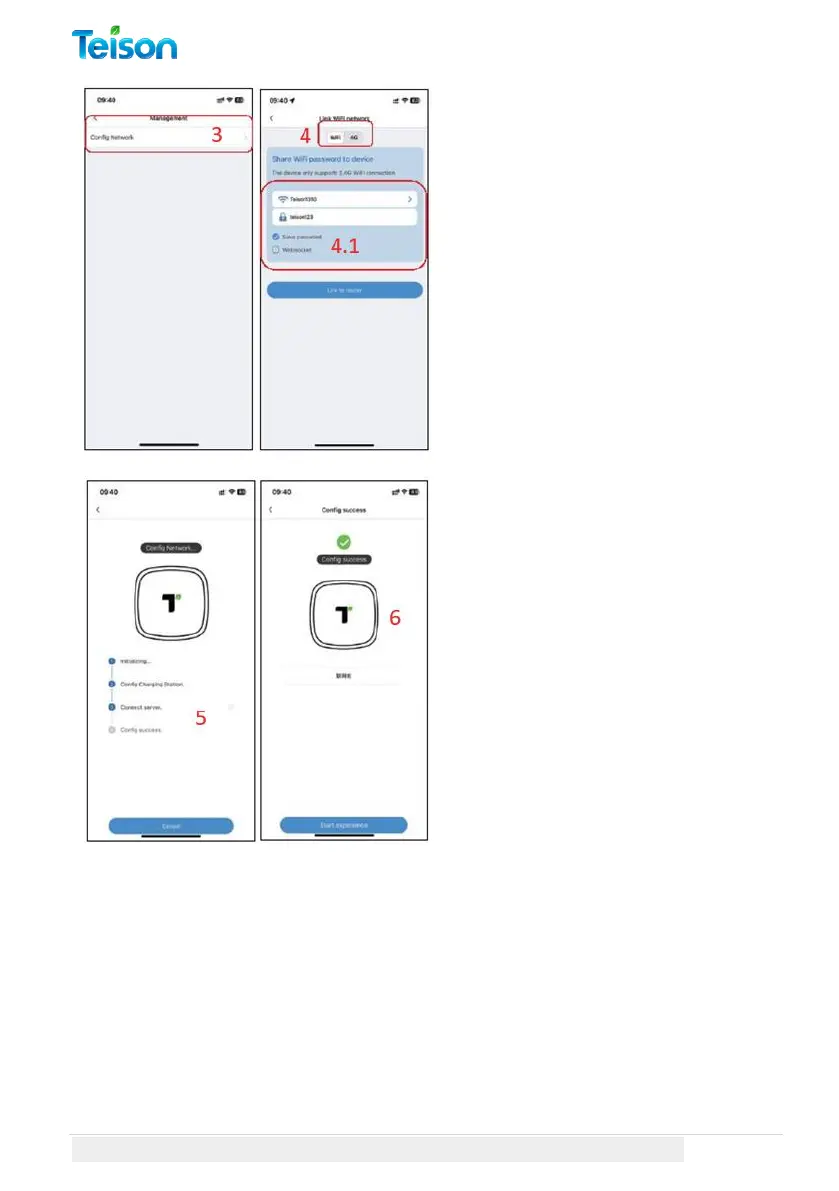
3. Select "Config Network".
4. Choose Wi-Fi (only supports
2.4G Wi-Fi): select your household
Wi-Fi, and enter your Wi-Fi
password, and select the save
password option.
5. The network configuration will
finish in 30 seconds. (If you use
the OCPP platform by a third
party, it will show success by step
2. You will have to confirm it by
your platform.)
6. If the configuration is
successful, you can name your
online charger. And then click on
“Start Experience”.



 To Next Page