© 2016 680_D - 05/16 22 of 48
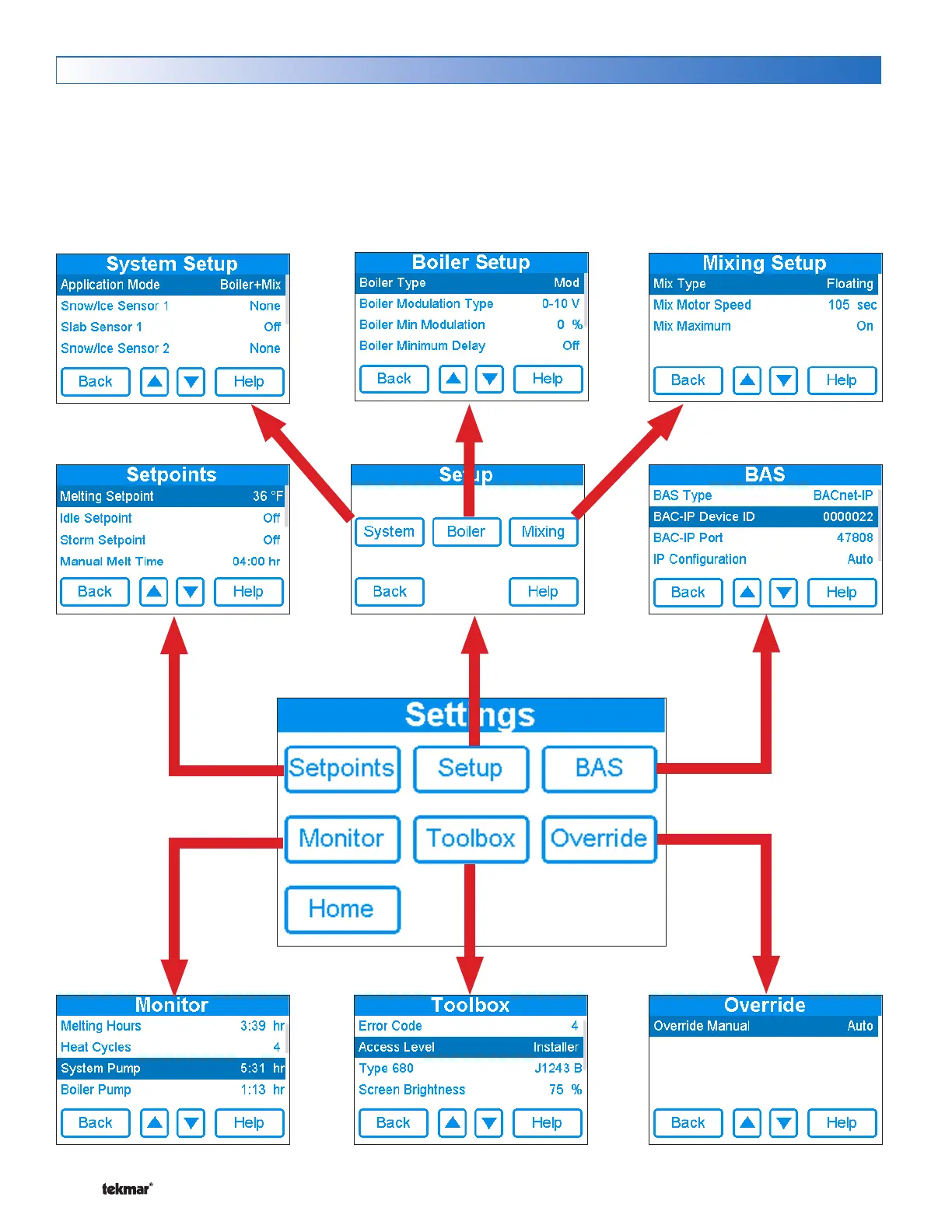
Settings Menu Navigation
Step 1: Press the Settings button on the Home Screen.
Step 2: Press one of the six buttons.
Step 3: Press up or down buttons to scroll through the list.
Step 4: Press the highlighted setting name to change the setting value.
In the BAS menu, settings using a number keypad require touching the number field and then pressing the "Clear" button
before entering the number.



 To Next Page