© 2012 557_D - 08/12
27 of 48
A Watts Water Technologies Company
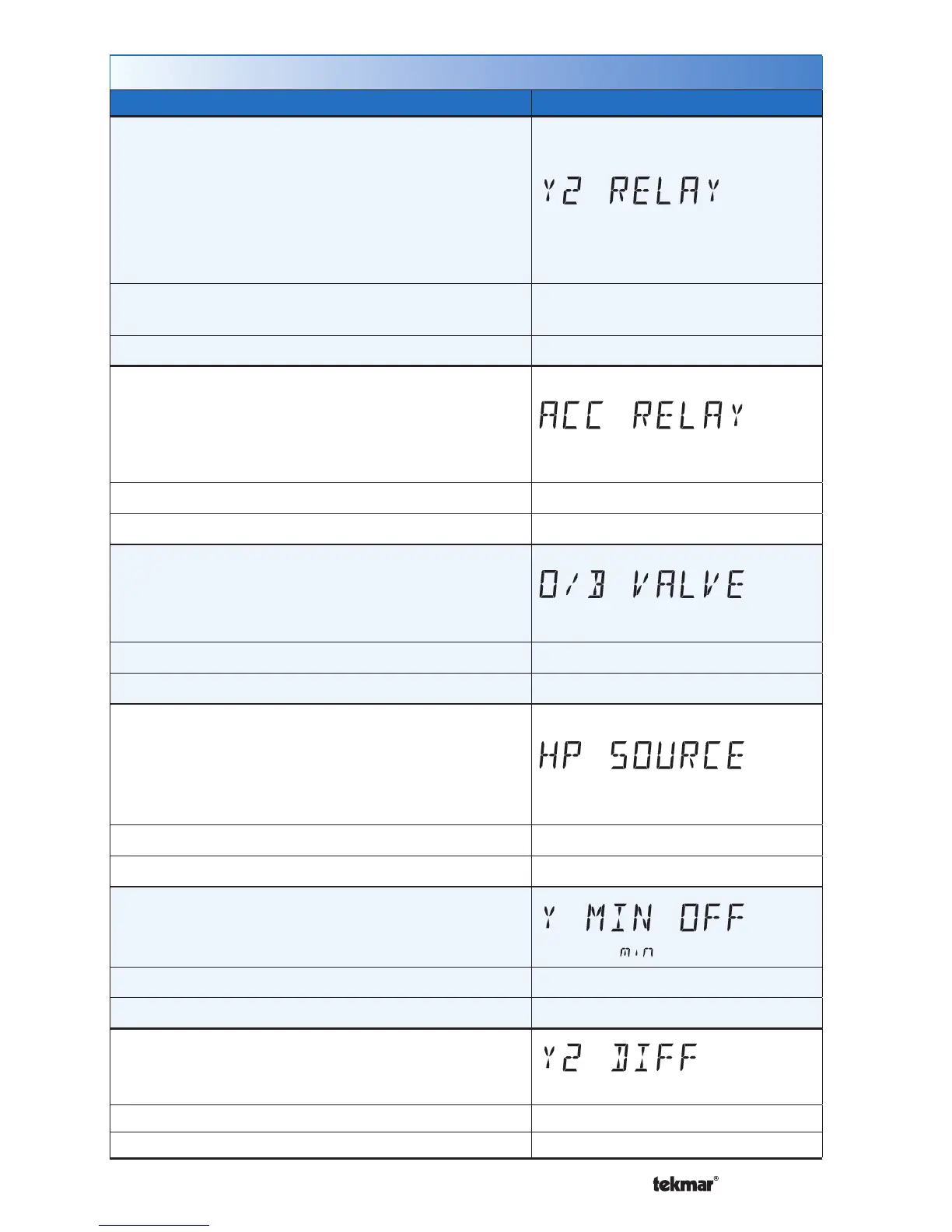
Setup Menu (4 of 7)
Setting Display
Y2 RELAY
Select the equipment the Y2 relay operates.
HP2 = Second stage heat pump
AC2 = Second stage air conditioner
HRV = Heat recovery ventilator
DHUM = Dehumidifier
VALV = Hydronic valve for building loop
Access Level: Installer
Range: OFF, HP2, AC2, HRV,
DHUM, VALV
Conditions: Always available. Default: OFF
ACCESSORY RELAY
Select the equipment the accessory relay operates.
HUM = Humidifier
DHUM = Dehumidifier
VALV = Hydronic valve for building loop
Access Level: Installer Range: OFF, HUM, DHUM, VALV
Conditions: Always available. Default: OFF
O/B VALVE
Select the heat pump operation of the O / B relay.
O = Turn on during cooling, turn off during heating
B = Turn off during cooling, turn on during heating
Access Level: Installer Range: O or B
Conditions: Y1 RELAY is set to HP1. Default: O
HP SOURCE
Select the type of source for the heat pump.
AIR = Air source heat pump
GEO = Geothermal source heat pump
LOOP = Building hydronic loop heat pump
Access Level: Installer Range: AIR, GEO, LOOP
Conditions: Y1 RELAY is set to HP1. Default: AIR
Y MINIMUM OFF
Select the compressor minimum off time.
Access Level: Installer Range: 0:30 to 10:00 minutes
Conditions: Always available. Default: 5:00 minutes
Y2 DIFFERENTIAL
Select the Y2 differential on point.
Access Level: Installer Range: 0.0 to 4.0°F (0.0 to 4.0°C)
Conditions: Y2 RELAY is set to HP2 or AC2. Default: 0.5°F


 To Next Page