© 2012 557_D - 08/12
30 of 48
A Watts Water Technologies Company
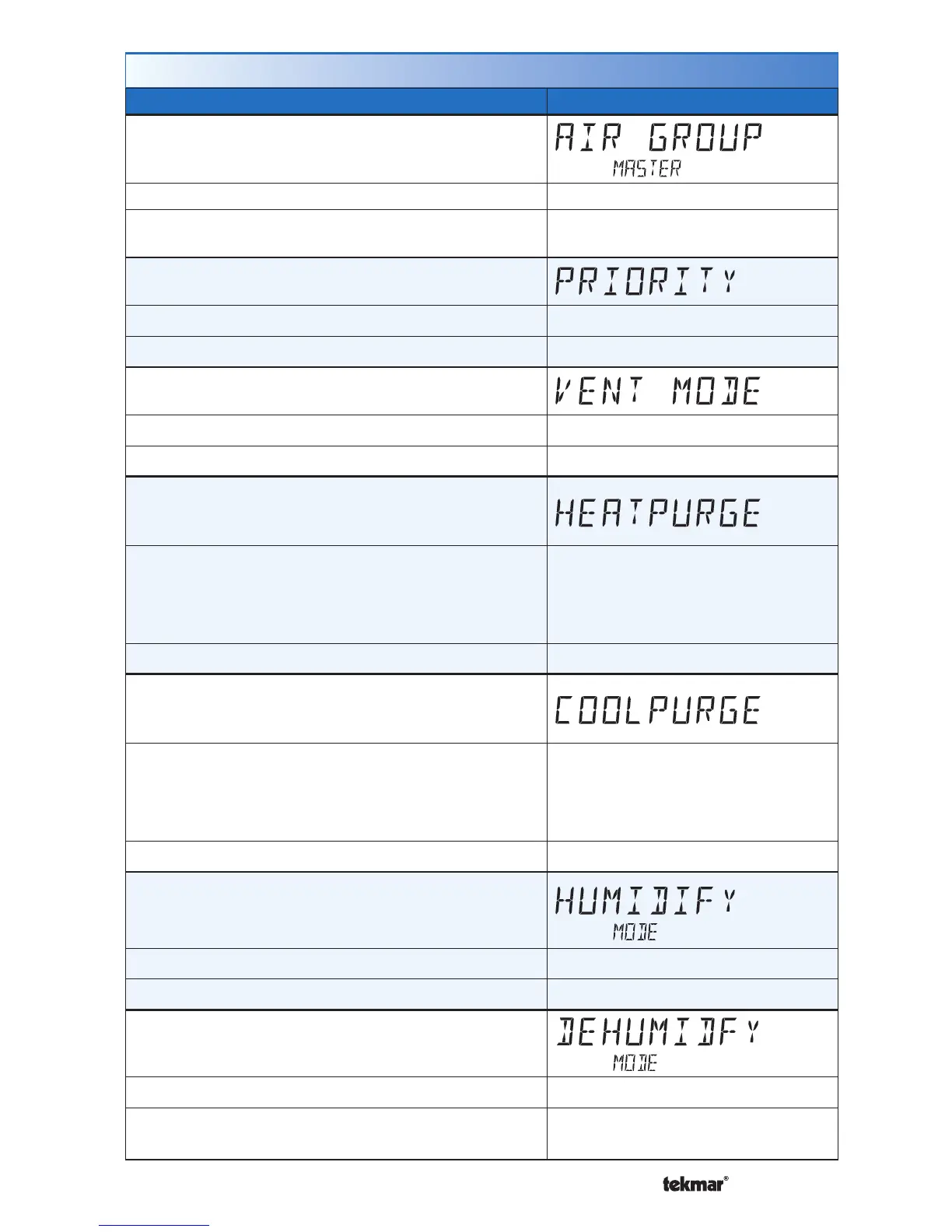
Setup Menu (7 of 7)
Setting Display
AIR GROUP MASTER
Select if the thermostat is a master of an air group.
Access Level: Installer Range: NONE, 1 to 16
Conditions: The thermostat must be connected to
other thermostats using tekmarNet
®
.
Default: NONE
PRIORITY
Select either heating or cooling priority.
Access Level: Installer Range: HEAT or COOL
Conditions: Air Group Master is set to 1 to 16. Default: COOL
VENTILATION MODE
Select whether the fan provides ventilation.
Access Level: Installer Range: OFF or ON
Conditions: Always available. Default: OFF
HEAT PURGE
Select the fan coil heating purge based upon either
time or on duct air temperature.
Access Level: Installer
Range: 0:00 to 3:00 minutes
(no duct sensor) or
70 to 160°F, OFF (21.0 to 71.0°C,
OFF) (with duct sensor)
Conditions: Always available. Default: 0:30 min or 100°F (38.0°C)
COOL PURGE
Select the fan coil cooling purge based upon either
time or on duct air temperature.
Access Level: Installer
Range: 0:00 to 3:00 minutes
(no duct sensor) or
OFF, 40 to 70°F (OFF, 4.5 to
21.0°C) (duct sensor required)
Conditions: Always available. Default: 0:00 min or 60°F (15.5°C)
HUMIDIFY MODE
Select the humidifier operation mode.
Access Level: Installer Range: OFF, HM1, HM2, HM3
Conditions: ACC RELAY is set to HUM. Default: OFF
DEHUMIDIFY MODE
Select the dehumidifier mode.
Access Level: Installer Range: OFF, DHM1 to DHM5
Conditions: ACC RELAY is set to DHUM or Y2 RELAY
is set to DHUM or HRV.
Default: OFF


 To Next Page