SYNAPSE30 30W FM Exciter User manual
LOAD FIRMWARE
Load firmware:
1) Download the last firmware version available
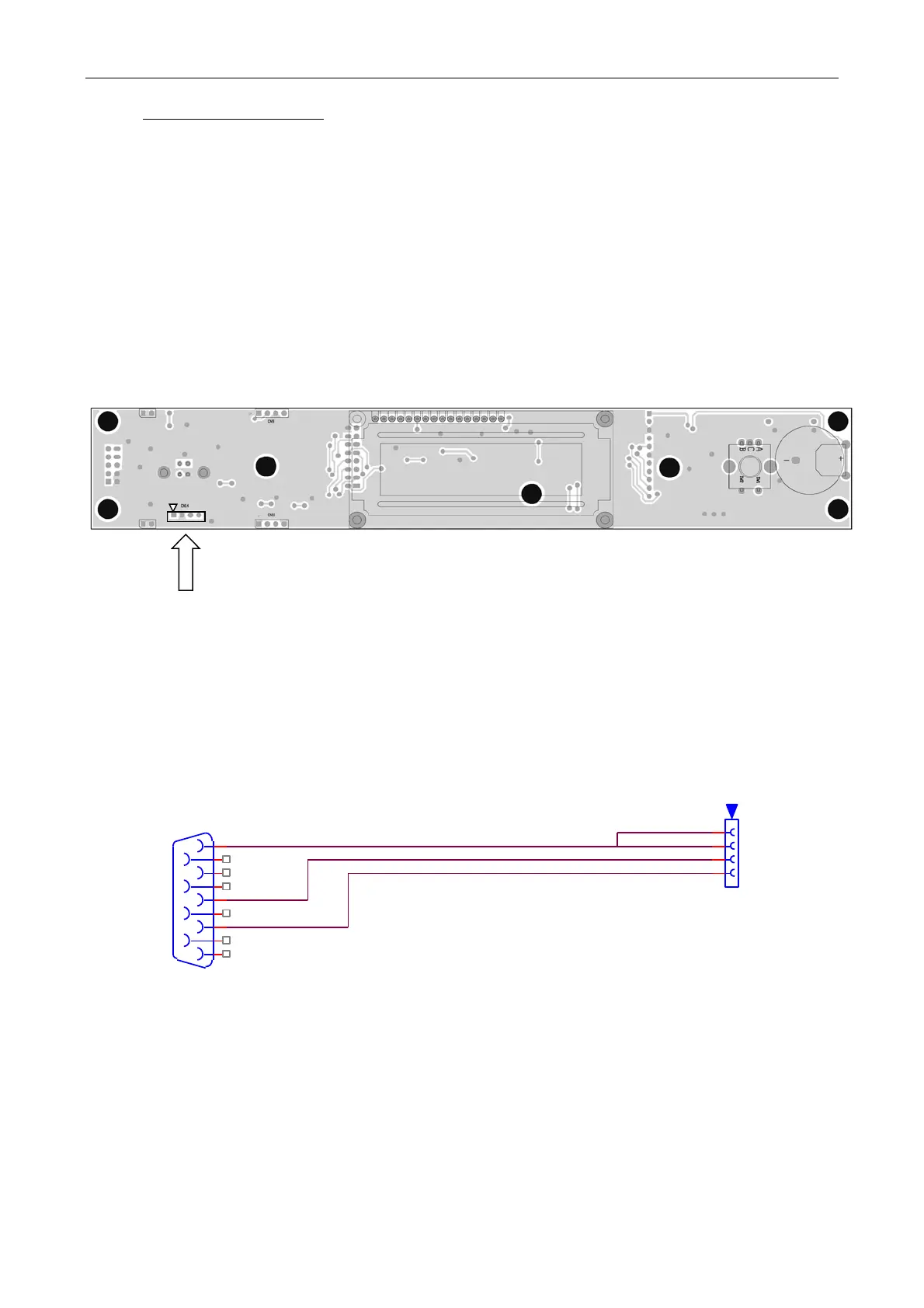
2) Before switching the exciters on, connect the pin 1 of programming cable to pin 1 of CN14
3) Switch on the exciters
4) Run flash magic and set “Step 1 and Step 2”, as described in the figure shown in previous
page
5) At “Step 3” link the Software file
6) Push Start and the updating will start
Programming cable


 To Next Page