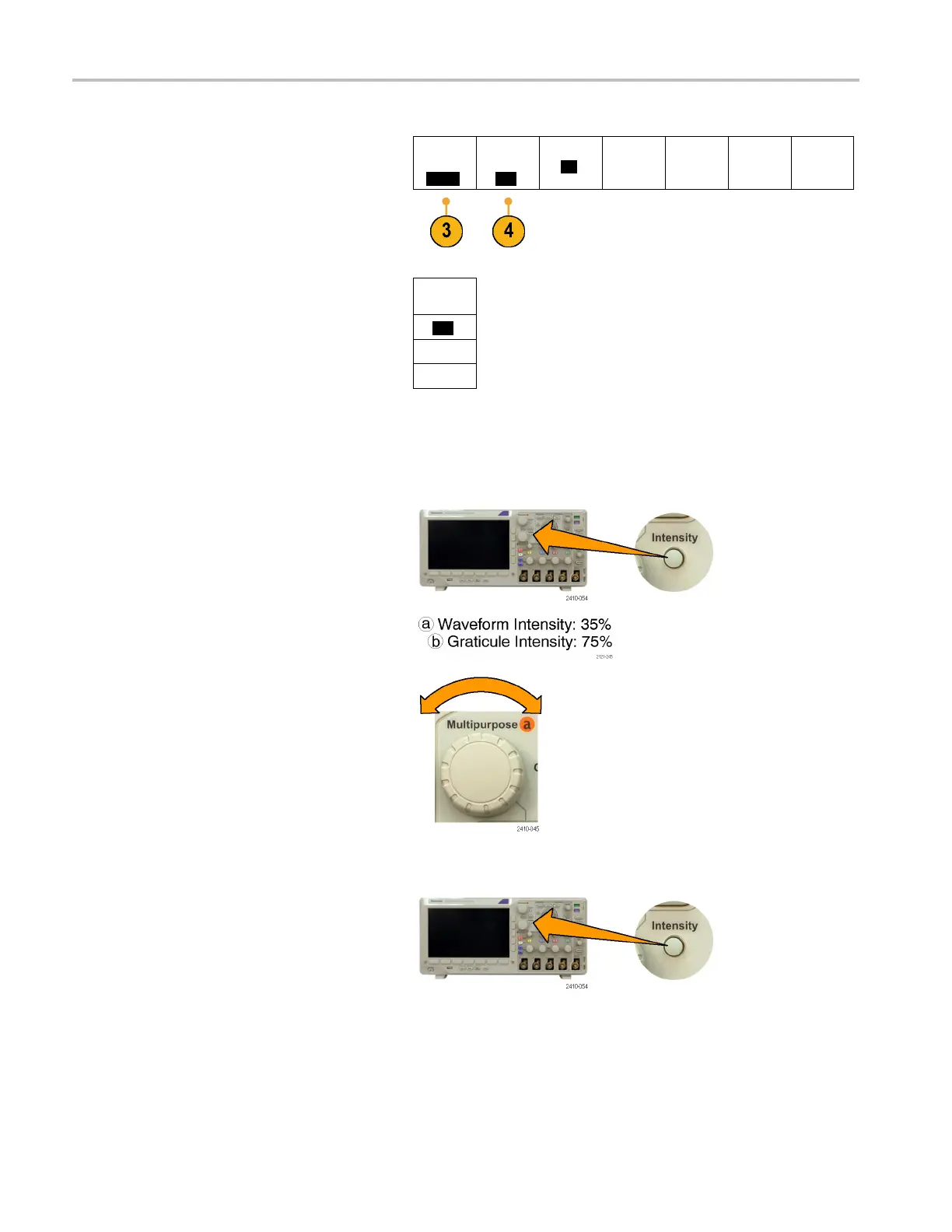
Display Wavefor
mData
4. Push Backligh
t Intensity.
Utility
Page
Display
Backlight
Intensity
High
Graticule
Full
Screen
Annotation
Backlight
Intensity
High
Medium
5. Select the intensity level on the resulting
side menu. C
hoices are: High, Medium,
and Low.
Low
Setting Waveform Intensity
1. Push Inte
nsity on the front-panel.
This will bring up the intensity readout on
the display.
2. Rotate multipurpose knob a to s elect the
desired waveform intensity.
3. Rotate multipurpose knob b to select the
desired intensity for the graticule.
4. Push In tensity again to clear the i ntensity
readout from the display.
88 MSO3000 and DP O3000 Series Oscilloscopes User Manual



 To Next Page