Performance Tests
4–78
TDS 500B, 600B and TDS 700A Service Manual
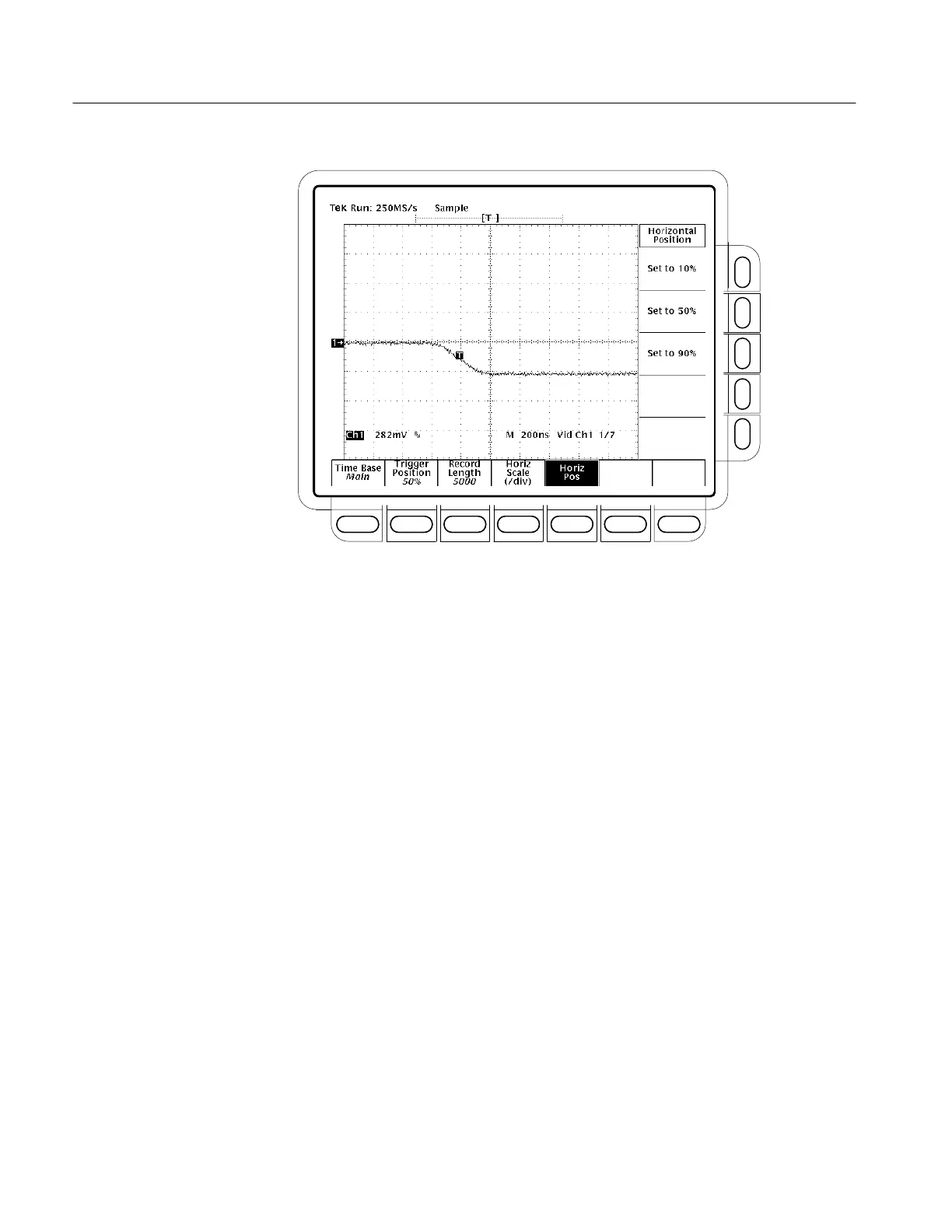
Figure 4–36: Line Count Accuracy Test Setup Waveform – TDS 684B Shown
H Press CURSOR.
H Press the main-menu Function.
H Press the side-menu V Bars.
H Using the General Purpose knob, place the left cursor directly over
the trigger ‘T’ icon.
H Press SELECT.
H Turn the General Purpose knob to adjust the right cursor for a cursor
delta reading of 6.780us.
H Use the HORIZONTAL POSITION knob to position the right
cursor to center screen.
H Verify that the cursor is positioned on a positive slope of the burst
signal. See Figure 4–37.



 To Next Page
 Loading...