Removal and Installation Procedures
TDS 500B, 600B and TDS 700A Service Manual
6–31
1. Remove circuit board assembly:
a. Using a screwdriver with size T-15 TorxR
tip, remove the two screws
(number 4 in Figure 6–12) securing the rear plate of the circuit board
assembly.
b. Disconnect the cable connector (number 2) from the processor-display
circuit board connector (number 1).
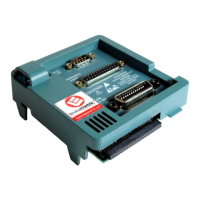
c. Pull out the A23 SerPar Board assembly (number 3).
1
2
3
4
Figure 6–12: Remove Circuit Board Assembly From Oscilloscope
2. Remove circuit board from assembly:
a. Using a
3
@
16
inch nutdriver, remove the four lock connectors (number 3 in
Figure 6–13) securing the circuit board to the rear plate.
A23 SerPar Board —
RS232/Centronics
Hardcopy Interface
(Optional on the
TDS 500B, 620B and
680B)


 To Next Page
 Loading...